 |
You.i Engine
|


|
|
You.i Engine
|
|
List views provide a means to display dynamic and scrollable content.
CYIListView enables browsing through dynamic content via focus or pointer navigation. The content is usually, though not necessarily, specified in a CYIAbstractDataModel. CYIListView enables streaming of its contents with out-of-the-box View Recyclers or manually through the Adapters. 'Streaming' refers to the tracking of items within the list's visible region. For more on streaming, see the CYIStreamer documentation.
For browsing through static content, or content that is not numerous enough to warrant lifecyle management, CYIScrollingView may be used instead. Many of the features documented here are applicable to CYIScrollingView, these will be highlighted.
For presentation of static content that does not need to scroll, consider CYISceneView with an optional CYILayout.
Contents:
This diagram demonstrates the role of each of: a CYIListView, a CYINodeAdapter implementation, and an optional IYIViewRecycler in producing content for the list to display.

CYIListView is a scrolling view which displays dynamic content. This content is produced by an adapter as needed based on the user's scroll position within the list. A Layout must be used with CYIListView due to the dynamically-generated nature of its content. If no layout is specified a CYIColumnLayout will automatically be assigned.
The content of a CYIListView is abstracted as a set of 0-based indices. Adapters are responsible for producing views based on these indices. These indices are consecutive numbers from 0 to one fewer than the number of items in the list, as defined by the adapter in CYINodeAdapter::GetItemsCount. It is up to the application developer to match these indices to their data model representation. For applications making use of CYIAbstractDataModel, this might be as simple as using the item index as a row index in their data model from within the adapter. See Integration with Data Model for an example of this.
You.i Engine provides a set of adapter interfaces but implementations must be provided by application developers, either through concrete implementations of an adapter interface or through the use of delegate adapters.
CYINodeAdapter is the most generalized adapter interface and provides the base for the adapter class hierarchy. CYIViewAdapter provides a simpler interface specialized for the construction of views from templates.
Each adapter has a delegated implementation. These concrete implementations allow the configuration of a delegate to which the adapter's responsibilities will be delegated. This allows the extension of an existing component, such as a CYIAbstractScreenViewController subclass, with adapter responsibilities.
View recyclers are used by CYIViewAdapter. When CYIListView indicates that a view at an index has streamed out, CYIViewAdapter uses its view recycler to determine what to do with the view. By default a CYICreateDeleteViewRecycler is used, which simply deletes the view. When a view at an index has streamed in, the view recycler will be used to produce the view for that index. The CYICreateDeleteViewRecycler will allocate a new view instance for this purpose. CYIPooledViewRecycler makes use of a dynamic view pool, creating instances as needed but re-using instances where possible.
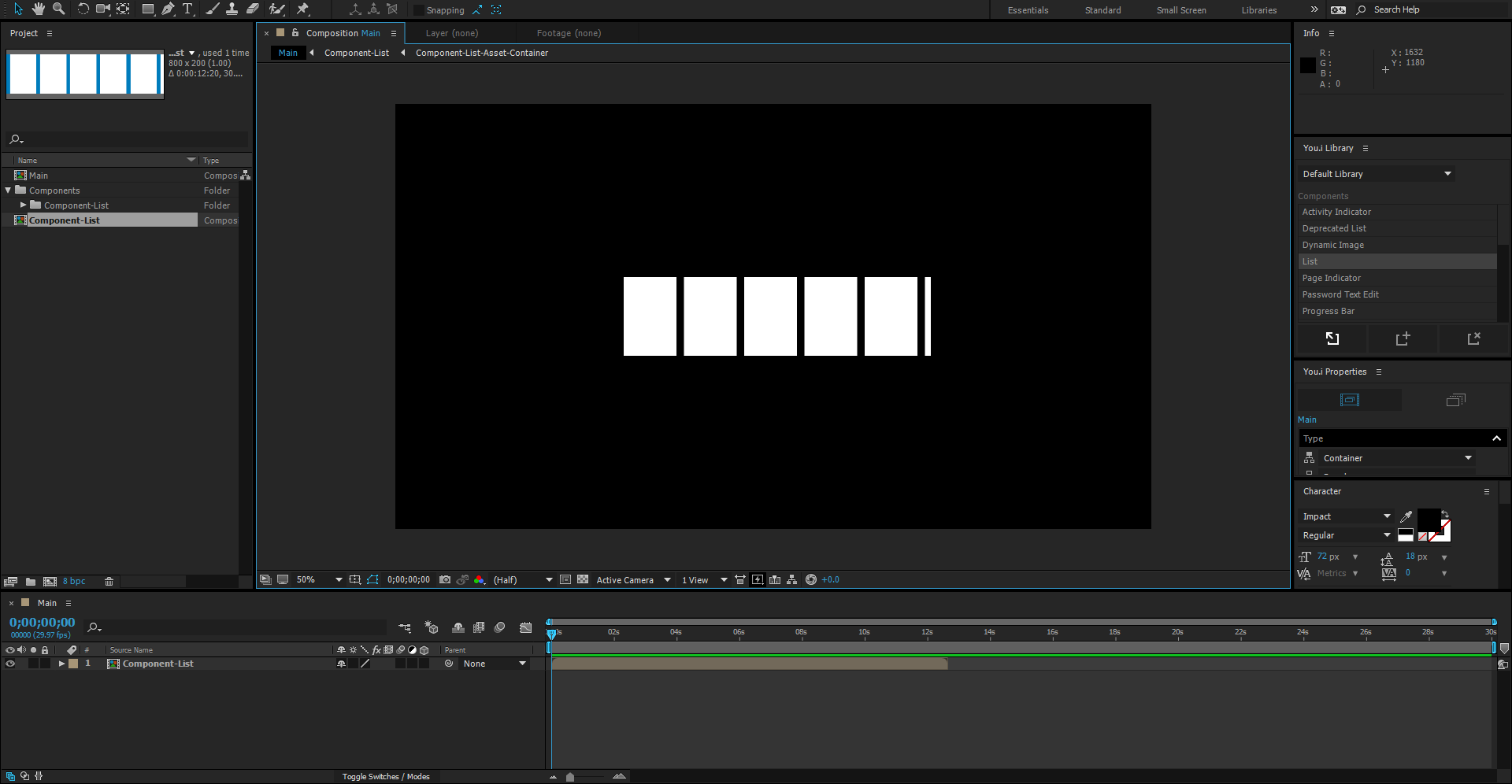
CYIListView may be found in the You.i Engine After Effects Plug-in Component Library under "List."
height=540px
The list component contains placeholder items so that it can be previewed. The properties of these items can be used in construction of views within this list. See Components for more information on the adapter and how it populates the list with views. The "placeholder" property is a general purpose property and may be used outside of CYIListView as well. The properties panel may be used to configure an item as a placeholder:
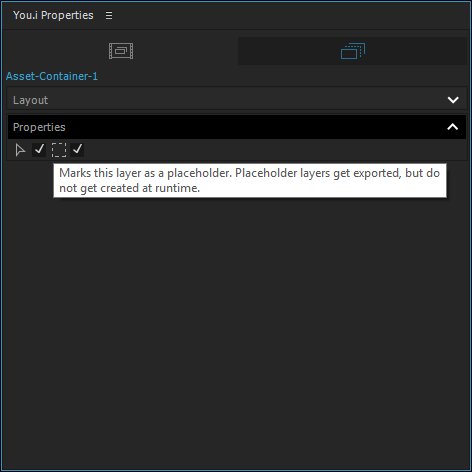
Content within a CYIListView which is not marked as placeholder content will appear inside the list at run-time, as if it were inside a CYIScrollingView. This content does not stream in and out as it moves through the list, but it will participate in the list's layout and will scroll along with the dynamic content of the list.
An adapter must be used to populate this list at run-time. Two examples making use of CYIViewAdapter and CYIDelegatingViewAdapter appear below. See Components for more information on the adapter and its relationship with CYIListView.
The following code constructs a set of 5 views using the same template for each view. In practice, it may be desirable to have a different template for each index. To accomplish this SingleTemplateViewAdapter::GetViewTemplate would be modified to return a different std::shared_ptr<CYIAssetViewTemplate> for each index.
The following code also constructs a set of 5 views using the same template for each view. However, this makes use of an external class which implements CYIDelegatingViewAdapter::Delegate in order to move the adapter's responsibility to an existing class, which may have additional responsibilities.
As a user navigates through a CYIListView new views need to be presented to the user and old views are no longer needed. For complex, rich, animated views with many elements this construction and deletion might be taxing on the system to the point where it becomes noticeable. For this reason CYIViewAdapter and CYIDelegatingViewAdapter can make use of an optional IYIViewRecycler implementation which can be used to re-use views as they become available.
There are two IYIViewRecycler types available: the default and trivial CYICreateDeleteViewRecycler which offers no benefit over manual deletion and creation of views, and the CYIPooledViewRecycler which will use a view pool to re-use views which are based on the same view template. If using CYIPooledViewRecycler it is the responsibility of the adapter implementation to ensure that views are returned to the pool in a defaulted state. For custom views this can be accomplished by implementing CYISceneView::Reset to clear all state from the view, and in the general case can be accomplished by overriding CYIViewAdapter::ReleaseNode and clearing all state from the view prior to calling the base class implementation.
CYIAbstractDataModel provides a generic means to represent arbitrary data, organized as nested tables. Refer to the Data Model documentation for detailed explanation of its usage. The following sample makes use of a data model representation of a list, seen below:

height=312px
The data model is contained in an adapter which uses it to populate the CYIListView. This example differs from the Using a View Adapter (CYIViewAdapter) example in that the data model contains a list of CYIUrl instances with which to populate the list.
In order to increase the visual appeal of a CYIListView it is possible to make use of a 'move' timeline for the items within the list. This is a special timeline which is not driven by time changes but is instead driven by the position of the item in view.
For one dimensional lists a timeline named 'Move' is adequate, for two dimensional lists a different timeline may be specified for each of the horizontal and vertical directions. These directional move timelines are named 'MoveHorizontal' and 'MoveVertical' respectively. For two dimensional lists the 'Move' timeline may still be specified and will use the distance from the top-left of the list as its position within the timeline.
More information on the 'move' timeline feature can be found in CYIScrollingView documentation, under 'Move Timelines.'
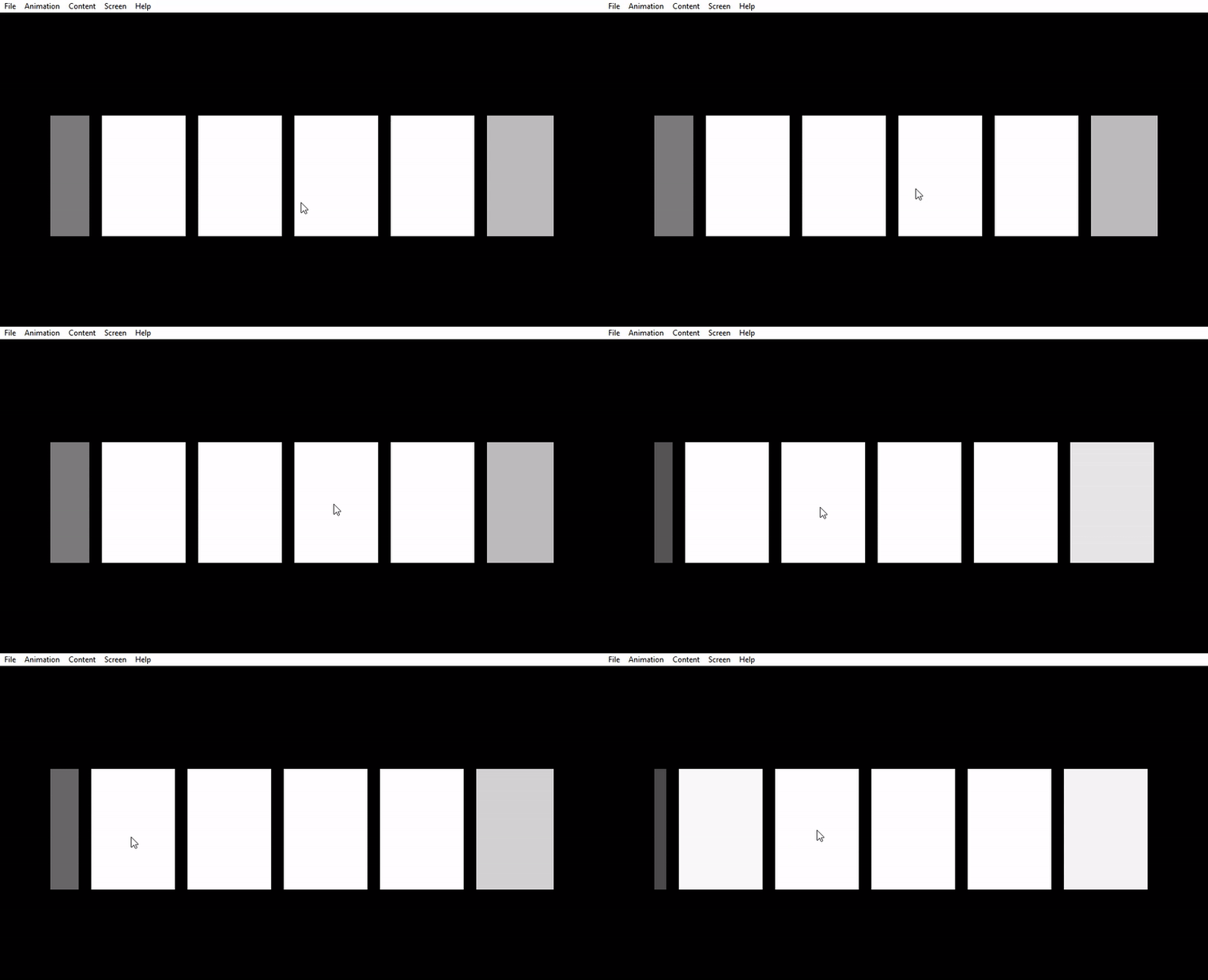
As an example, adding an opacity 'MoveHorizontal' timeline to the component library list like so:

Produces this output when previewed:
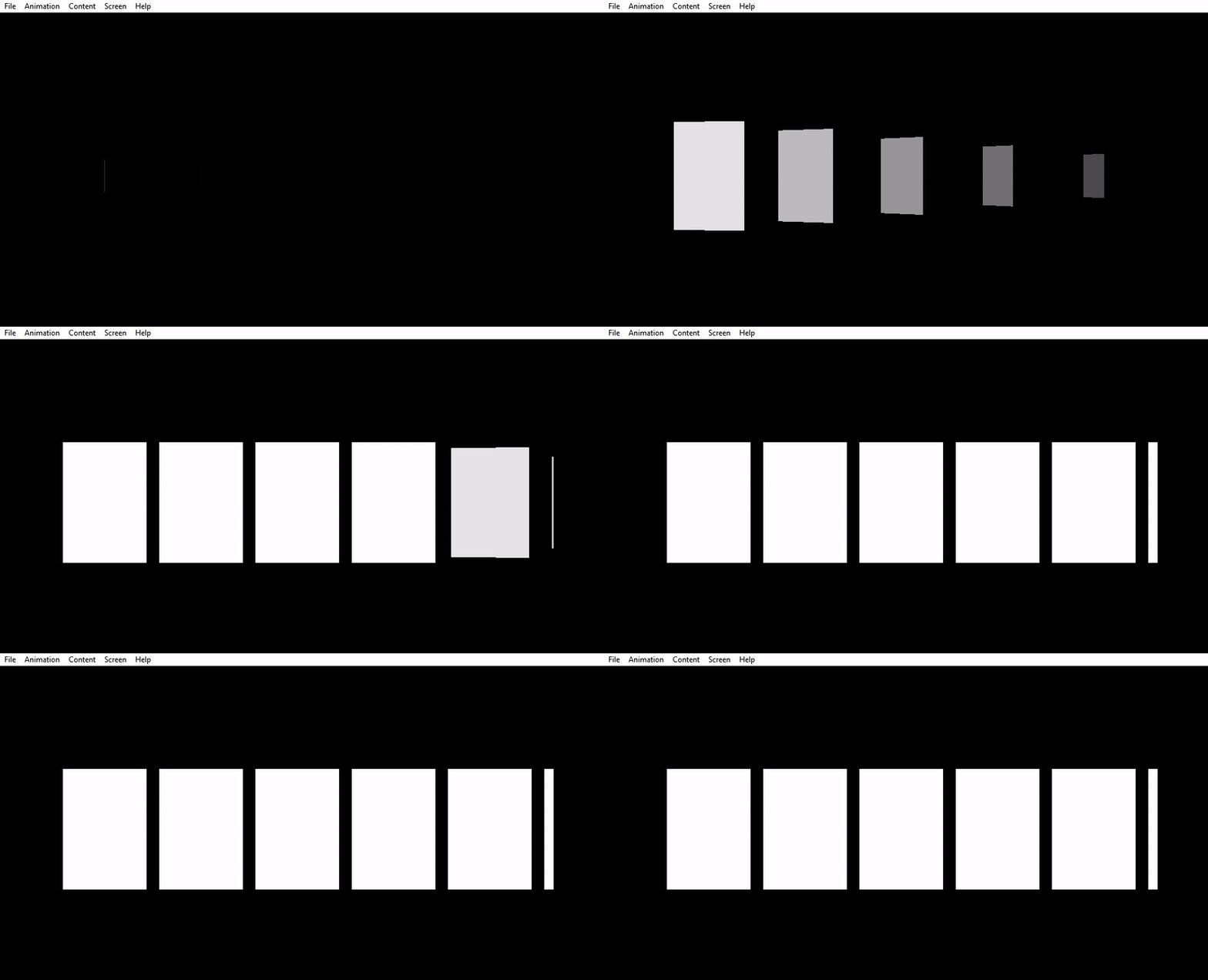
'In' and 'Out' animations are used when switching between collections of views such as in the case of screen transitions. CYIListView allows its contents to be animated in a 'cascading' fashion, meaning that items within the list begin to animate with staggered offsets, allowing for rich and interesting animations to be created. This is accomplished by the inclusion of 'CascadeIn' and 'CascadeOut' timelines within the list items. Note that an 'In' or 'Out' marker must be present inside the CYIListView and in all views between the CYIListView and the screen root in order for the 'In' and 'Out' timeline group generation to find the cascade timelines automatically.
More information on the 'cascade' timeline feature can be found in CYIScrollingView documentation, under 'Cascade Timelines.'
As an example, adding a 'CascadeIn' timeline to the component library list contents:

Produces this output when previewed:
Just like CYIScrollingView the list can be thought of as a scrolling window to view content. On platforms with touch and cursor input users can scroll throught the list's content by pressing on the content of the list and dragging in the opposite direction of a scroll.
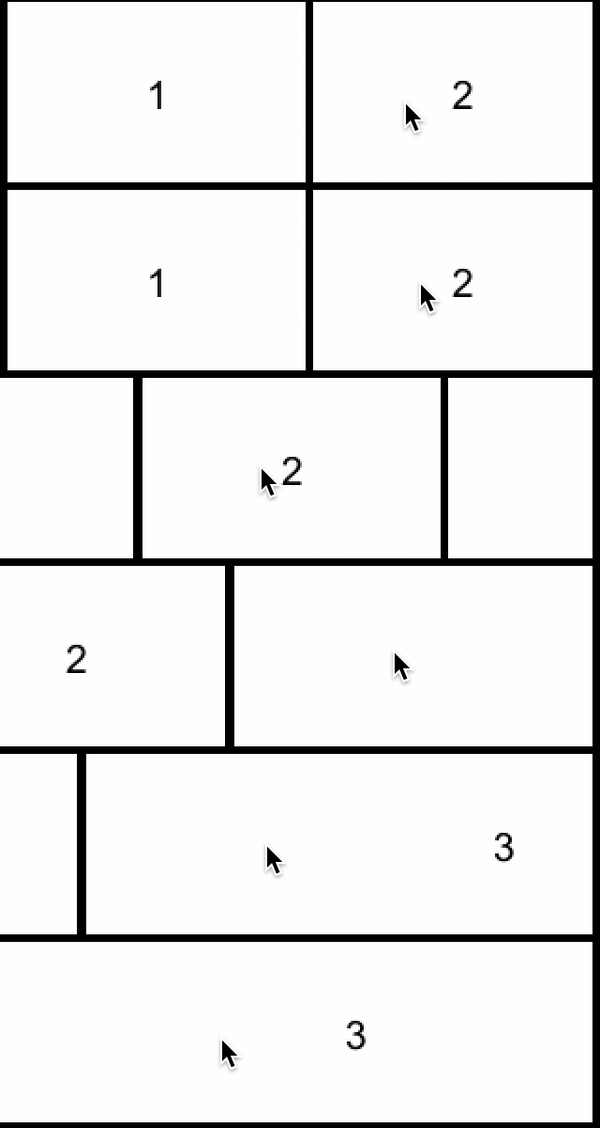
On platforms which use focus to navigate, the list scrolls whenever a new item is focused until the item is completely visible or, if the item is larger than the list, until its top or left edge is aligned with the top or left edge of the list.
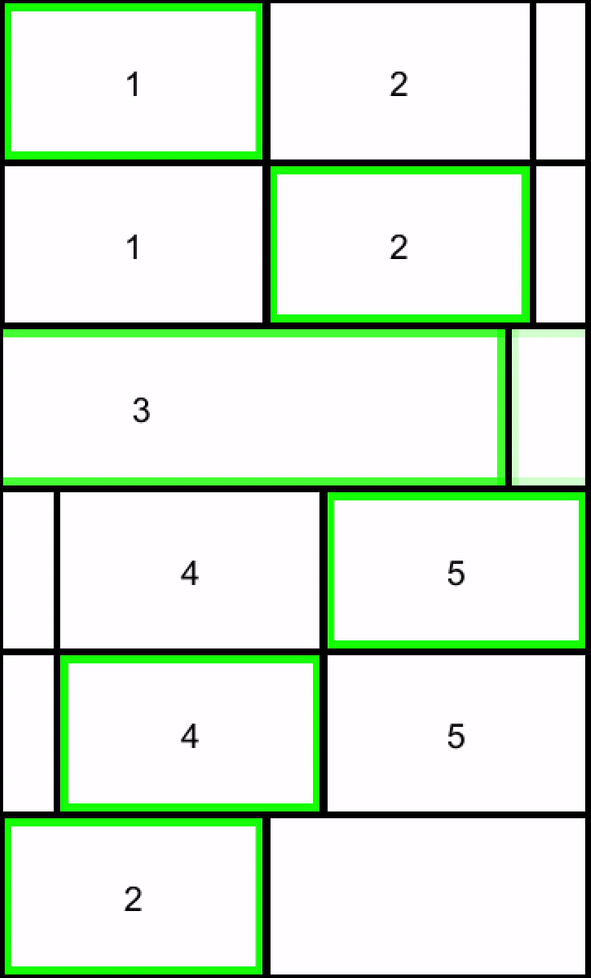
Magnets can be added to the list so that items snap to a position as the view is scrolled. A list scrolled left will have content entering on the left side. If the view is configured with horizontal edge magnets the list will move to align the left magnet and the closest left edge of a magnetic child. Similarly when content enters from the right, top, or bottom while scrolling, the view will align the right, up, and down magnets to the right, top and bottom edge of the closest magnetic child.
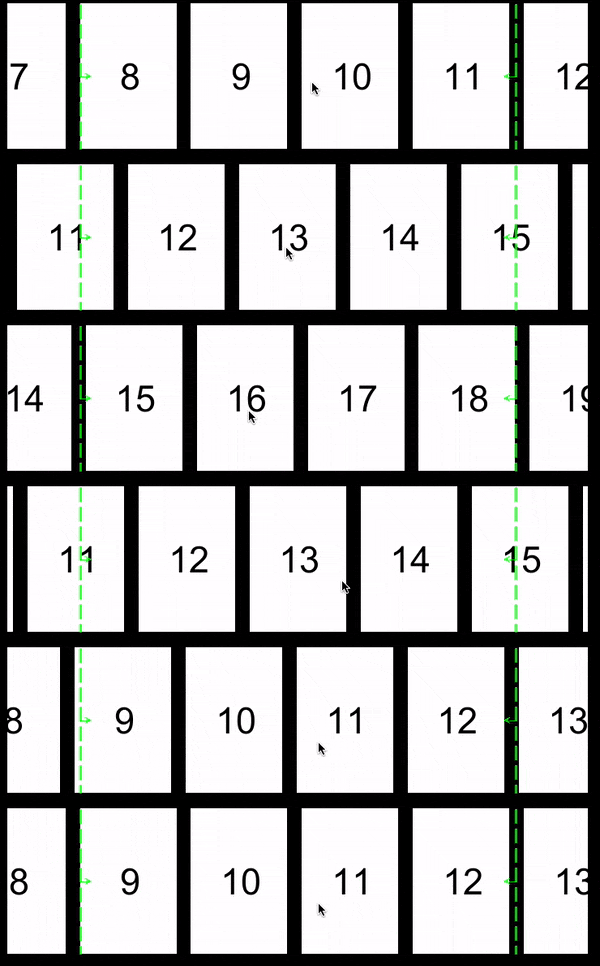
When the list has a horizontal center magnet the view will snap the center of each item to the magnet's position. The same is true for a single vertical magnet.
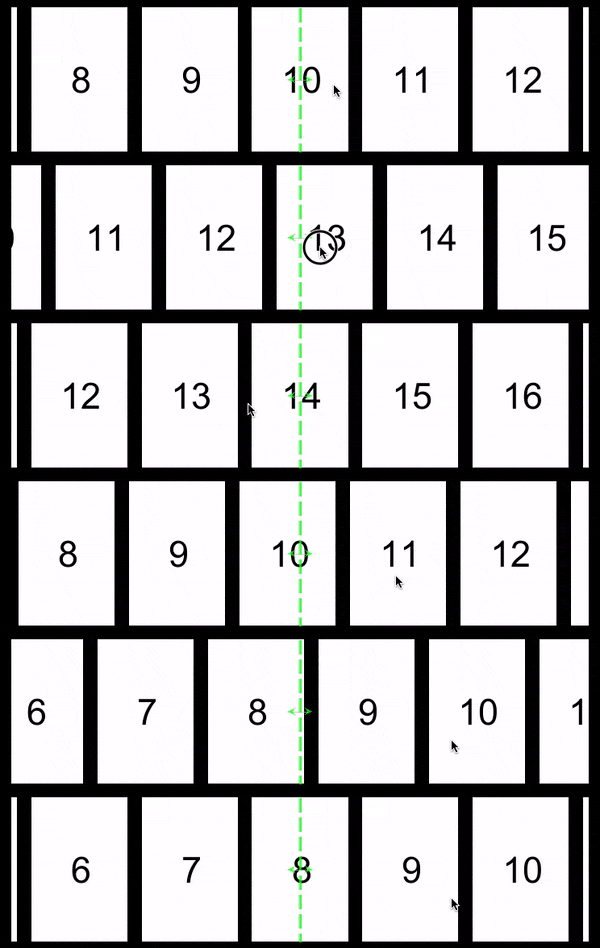
When the list has a horizontal begin magnet the view will snap the left of each item to the magnet's position. For vertical magnets the view will snap the top of each item to the magnet's position.
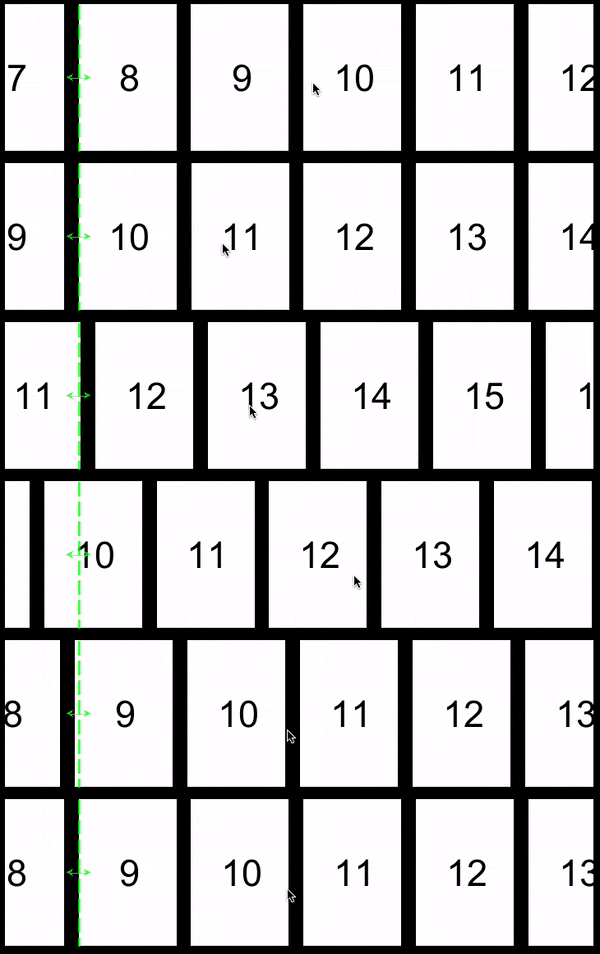
When the list has a horizontal end magnet the view will snap the right of each item to the magnet's position. For vertical magnets the view will snap the bottom of each item to the magnet's position.
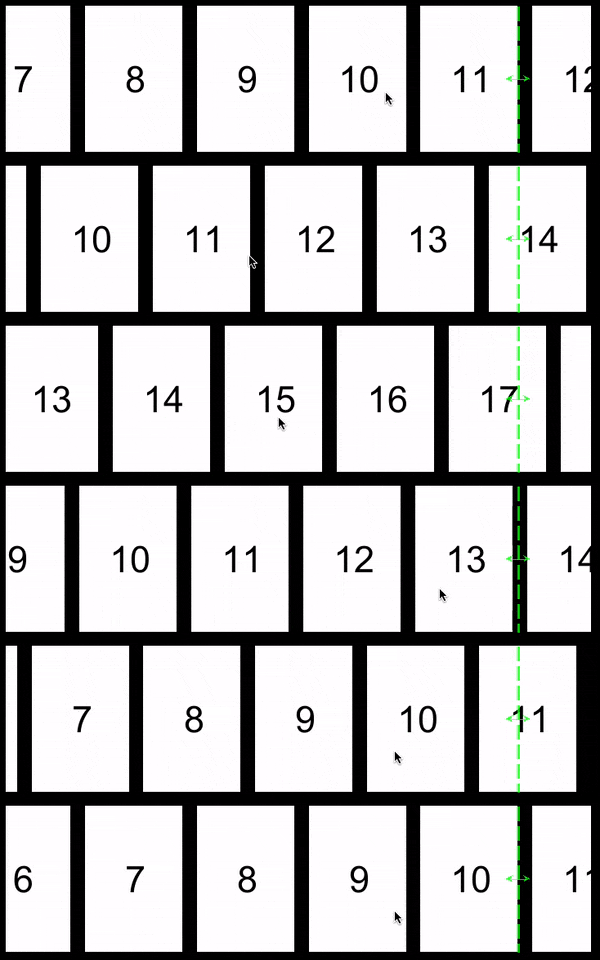
See the CYIScrollingView documentation under 'Magnets' for more details.
CYIListView can be used to present infinitely scrollable content by enabling the 'carousel' mode in either the horizontal or vertical directions:

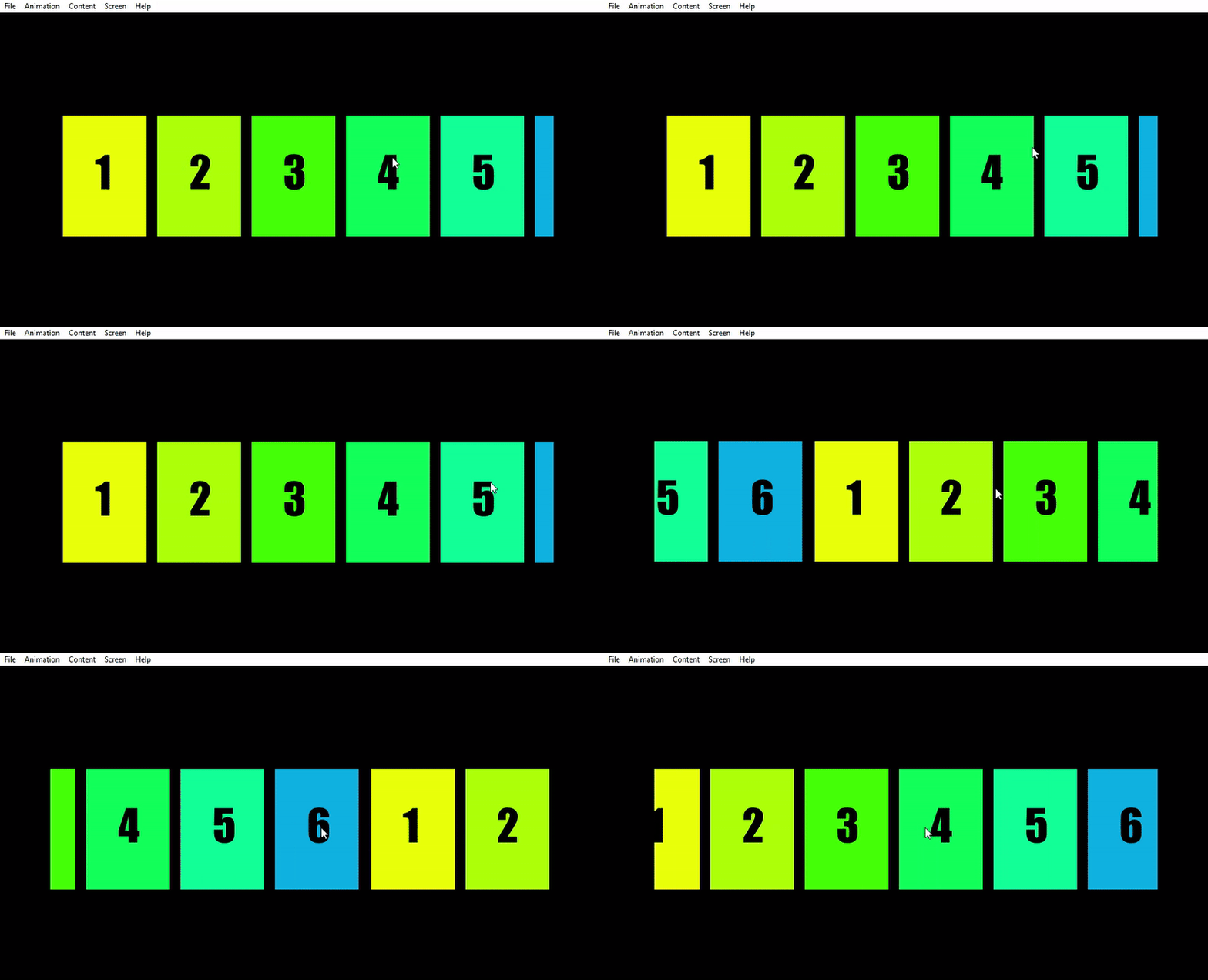
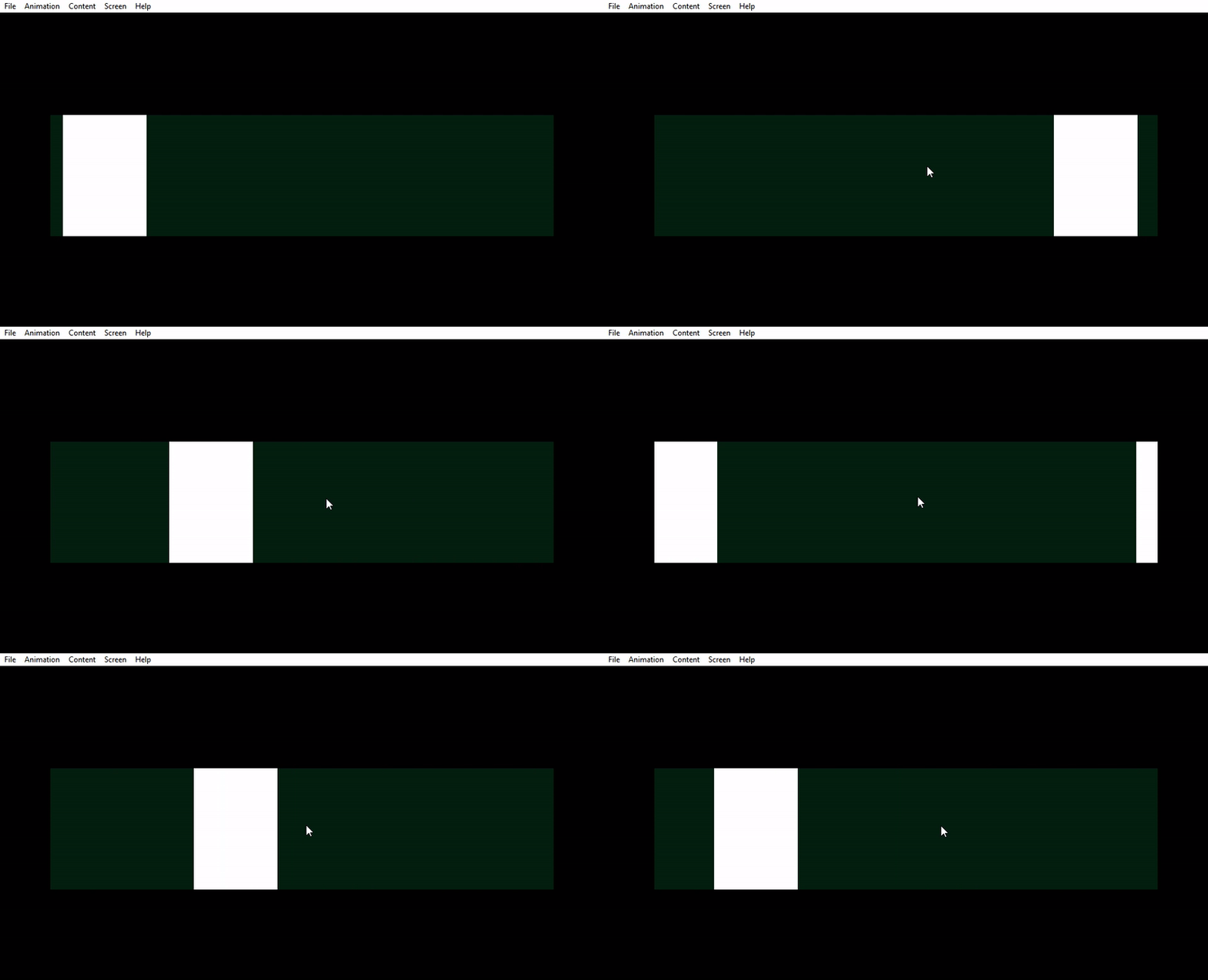
Carousel causes the content of the list to wrap around so that a full scroll through the list contents returns the user to the point at which they started, rather than at the end of the content. If the list content does not fill the CYIListView but the view is set to 'carousel always' then the list will be allowed to scroll through the negative space between the existing content and its next iteration, as demonstrated here (background added for clarity):
There are limitations to the supported use cases of carousel mode when working with 3D content, refer to the CYIScrollingView documentation, under 'Limitations in 3D' for more details.
The out-of-the-box 'Cascade' timeline behaviour is supported with carousel mode but customizing the cascade animation in code by overriding CYIScrollingView::GetTotalCascadeDelayFor in a CYIListView subclass is not supported.
Due to the fact that a single large item may be present multiple times within the visible region, 'Move' timelines are played based on whichever manifestation of the view is closest to the center of the view. For more details refer to the CYIScrollingView documentation under 'Move Timelines.'
Unlike with CYISceneView or CYIScrollingView, a CYILayout must be used when using CYIListView. Typically, a CYIRowLayout should be used for horizontal lists and a CYIColumnLayout should be used for vertical lists. The component library list is an example of a horizontal list laid out using a CYIRowLayout. The Basic 2D List example below demonstrates the use of a CYIGridLayout to build a two dimensional list. Unlike CYIScrollingView, CYIListView will automatically apply a CYIColumnLayout to itself if no layout is specified.
It should be noted that though it is possible to construct custom layouts by subclassing CYILayout, the 2D panning behaviour of the CYIListView will not change. So long as the layout produces an arrangement of items that spills out beyond the confines of the view and scrolling is not explicitly disabled on the CYIListView, the user will be able to pan (or focus navigate) through the content as if it were on a sliding plane.
Normally when a view is re-sized inside of a layout more of its content is revealed but the content does not re-size unless configured to do so. For a one dimensional list it is often desirable for the list to scale its contents direction orthogonal to its scrolling direction while revealing more content when growing into its scrolling direction, as demonstrated here:
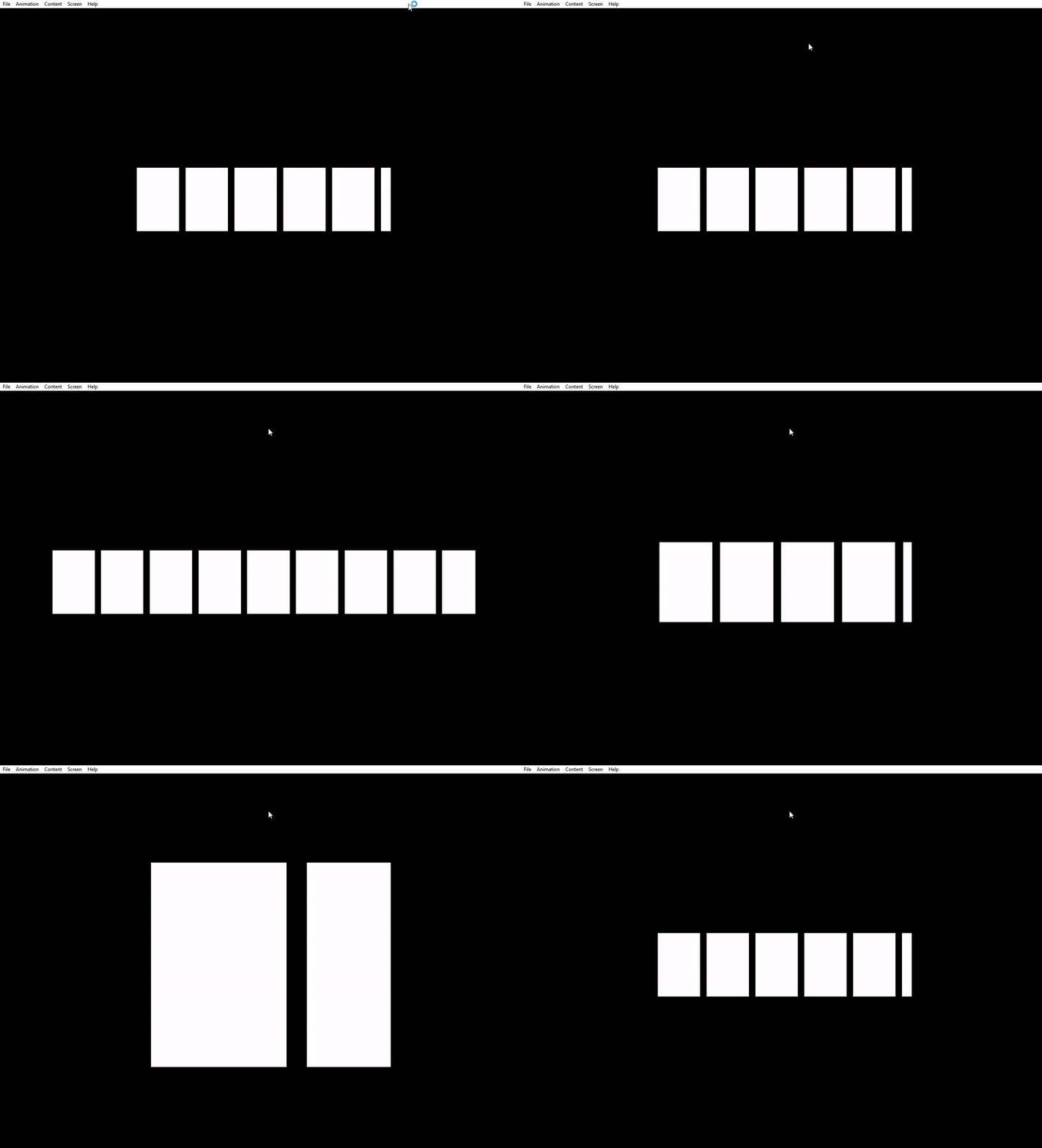
The example above was accomplished by placing the list into a container with a CYIScalingLayout applied with scaling mode "fit." The scaling container was configured to fill its parent in both axes, and the list was configured to fill the scaling container on the horizontal axis. As a result, as the scaling container was resized the list was scaled vertically to "fit" the container and resized horizontally to reveal more content in the direction of scroll. More information on Layout can be found at the linked page.
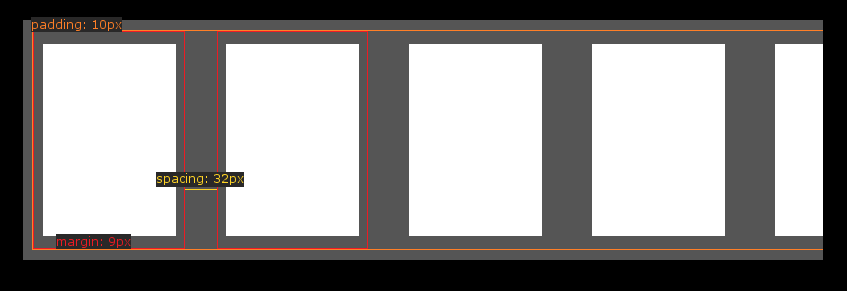
CYIListView makes full use of CYILayout and its properties related to margins, padding, and spacing. See Layout for details on how to configure the layout of the CYIListView to achieve any desired item placement. The only special consideration for CYIListView is the inability to set per-item layout properties such as margins on the dynamic contents of the list. In order to configure these per-item properties the adapter implementation must override CYINodeAdapter::PopulateLayoutConfig and provide the correct configuration for the item's index.
CYIListView is innately two dimensional. Since CYIListView may be used with any CYILayout, applying a two-dimensional layout to the list is enough to produce a 2D list. Note that CYIListView supports two dimensional panning, but nothing else. Applying a custom layout to the list does not change the interaction behaviour, for instance applying a radial layout to the list will not enable rotation of the contents through user interaction.
Applying the following layout configuration to the component library list:
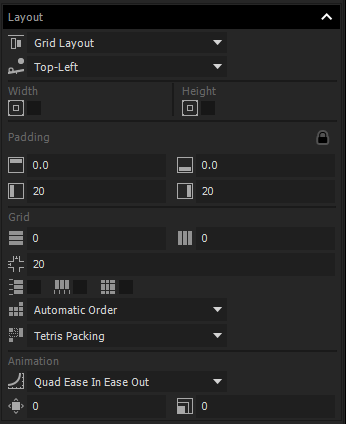
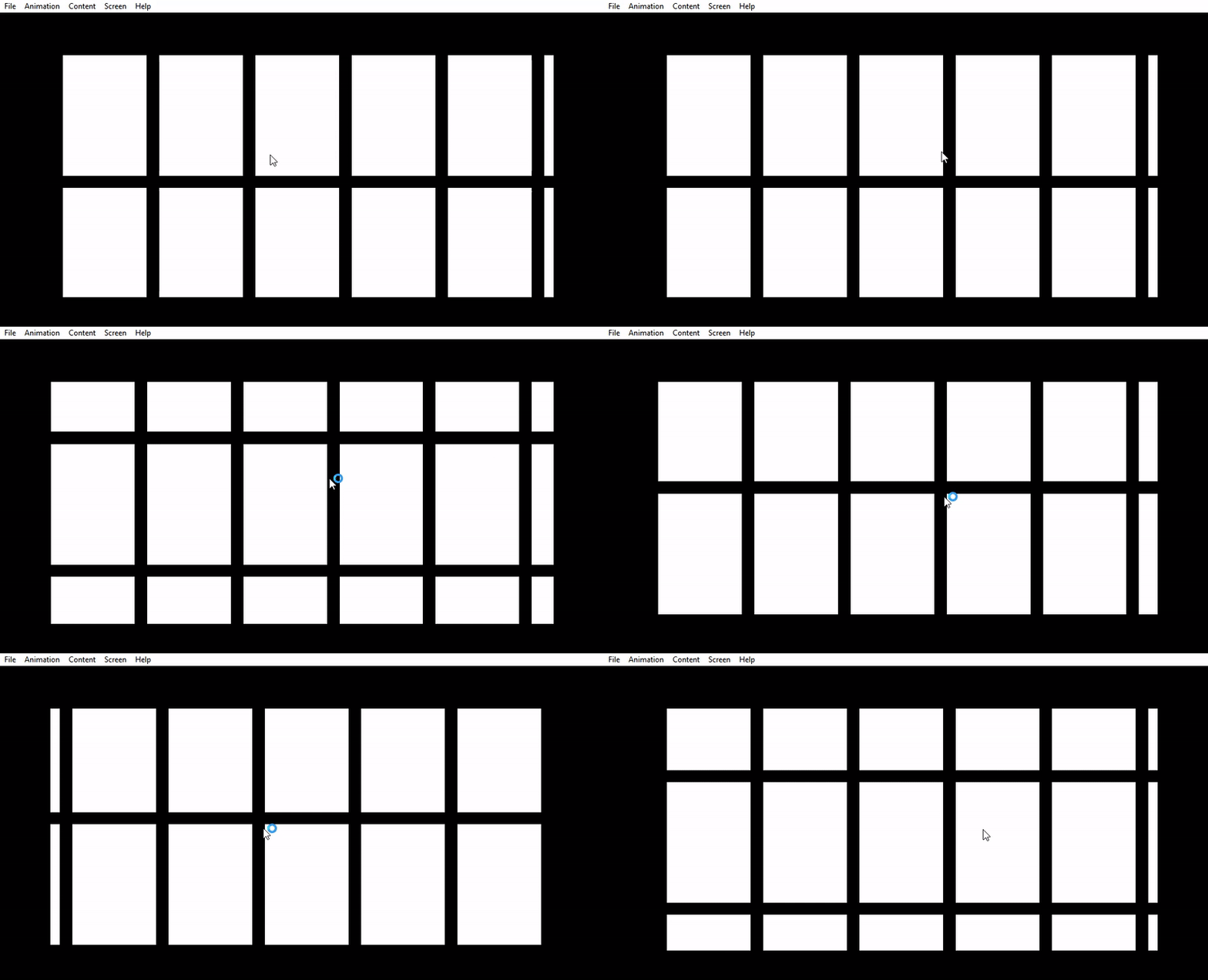
Then increasing its view size in the vertical direction to reveal more content, followed by enabling bi-directional scrolling on it via the properties panel, yields this result:
CYIListView is entirely compatible with the Layout system. Resizing list items does not require any configuration or consideration beyond the normal layout considerations. This example changes the scale of a list item causing the list's CYIRowLayout to reposition the other elements.

As with any other state changes, since the content of CYIListView is dynamically populated via an adapter, the size changes to items must be accounted for in the adapter as the item is released and reacquisitioned during list scrolling. That is to say, if an item at an index doubles in size and is scrolled out of view, then the adapter must produce it at its doubled size the next time it enters view in order to maintain a continuity of experience.
Using the layout system's background property, a background may be set on the CYIListView. This background will encapsulate the entirety of the content and will scroll with the list, but will not appear in the overflow region of the list. To remedy this, a negative margin may be used that is equal in magnitude to the overpull amount. Alternatively the background may be pulled out of the list and applied to a container containing the list, this will be demonstrated later in this section.
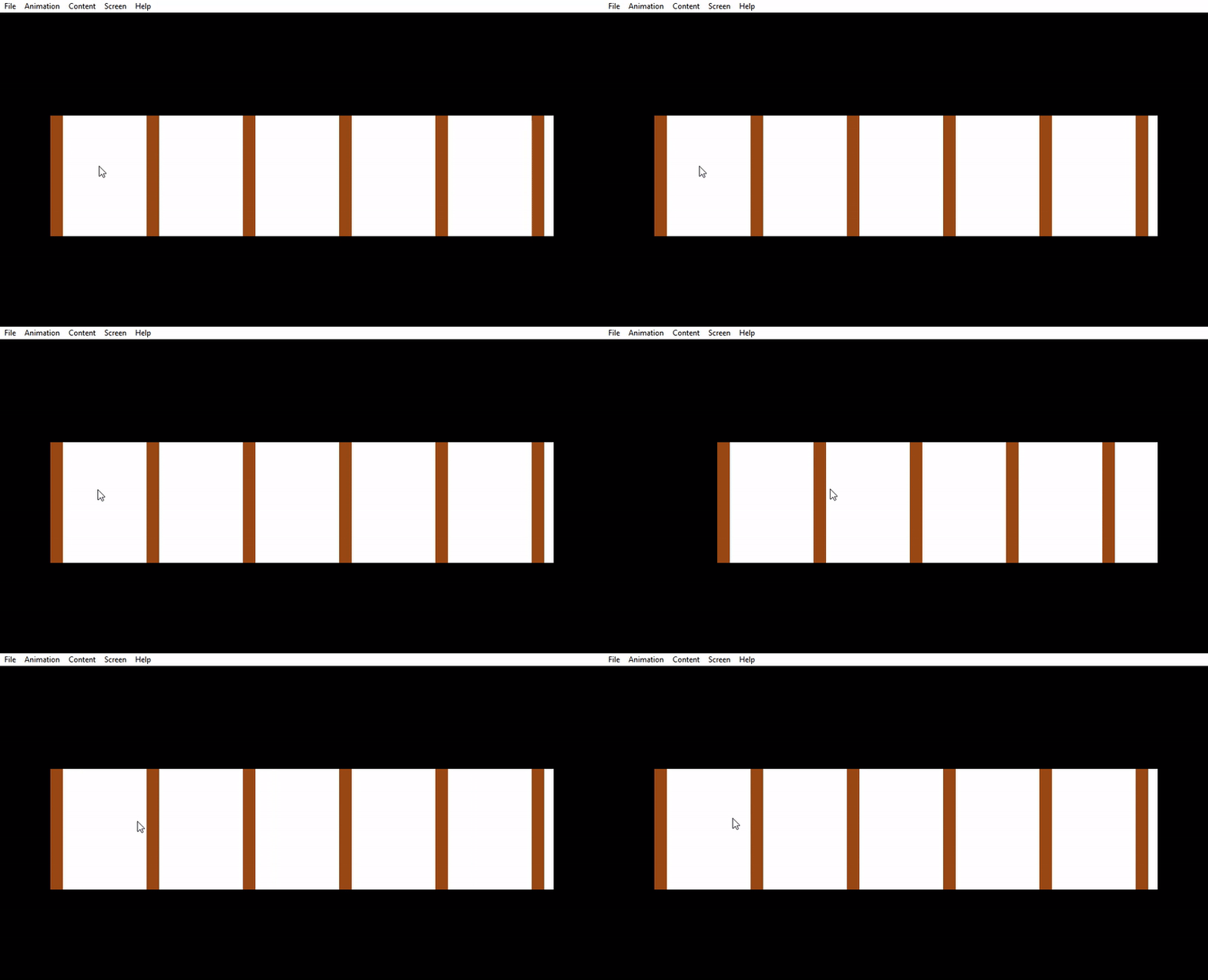
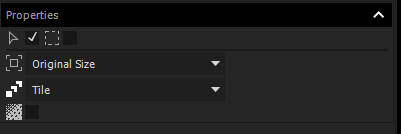
The background will be stretched to cover the entirety of the content by default. If the content is smaller than the view size, the background will fill the view size. If the background is an image, instead of a solid color as in the example above, the properties panel may be used control the scaling properties of the image, i.e. to tile it instead.
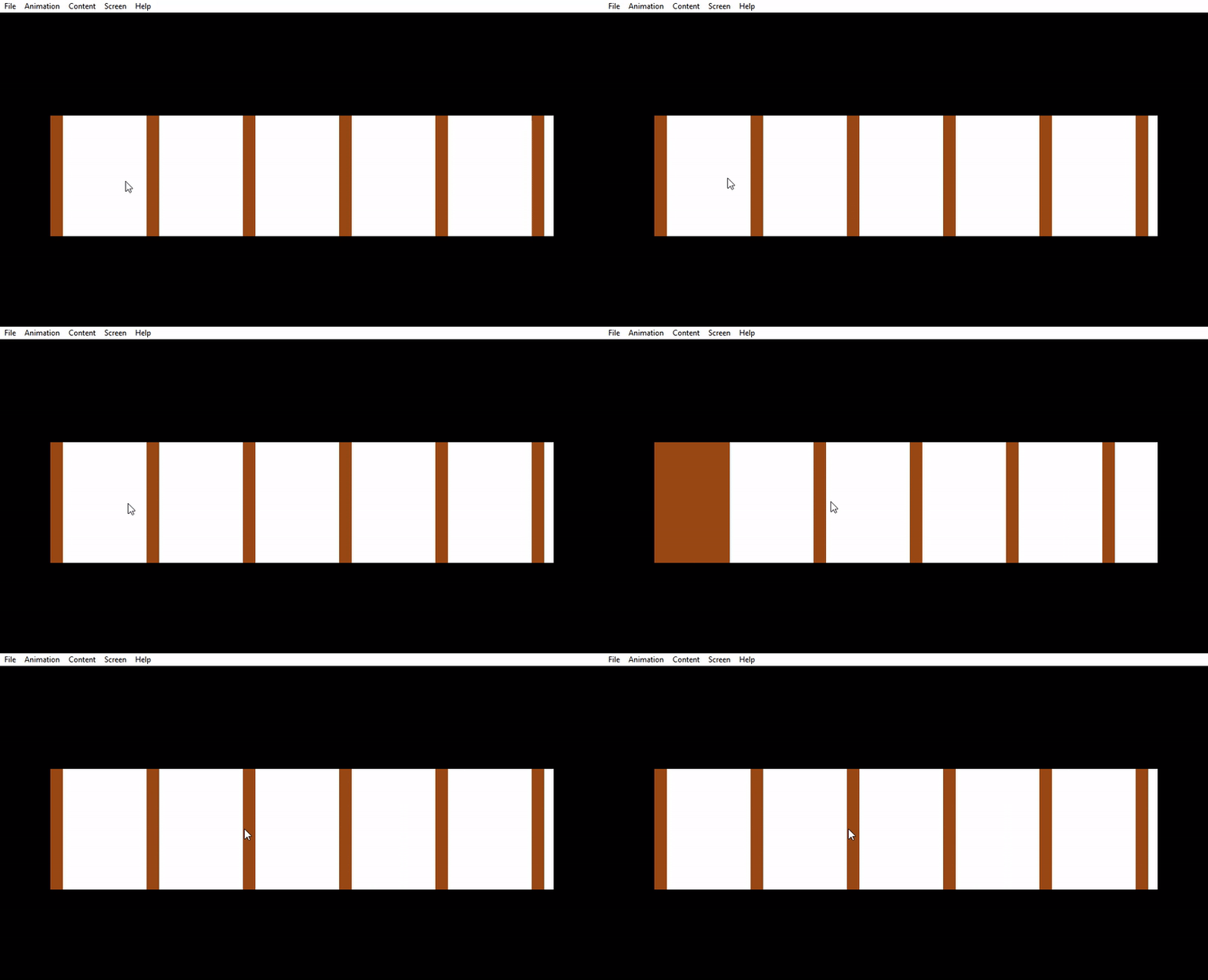
If the background should not scroll with the list, should not encapsulate the entire content of the list, or should be within the overpull region of the list, then the background should be applied to a container containing the list instead of applied to the list directly. In this example the list is within a container that has a CYIStackLayout and is set to fit its content, and the background is applied to the outer container.
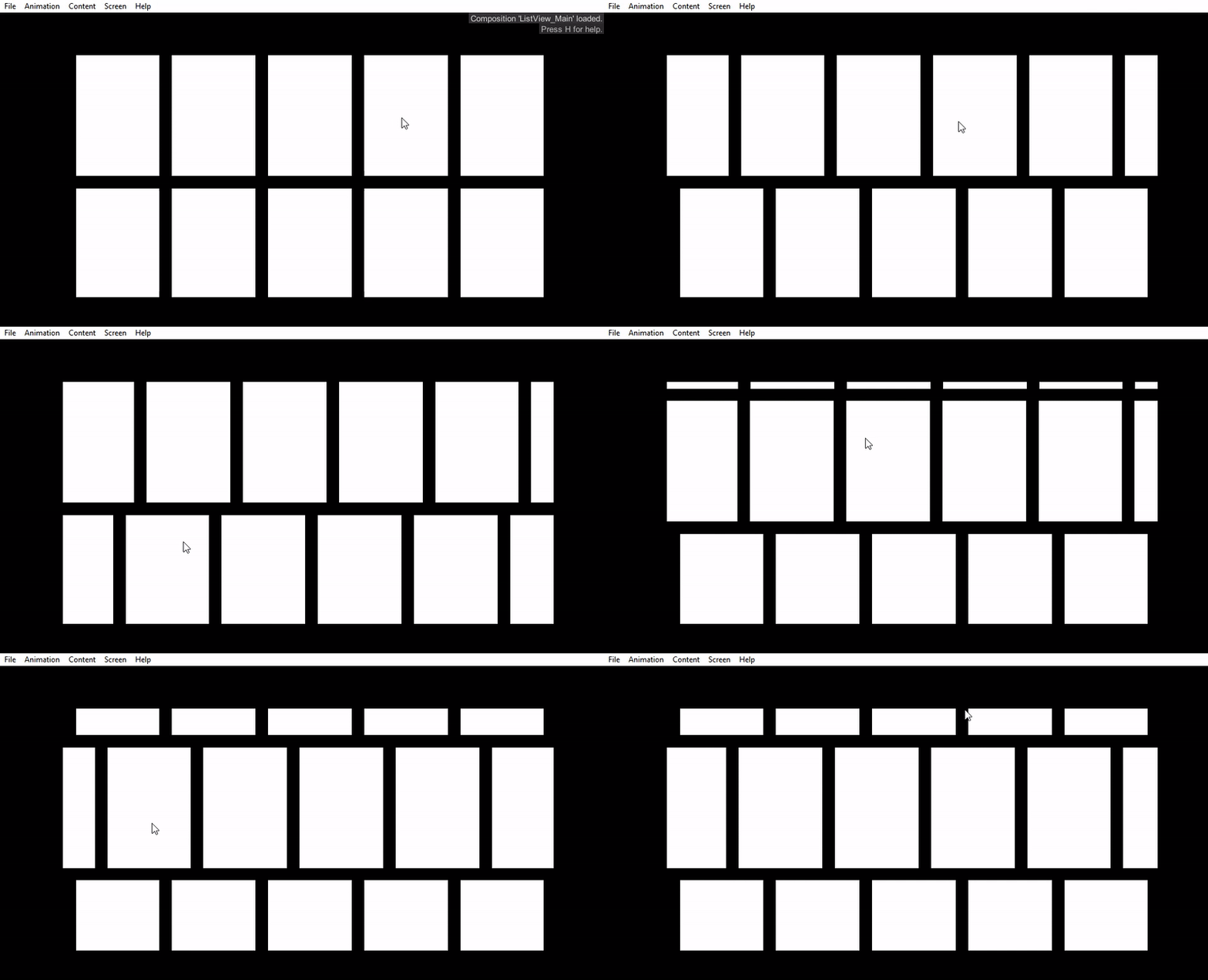
Constructing a list of lists requires the use of an adapter for the outer list, and adapters for each of the inner lists. The outer list may make use of a CYIViewAdapter with a view template constaining a CYIListView in order to construct its inner lists. Due to the increased complexity in using lists within lists, it is recommended that CYIScrollingView be used for the outer scrolling container in the case of a static number of sub-lists, or sub-lists that do not need to benefit from CYIListView's streaming of its content. The following example demonstrates a list with a CYIColumnLayout applied, and horizontal scrolling disabled, that contains horizontal sub-lists. Disabling horizontal scrolling on the outer vertical list is not strictly necessary but does prevent the outer list from consuming horizontal scroll actions under any circumstances.
CYIListView replaces yi::deprecated::CYIListView. Prior to You.i Engine 4.4.0 yi::deprecated::CYIListView was known as CYIListView and occupied the component library as 'List.' It has since been moved to 'Deprecated List.' Applications making use of the legacy list view must update their component to 'Deprecated List,' or make use of the comment 'class:yi::deprecated::CYIListView' on the list composition. This section describes the noteworthy changes between the two list implementations.
yi::deprecated::CYIListView made use of a 'ListRoot' node, specified in After Effects as a 'Null Object.' This is no longer necessary. Anything placed within the new CYIListView that contains the 'placeholder' property will not be exported by the You.i Engine After Effects Plug-in. Those items which do not have the property will exist within the list but will not benefit from its streaming.
yi::deprecated::CYIListView used three ranges to manage the streaming of its content: a visible range outside of which items were hidden by default, a streaming range outside of which views could be deleted, and a loading range which, upon entry, could be used to initiate asynchronous requests for content. The new CYIListView contains signals corresponding to the visible in/out and stream in/out hooks of the yi::deprecated::CYIListItem, but these are non-configurable ranges. There is no loading range.
yi::deprecated::CYIListView provided 'paging' functionality through its yi::deprecated::CYIListView::SetPageSize, yi::deprecated::CYIListView::ShowPage, and other functions. This 'paging' feature allowed for the specification of resting points through the content that the list would snap to, and for navigation one page at a time through swipe gestures. There is currently no substitute for this functionality in the new CYIListView.
yi::deprecated::CYIListView allowed specification of 'move' and 'cascade' timelines on its contents through precise and elaborate configuration of its contents in After Effects. These timelines are now contained within the list items rather than within the list as outlined in the List with 'Move' timeline and List with 'Cascade' timeline portions of this document.
Padding between items in yi::deprecated::CYIListView could be accomplished by changing the reported yi::deprecated::CYIListItem size, padding the view size in After Effects, or any number of other means. As outlined in the Margins, Padding, and Spacing this is now entirely done through CYILayout.
yi::deprecated::CYIListItem served as the data model of the yi::deprecated::CYIListView, containing information about a single element inside the list. The adapter now fills this role for the set of all items in the list.
yi::deprecated::CYIListView supported carousel mode in its items, but required a minimum of three items, one of which had to be entirely outside of the viewable region. Its behaviour was roughly analogous to CYIListView with carousel mode 'CYIScrollingView::CAROUSEL_IF_OVERFLOWING.' These restrictions no longer apply as outlined in the Carousel list documentation.
yi::deprecated::CYIImageDownloadListItem provided a convenience when constructing lists of remotely downloaded images. The same functionality is now achievable through the use of CYIImageView::SetImage(const CYIUrl &).
yi::deprecated::CYIListView worked with specific responsive layout anchors to control its scaling behaviour. As outlined in the Layouts the same functionality is provided through CYILayout.
Classes | |
| class | CYIDelegatingNodeAdapter |
| An CYINodeAdapter implementation that delegates its responsibilities to a CYIDelegatingNodeAdapter::Delegate implementation. More... | |
| class | CYIDelegatingViewAdapter |
| A CYIViewAdapter implementation that delegates its responsibilities to a CYIDelegatingViewAdapter::Delegate implementation. More... | |
| class | CYINodeAdapter |
| Provides an interface for supplying and reclaiming nodes to and from CYIStreamer. More... | |
| class | CYIStreamer |
| A class that implements a scene node streamer. More... | |
| class | CYIViewAdapter |
| A simplified CYINodeAdapter interface for automatically building views using provided view templates. More... | |
| class | CYICreateDeleteViewRecycler |
| class | CYIListView |
| A class that provides streaming functionality in a scrolling view. More... | |
| class | CYIPooledViewRecycler |
| class | IYIViewRecycler |
 1.8.11