Boot Order Dialog
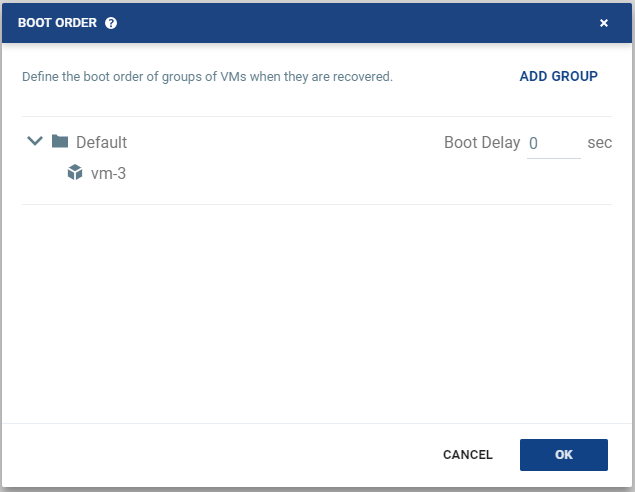
To specify the boot order of virtual machines in a VPG. When machines are started up on recovery, for example, after a move operation, the virtual machines in the VPG are not started up in a particular order. If you want specific virtual machines to start before other machines, you can specify a boot order. The virtual machines are defined in groups and the boot order applies to the groups and not to individual virtual machines in the groups. You can specify a delay between groups during startup.
Initially, virtual machines in the VPG are displayed together under the default group. If you want specific machines to start before other virtual machines, define new groups with one or more virtual machines in each group.
There is no boot order for virtual machines within a group, only between groups.
|
•
|
ADD GROUP: Adds a group. After adding a group you can edit the group name by clicking the Edit icon at the right of the group name and remove the group via the delete icon at the right of the group. You cannot remove the Default group nor a group that contains a virtual machine. |
|
•
|
Boot Delay: Specifies a time delay between starting up the virtual machines in the group and starting up the virtual machines in the next group. For example, assume three groups, Default, Server, and Client defined in this order. The Start-up delay defined for the Default group is 10, for the Server group is 100 and for the Client group 0. The virtual machines in the Default group are started together and after 10 seconds the virtual machines in the Server group are started. After 100 seconds the virtual machines in the Client group are started up. |
See also: