
Control the Clean Power VFD from the Smart HMI
When the Clean Power VFD status permits user action ( see Clean Power VFD status section), the following actions can be performed:
- start the motor: press the button start
- stop the motor: press the button stop
- Modify the speed reference and/or the rotation direction
ProcedureModify the speed reference and/or the rotation direction⚓
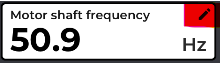
click on the edit icon
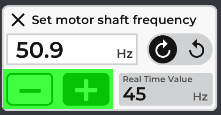
increase or decrease the speed reference using the buttons + and -
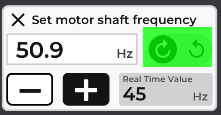
change the motor direction by clicking (or sliding?) on the direction button:
 Extras
note:
prior to changing the motor rotation direction, the VFD will stop the motor (following the preset ramp down).
The HMI will prompt for confirmation or cancellation of the action.