
Access and manage the alarms
Alarms can be accessed and managed either from your paired SmartPhone or from the Clean Power VFD HMI.
Alarms using the paired Smartphone⚓
From the dashboard, click on ALARM in the upper right corner of the screen.
This opens the page that displays a general overview of the alarms, grouped by criticality.
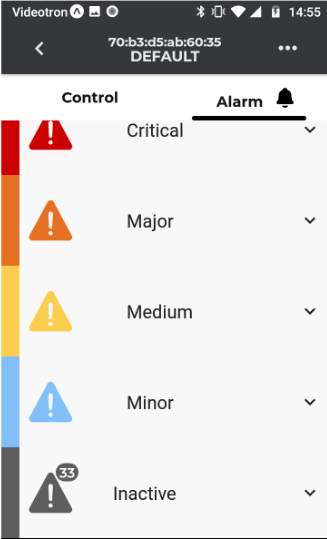
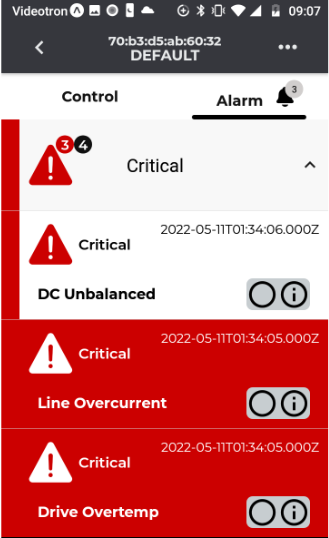
The number and status of alarm is summarized by the background color and by the acknowledgement radio button:
- beside the warning sign, the number of active alarm is displayed with a background related to the criticality, and the total number of alarm (active and past) with a dark grey background
- if the alarm is active, the background is colored accordingly to its criticality.
- the radio button is filled if the alarm has been acknowledged, empty if not.
Acknowledge⚓
Clicking on the radio button changes the alarm status to "acknowledge".
The radio button becomes filled
Last event⚓
Clicking on the i (information) radio button displays the last events of the alarm and the number of occurrences.
The last event gives the user the date and time of
- alarm detected
- alarm acknowledged
- alarm resolved.