I classify GIS into four main categories: Cartography, Spatial Analysis, Data Management/Data Collection, and Data Distribution.
Luckily, I have been able to incorporate all four of these catregories into my job. And I'm always trying to learn more. Currently, I'm
trying to extend my skills by learning various web-based APIs to distribute GIS content over the web. Check out examples of
my work below.
If you're using GIS, you're making maps! Below are examples of some of the maps I have made for both professional and personal endevours.
Click on an image to expand
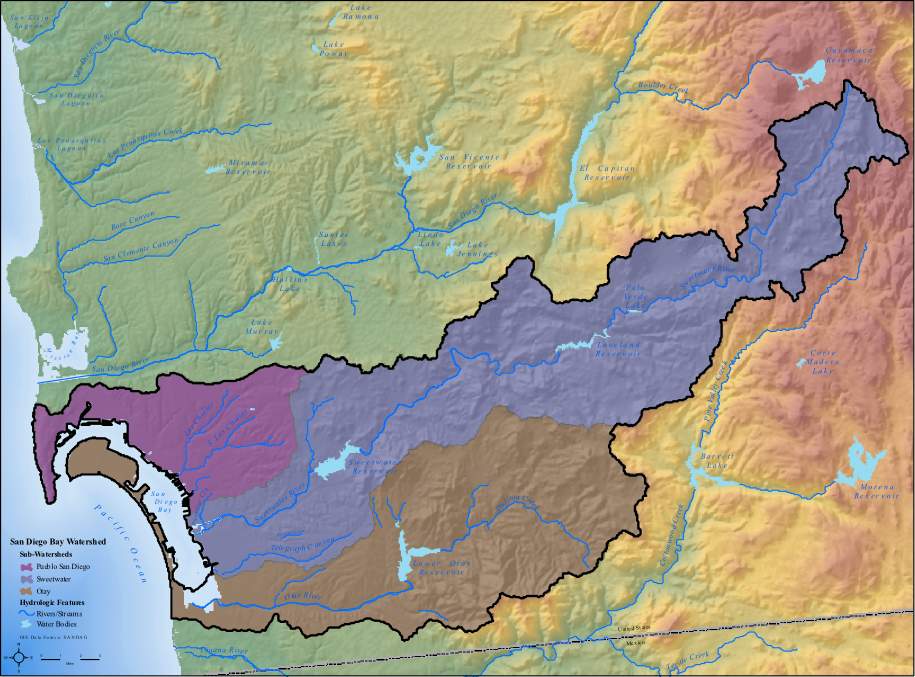
This map depicts the San Diego Bay watershed. The map was created using a Swiss elevation method in ArcGIS desktop to showcase elevation and hillshade.
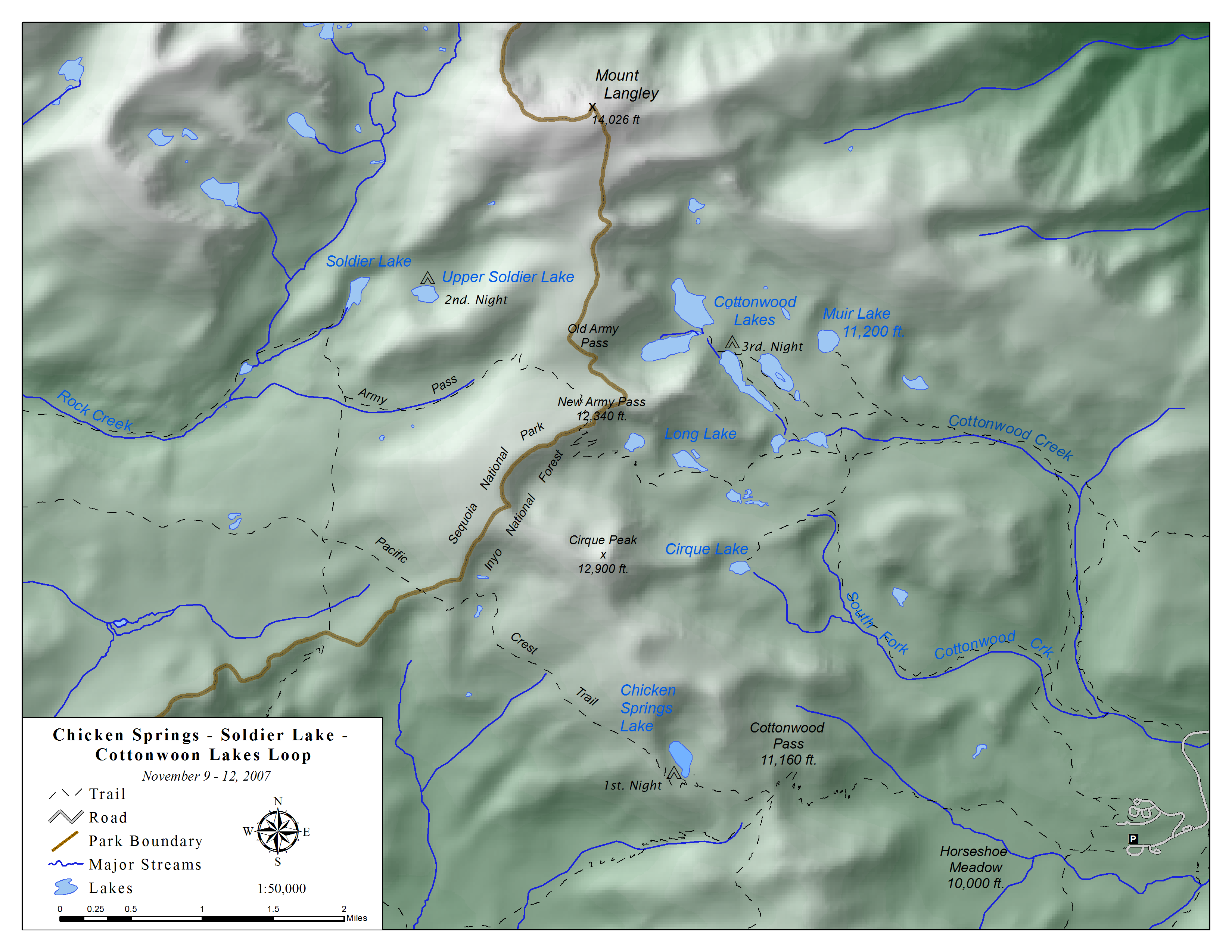
This map depicts a backpacking trip along the Cottonwood Lakes Loop in the Eastern Sierra, November 2007. Definitely a trip to remember: blue skies during the day, snow at night!
The map was created in ArcGIS desktop and the Flash animation was constructed using Dreamweaver.
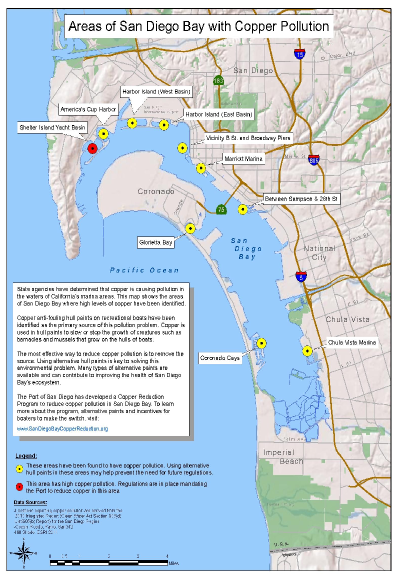
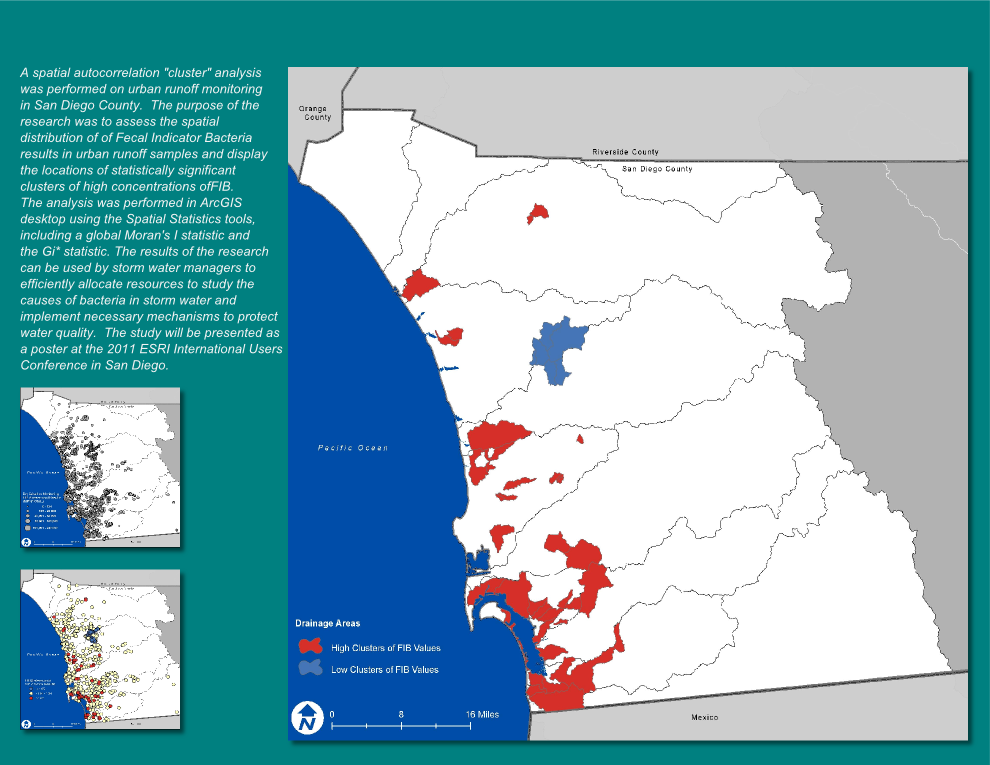
As a geographer, spatial analysis is the best part of using GIS. The examples of below represent work I have conducted both professionally and academically.
Click on an image to expand
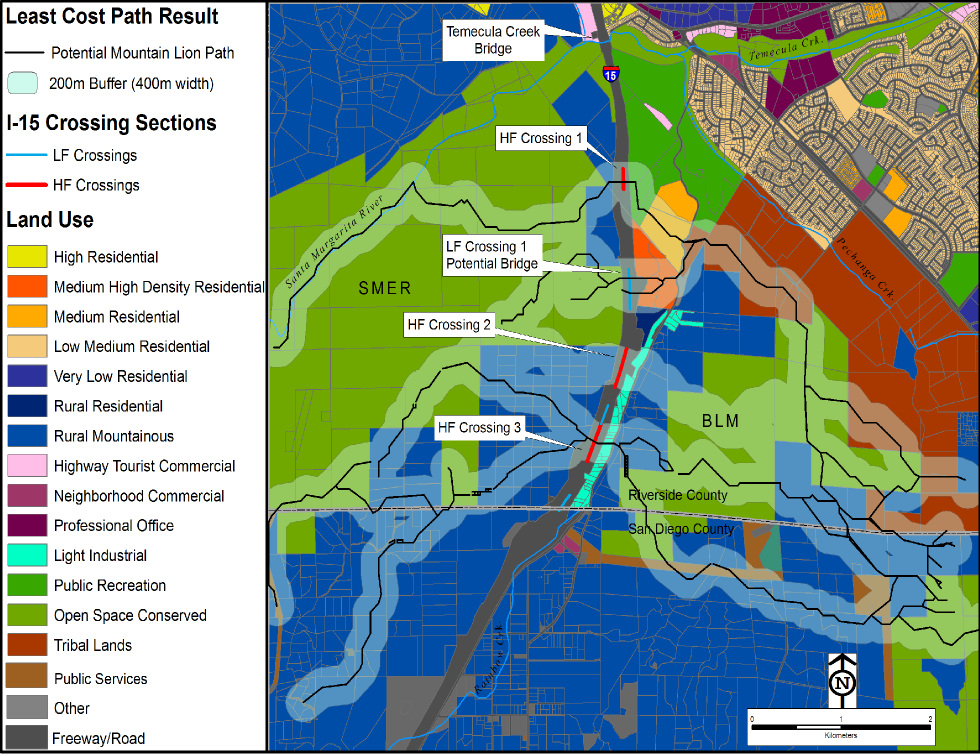
This map depicts the results of a least-cost path analysis of mountain lion movement with respect to a significant barrier--in this case, Interstate 15 in southern Riverside County/northern San Diego
County. The least-cost path model was run 50 times resulting in different frequencies of passage over I-15. Those crossing frequencies determined to be "High" are potential locations where
an environmental planner could suggest a wildlife crossing structure be placed to allow for species such as mountain lions to safely cross the interstate.
Data distrbution is an intregal part of administering GIS projects. Whether it is distributing tabular data or web applications,
presenting data to users is important. These days I have been experimenting and learning the JavaScript APIs for ArcGIS and Google Maps
to better get data out to the public.
Click on an image to expand
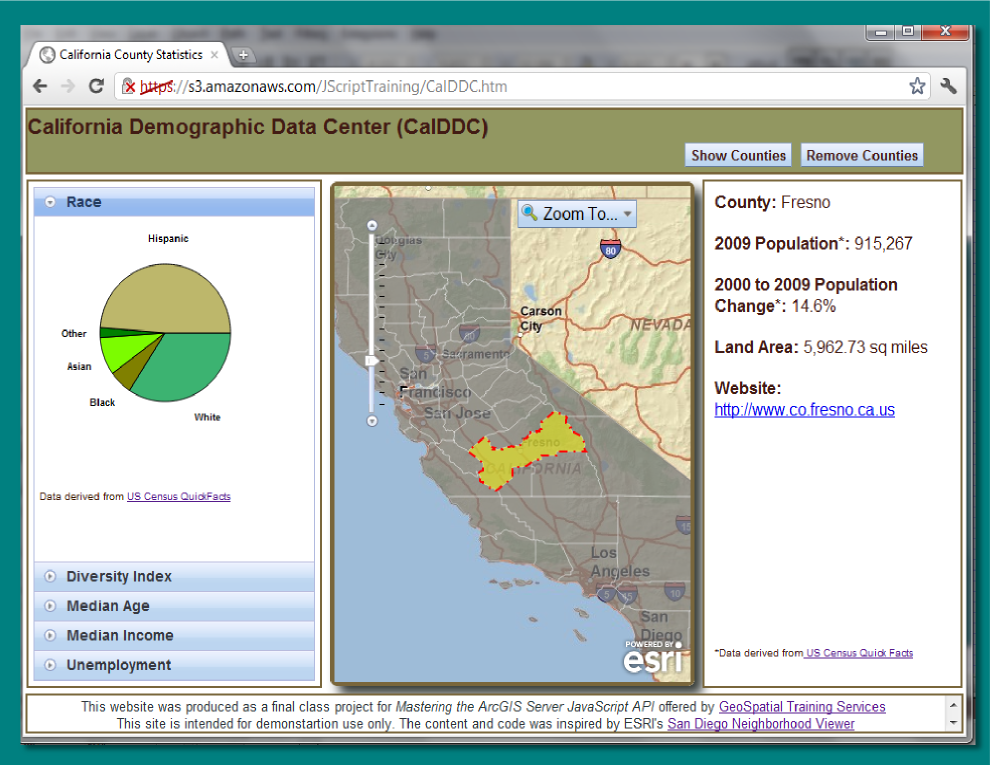
This web application was created as a capstone project for a class titled "Mastering the ArcGIS Server
Javascript API" offered by
Geospatial Training Services. The purpose of the application is to
allow users to access demographic data for counties in California. To view the web app, click
here.
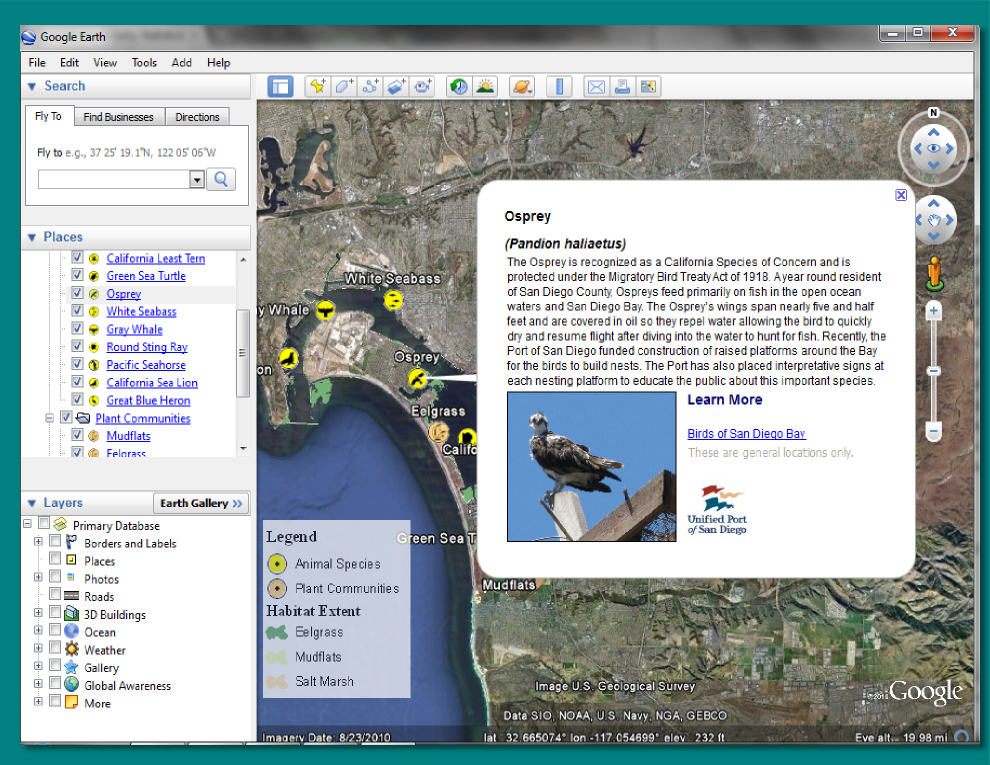
This Google Earth application was created to provide information to web visitors about the unique species and
habitats located in or around the San Diego Bay. For more info, click
here.
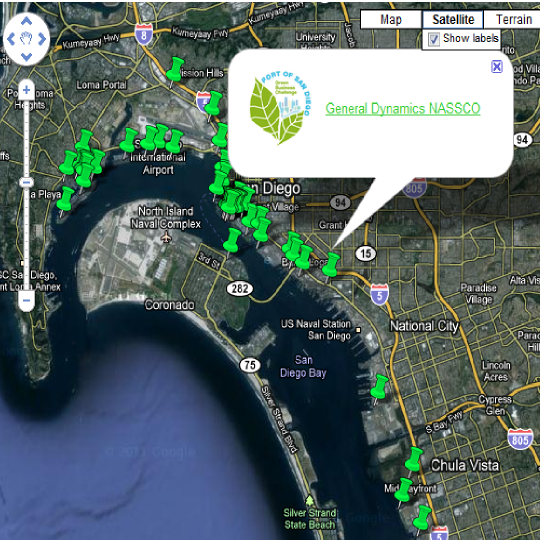
This application was created utilizing the Google Maps JavaScript API and showcases
businesses involved in the
Green Port Challenge.
To view the application, click
here.
Managing and collecting data is probably the most important step when working with any GIS project.
I have experience managing complex geodatabases including setting up domains, topologies, and relationships. Taking mobile solutions
into the field to collect data has increased my work efficiency when it comes to compliance reproting.
Click on an image to expand
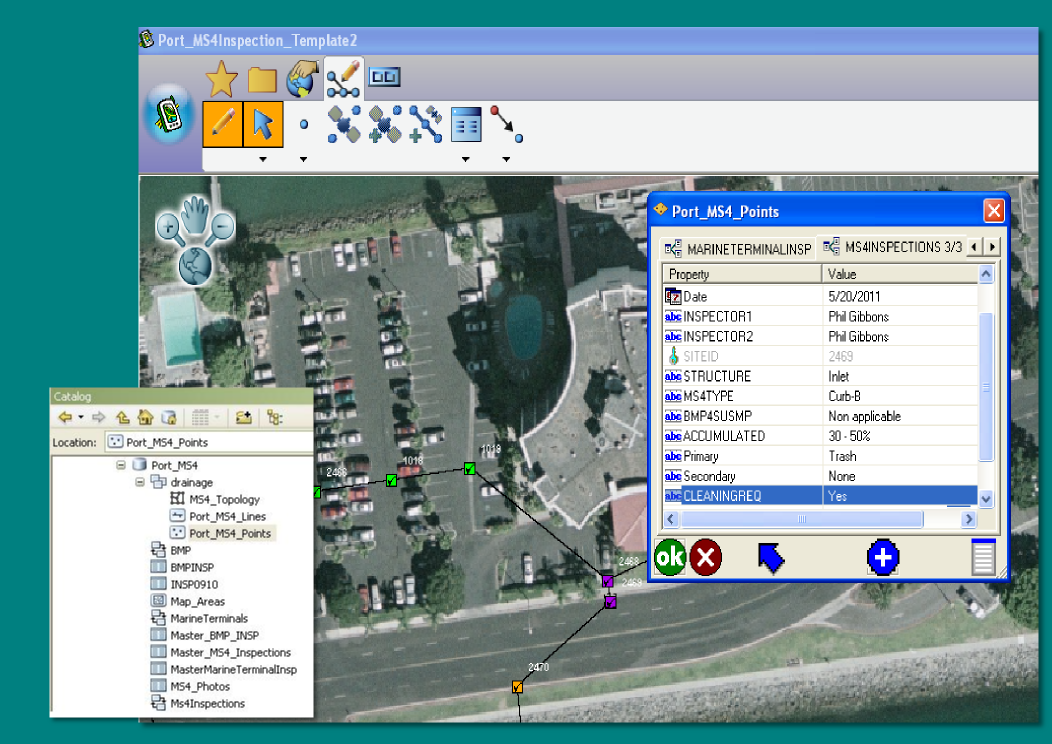
The graphic showcases ESRI's ArcPAD software which allows field crews to inspect infrastructure and sync updates to
existing databases (ie, personal geodatabase) back in the office.