Adding an H2O Driver
This section describes how Admins can H2O drivers into their Enterprise Steam environment. Once added, these drivers will be available to all Enterprise Steam standard users (or any user who has View Engine permissions).
Note: Only Admins can upload H2O drivers.
- On your local machine, download the h2odriver from the H2O Download page. Be sure to select the version that corresponds with your version of Hadoop. For example:
wget http://h2o-release.s3.amazonaws.com/h2o/rel-tverberg/4/h2o-3.10.3.4-hdp2.2.zip
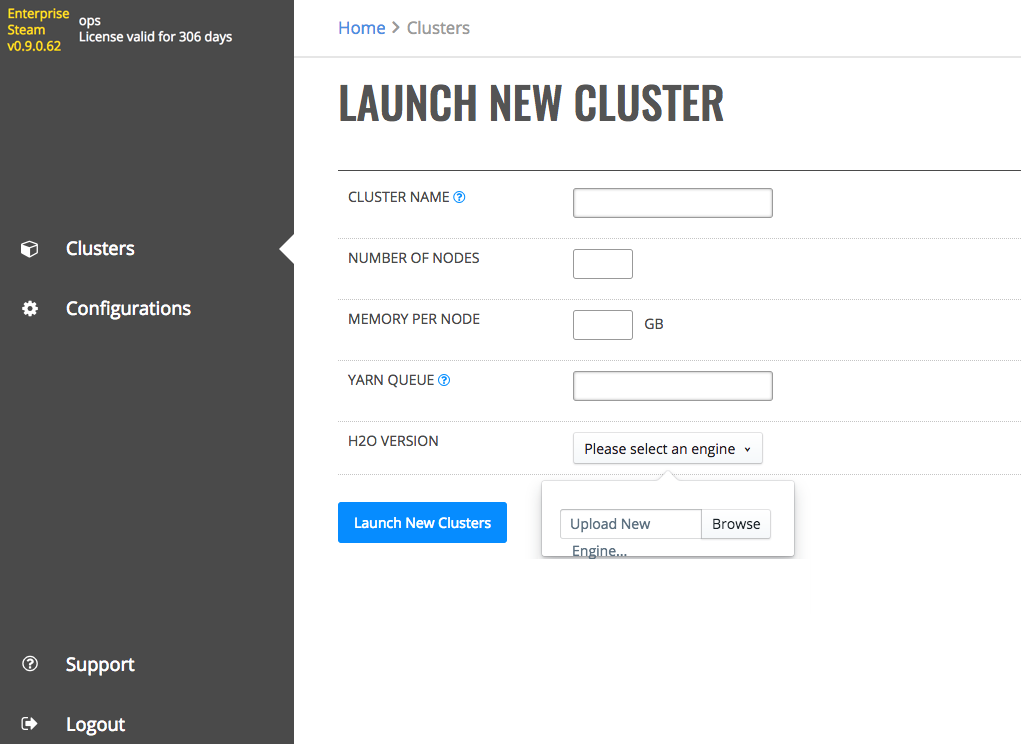
In the Enterprise Steam UI, navigate to the Clusters page and select Launch New Cluster.
In the H2O Version section, click the Please select an engine dropdown.
Click the Browse button, and navigate to the H2O driver that you just downloaded. Note that this button is only available to Admins.
A message will display indicating that the engine was successfully uploaded.