Offsite Clone Dialog
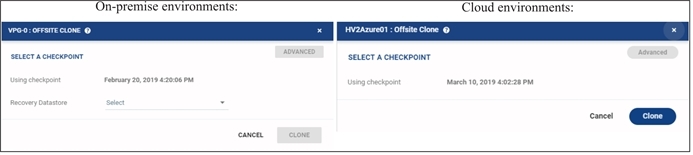
To create a clone of each virtual machine in a VPG on the recovery site in the production network. The clone is a copy of the protected virtual machines on the recovery site, while the virtual machines on the protected site remain protected and live.
|
•
|
SELECT A CHECKPOINT: Opens the Checkpoints Dialog to select the checkpoint to use to make the clone. |
The Using checkpoint field is updated with your selection.
|
•
|
(On-Premise) Recovery Datastore: Select the datastore to use for the recovery virtual machines. |
|
•
|
Advanced: Select specific VMs to clone. |
For more details, see Checkpoints Dialog.
See also: