List View - RETENTION
The following information is displayed in the RETENTION STATUS view:
|
•
|
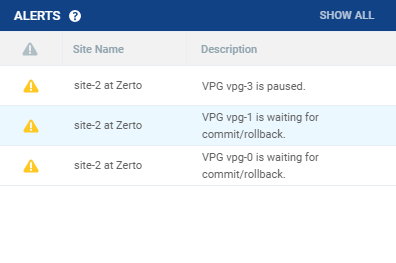
Alert status indicator: The color indicates the status of the VPG. Clicking the alert displays a popup of all active alerts with descriptions: |
|
•
|
Green: The VPG is being replicated, including syncing the VPG between the sites. |
|
•
|
Orange: The VPG is being replicated but there are problems, such as an RPO value larger than the Target RPO Alert value specified for the VPG. |
|
•
|
Red: The VPG is not being replicated, for example, because communication with the remote site is down. |
|
•
|
VPG Name (#VMs): The name of the VPG. The name is a link: Click the VPG name to drill-down to more specific details about the VPG that are displayed in a dynamic tab. |
|
•
|
Retention Policy: Whether the VPG is protected against a disaster only with the ability to recover to a point in time up to 30 days before the disaster, or protection is extended to include retention sets of the virtual machines, going back for a maximum of one year. |
|
•
|
Retention Policy Status: The status of the retention set. |
|
•
|
Repository Name: The Repository that is currently configured for the VPG. |
|
•
|
Restore Point Range: The restore points for the retention job out of the total retention jobs run for the VPG. |
|
•
|
Retention Policy Scheduling: The schedule for the retention process. |
See also: