List View - GENERAL
The following information is displayed in the GENERAL view:
|
•
|
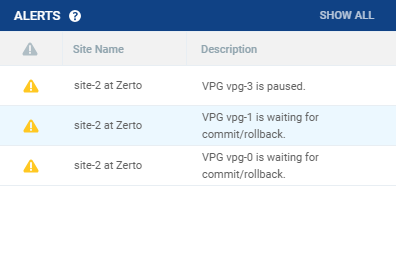
Alert status indicator: The color indicates the status of the VPG. Hovering over the alert displays a popup of all active alerts with descriptions: |
|
•
|
Green: The VPG is being replicated, including syncing the VPG between the sites. |
|
•
|
Orange: The VPG is being replicated but there are problems, such as an RPO value larger than the Target RPO Alert value specified for the VPG. |
|
•
|
Red: The VPG is not being replicated, for example, because communication with the remote site is down. |
|
•
|
VPG Name (#VMs): The name of the VPG. The name is a link: Click the VPG name to drill-down to more specific details about the VPG that are displayed in a dynamic tab. The number of VMs protected in the VPG is displayed in parentheses. |
|
•
|
Direction: The direction of the replication, from this site to the remote site or from the remote site to this site. |
|
•
|
Peer Site: The name of the site with which this site is paired: the site where the VPG is protected or will be recovered to. |
|
•
|
Priority: The priority of the VPG. |
|
•
|
Protection Status: The current status of the VPG, such as Meeting SLA. Where appropriate, the percentage of the operation completed, such as syncing, is displayed. |
|
•
|
VPG State: The current substatus of the VPG, such as Delta syncing. Where appropriate, the percentage of the operation completed, such as syncing, is displayed. |
|
•
|
Actual RPO: The time since the last checkpoint was written to the journal. This should be less than the Target RPO Alert value specified for the VPG. |
|
•
|
Operation: The operation, such as Move, that is currently being performed. |
See also: