Figure 1: Profile settings
An Internet connection is required to connect the Flashforge Inventor II 3D printer to the Polar Cloud. Additionally, the Inventor may only be connected to your local network by means of a WiFi connection as the Inventor does not support ethernet. Without a WiFi connection, the Inventor cannot be connected to the Polar Cloud.
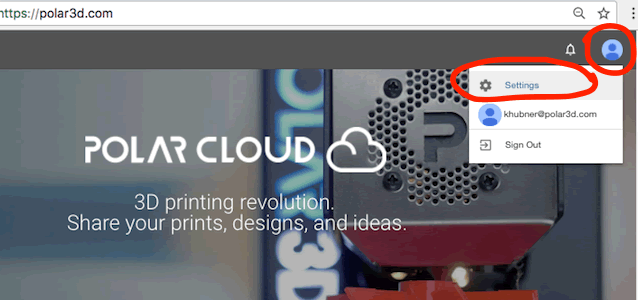
To connect the Inventor to the Polar Cloud you must supply the e-mail address of a Polar Cloud account and that account’s PIN code. If you do not already have a Polar Cloud account, you can create one by going to https://polar3d.com and login in via Google, Facebook, or Microsoft Live. Once logged in, click on your profile image — possibly a stylized white “P” in a blue circle — near the page’s upper right corner as seen in Figure 1 below.
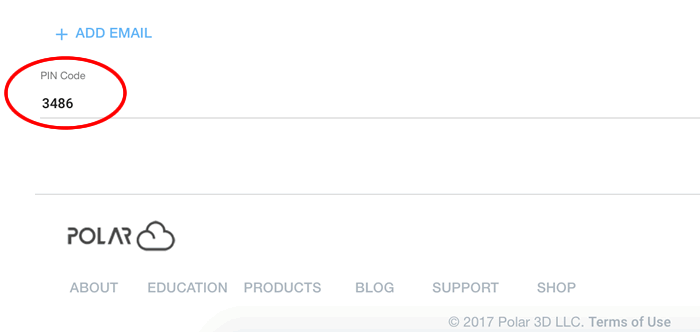
From the menu which appears, select “Settings”. Scroll down to the bottom of the resulting page to find your account’s PIN number as shown in Figure 2.
Should you decide to change your PIN, be sure to click the “SAVE” button at the top of the page.