Why Can't I Unassign Intrusion Prevention Rules?
From the Computers screen you may not be able to unassign Intrusion Prevention (IPS) Rules. This can happen when a rule is assigned from a policy but an attempt is being made to remove it from the computer. If this problem is encountered then the IPS rules can be unassigned from the policy that contains them in order to remove them from that computer.
Note: As you are removing the rules from the policy, this change will apply to all computers using this policy.
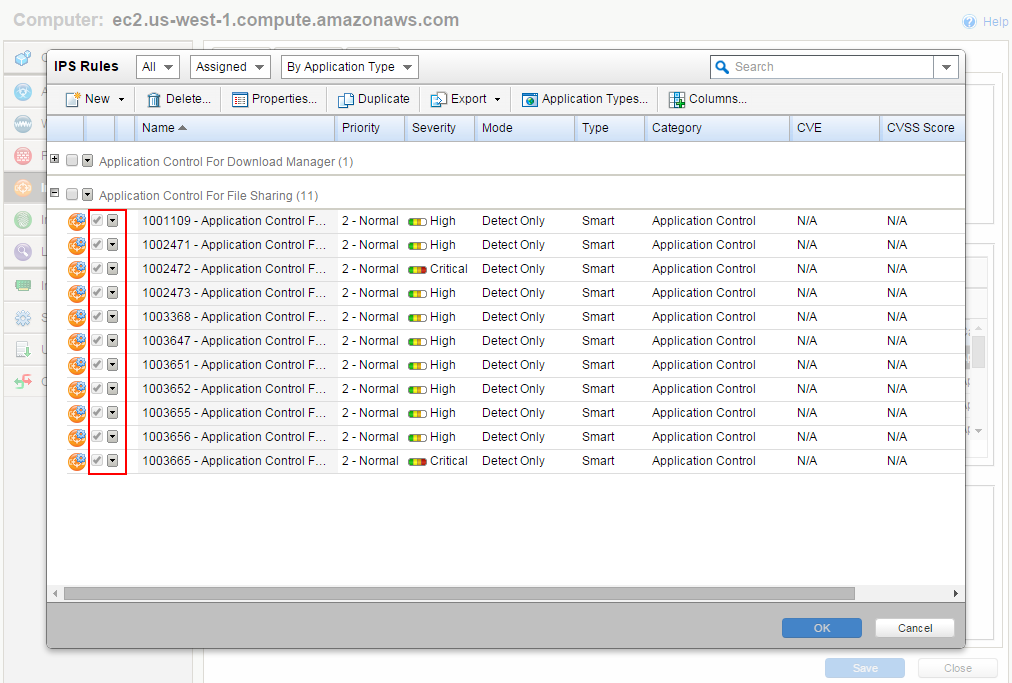
How to unassign IPS rules from a policy
The steps to unassign rules from a policy are:
-
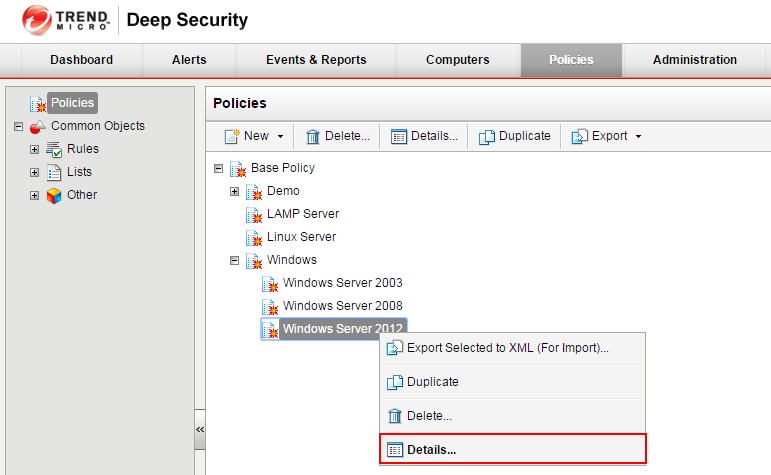
From the policies screen right click and select the policy details
-
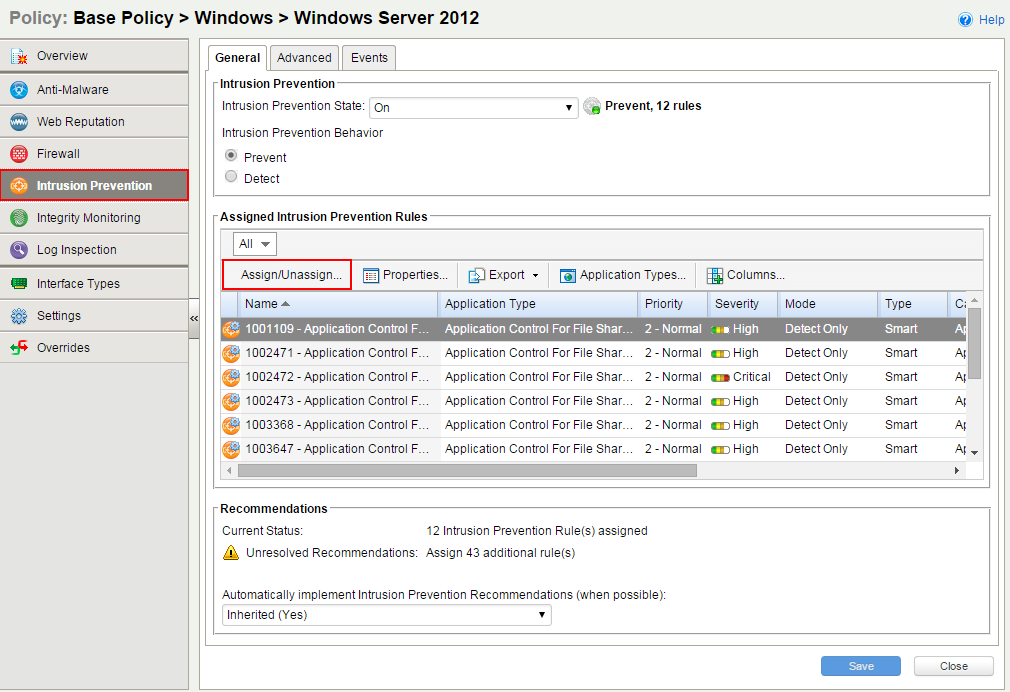
Select the Intrusion Prevention section and click on the Assign/Unassign... button
-
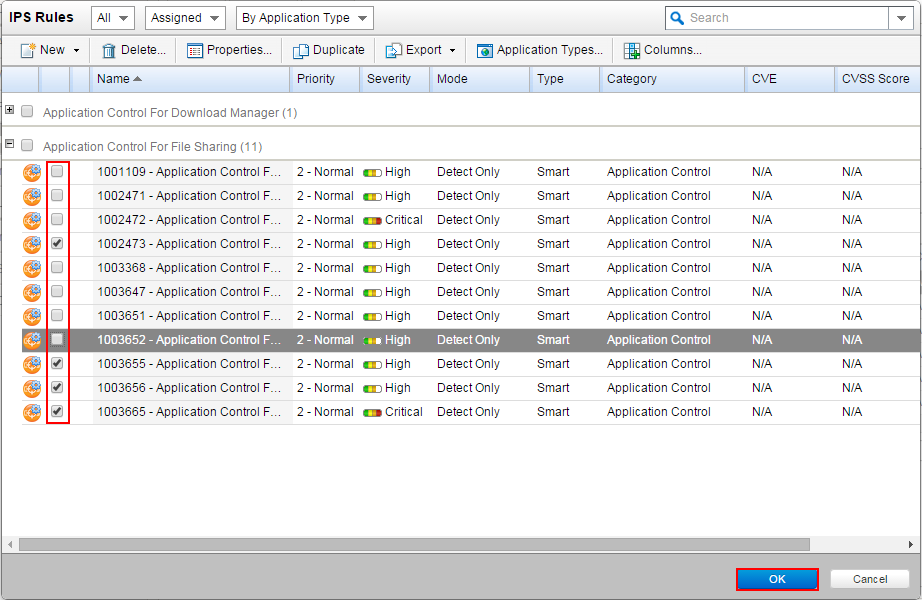
Uncheck the IPS rules you want to remove and then click on the OK button to save your changes