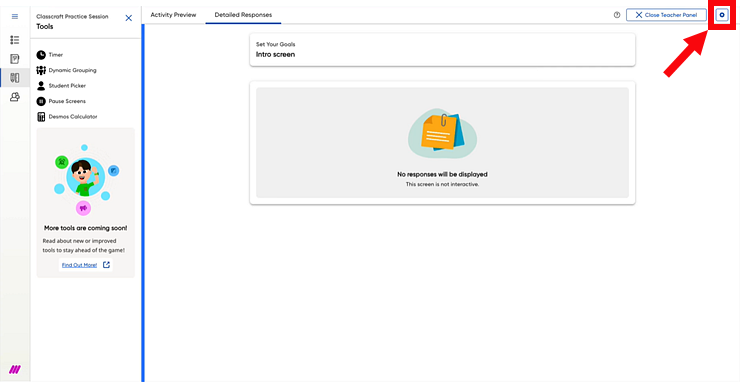
 in the upper right corner of the page.
You can manage the settings for your Classcraft sessions using the Session Settings dialog box available on the Teacher Panel.
At this time, the Session Settings options only apply to Into Math: Grades 6–8 users. Check back for updates as they occur.
1. On
the Classcraft session's Teacher Panel
page, click the Session Settings
button
in the upper right corner of the page.
The Session Settings dialog box appears. By default, access to the Desmos Calculator is enabled (turned on to allow student use). When this setting is selected, your students are able to access the Desmos Calculator when working in Classcraft sessions for Into Math: Grades 6–8. (See Desmos Calculator for details.)
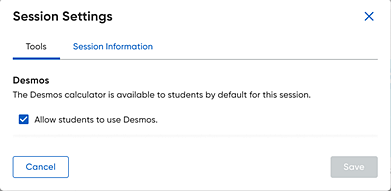
Note: If you do not use Into Math: Grades 6–8, this Desmos option does not appear.
2. To change the Desmos setting, on the Tools tab of the Session Settings dialog box, clear the Allow students to use Desmos option and click Save.
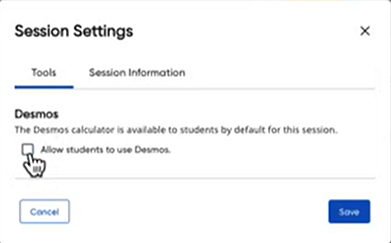
Your students will no longer have the option of accessing the Desmos Calculator in their Into Math: Grades 6–8 sessions.