

Legacy software migration AWS projects generate more theoretical content than honest description. What actually happens when a business moves a 20-year-old Access database – or a PHP 5 application running on an aging server – onto AWS infrastructure is rarely the story the migration guides tell. The reality, especially for mid-market Canadian businesses, is more complicated. According to PCG’s pre-migration assessments across 12 Access-dependent organizations between 2019 and 2025, legacy Access systems typically cost their owners between 8 and 14 percent of annual labor in friction overhead alone. That number tends to surprise people – until they start counting the hours.
Access databases: built for a department, running a company
Microsoft Access was never intended to run a business. It was designed as a departmental tool: one person, a handful of users, a specific reporting problem. Then someone built a form on top of it. Then someone else added a table. Twenty years later, the company’s entire quoting process depends on a .accdb file that lives on a shared drive, that only opens correctly on one specific machine, and that no one fully understands anymore.
Access caps at roughly 2 GB per database and reliably supports 10 to 20 concurrent users before performance degrades and corruption risks emerge. Perpetual versions like Access 2021 reach end of support on October 13, 2026, meaning no security patches after that date. Yet the system still runs, because replacing it feels riskier than keeping it. The business logic is embedded in VBA code that predates the current team. The person who built it left in 2014. The documentation is whatever the forms themselves imply.
The same dynamic applies to PHP legacy applications. A PHP 5 application running on a server that has not been updated since 2019 is not a technical problem in isolation. It is a business risk, a security exposure, and increasingly a staffing problem, because the pool of developers willing to maintain old PHP 5 codebases contracts every year.
What the legacy software migration to AWS actually replaces
The word “migration” implies that data moves from one place to another. What actually happens in a well-executed legacy migration is more architectural than it sounds.
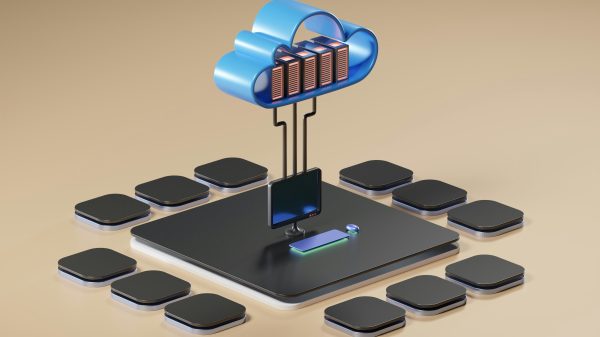
For a typical Access-to-cloud migration, the database layer moves to Amazon RDS – managed MySQL or PostgreSQL on AWS infrastructure, running in the Canada (Central) region in Montreal for organizations with Quebec data residency requirements. The application logic, previously spread across Access forms, VBA macros, and exported Excel files, gets rebuilt as a structured web application. AWS RDS in ca-central-1 gives the same data a proper relational engine: concurrent users without file locking, automated backups without asking everyone to log out, and row-level security instead of a shared password on a shared drive.
For PHP legacy applications, the migration path typically moves the application to a containerized environment on EC2 or AWS Fargate, rebuilt in PHP 8 or replatformed in Laravel, with the existing database migrated to RDS. The infrastructure difference matters: instead of a single server that accumulates risk with every passing month, you have an environment that auto-scales, that has managed patching, and that has a defined recovery point if something goes wrong.
Where the architecture gets more interesting is the storage layer. Businesses that are migrating legacy systems in 2025 and 2026 are not just solving the problems of 2005. They are building the foundation for AI capabilities they will want in the next three years: document storage for OCR pipelines, embedding indexes for semantic search, audit logs for anomaly detection, vector databases for retrieval-augmented generation. S3 on AWS is the de facto storage layer for all of this. An Access migration that moves structured data to RDS and documents to S3 is not just modernizing the past. It is building infrastructure that can support a custom ERP with AI integration without a second infrastructure rebuild two years from now.
Legacy software migration to AWS in Canada: the decisions no guide mentions
AWS operates two regions in Canada: Canada (Central) in Montreal and Canada West in Calgary. For Quebec businesses handling personal information, data residency in ca-central-1 is the practical starting point for Loi 25 compliance. Loi 25, fully in force since September 2024, requires Privacy Impact Assessments for cross-border data transfers and prohibits transfers to jurisdictions that do not provide equivalent protection. Keeping data in a Canadian AWS region does not automatically resolve every sovereignty question – the CLOUD Act remains a structural tension that Canadian legal analysis has not fully resolved – but it is the baseline architecture decision that informed organizations make first.
For regulated workloads, AWS in Canada carries PBMM certification (Protected B, Medium Integrity, Medium Availability) for Canadian government workloads, and SOC 2, ISO 27001, and PCI DSS certifications that apply regardless of region. The compliance documentation is available through AWS Artifact. These certifications matter when a legacy Access database held personal data with no audit trail, no encryption, and no documented retention policy, and the new system needs to demonstrate that the situation has changed.
| Legacy environment | Cloud equivalent on AWS | What changes |
| Access .accdb on shared drive | Amazon RDS (MySQL or PostgreSQL, ca-central-1) | Concurrent access, automated backups, encryption at rest |
| PHP 5 app on aging server | EC2 or Fargate, Laravel/PHP 8, containerized | Managed patching, auto-scaling, defined recovery point |
| Local file server for documents | Amazon S3 (ca-central-1) | Versioning, lifecycle policies, foundation for AI pipelines |
| Manual exports to Excel for reporting | Amazon RDS + Metabase or QuickSight | Live dashboards, no export step |
| No audit trail | CloudTrail + RDS audit logs | Documented access history for compliance |
| Backup on USB or external drive | Automated RDS snapshots + S3 replication | Defined RPO/RTO, no human dependency |
The AWS migration work no one scopes correctly
In my experience, the hardest part of migrating a legacy Access system is not the data. Data migrations are well-understood: you write the extraction scripts, you map the schema, you validate the row counts, you run it twice in staging before you touch production. The hard part is the business logic that was never written down.
Access forms accumulate informal process over years. A field that is labeled “Notes” is actually a required input that downstream processes depend on. A lookup table that appears to be a simple list is actually the source of truth for a pricing calculation that lives in a different form. None of this is documented. It exists as institutional knowledge, and the migration process is often the first time anyone has tried to document it.
Before any code is written, the most useful exercise is mapping every path a user takes through the legacy system and asking why it exists. Invariably, some of those paths encode a business rule that should have been changed years ago but never was because no one wanted to touch a working system. A migration is the only moment when changing that rule does not require a separate change management process – it happens as part of the build. Missing that window is one of the most common and least-discussed costs of a rushed migration.
This is why legacy migration projects that are scoped as pure technical migrations frequently deliver systems that technically work and operationally frustrate. The custom software development approach that works is one that starts with business process mapping before touching the schema – understanding what the Access forms actually do, not just what data they store, and building the new system around the real workflow rather than the legacy data structure.
For businesses evaluating a migration, the right question is not “how much does it cost to move our data to AWS.” It is “how much of what our current system does is actually working, and what would we build differently if we were starting from scratch today.” The answers to those two questions usually produce a better migration plan than any technical assessment alone.
Witify’s application modernization practice starts from that second question. The infrastructure decision – AWS in ca-central-1, RDS, S3, serverless where it fits – follows from the business architecture, not the other way around.
For Canadian businesses weighing the decision, the cost of inaction is measurable. Access 2021 loses security support on October 13, 2026. PHP 5 has been end-of-life since December 2018 – any server still running it is accumulating unpatched CVEs with every passing month. The migration conversation tends to begin when something breaks, when a developer leaves, or when a compliance requirement surfaces that the current system cannot satisfy. Starting it before one of those events is almost always the better outcome financially, because the scope of the work is defined by the business rather than by the incident. AWS in ca-central-1, combined with a custom software build that maps to the actual workflow rather than the legacy data structure, gives the business a system that works today and infrastructure that supports AI integration when that question arrives in 2026 or 2027.
That second point is worth holding onto. The organizations that will add AI capabilities to their business software most quickly in the next three years are the ones that already have their data in RDS and their documents in S3. The organizations that are still on Access will be paying for a migration before they can start on the AI work. The two projects are sequential, not parallel. Starting the migration now is, among other things, starting the AI readiness work now.