After Starting a Test, What Happens?
The virtual machines in the virtual protection group are created in Azure. In the Azure console, the new virtual machines appear with their original names and the suffix testing recovery.
Note: Zerto adheres to Azure naming conventions. For information, see Zerto Virtual Replication for Microsoft Azure Environments.
While a test is running:
■ The virtual machines in the VPGs continue to be protected.
■ You cannot move VPGs being tested.
■ You cannot initiate a failover while a test is being initialized or closed.
Monitor the status of a failover test by doing the following:
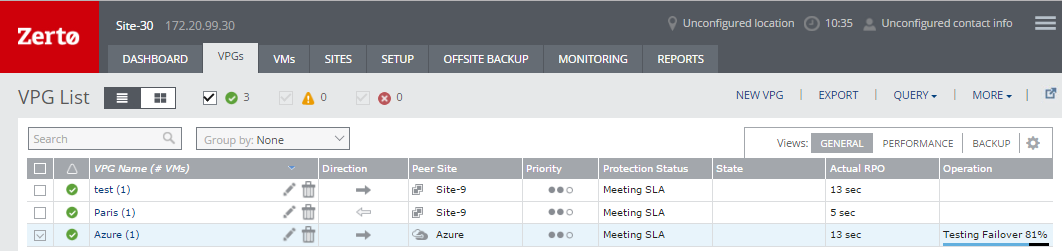
■ In the Zerto User Interface, click the VPGs tab. The Operation field in the GENERAL view displays Testing Failover when a failover test is being performed.
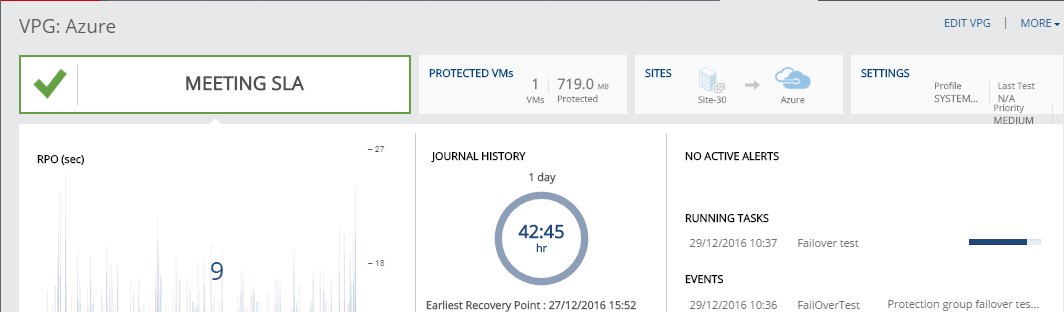
■ In the Zerto User Interface, click the VPGs tab, and then click on the name of a VPG you are testing.
A dynamic tab is created displaying the specific VPG details including the status of the failover test.
To stop a failover test:
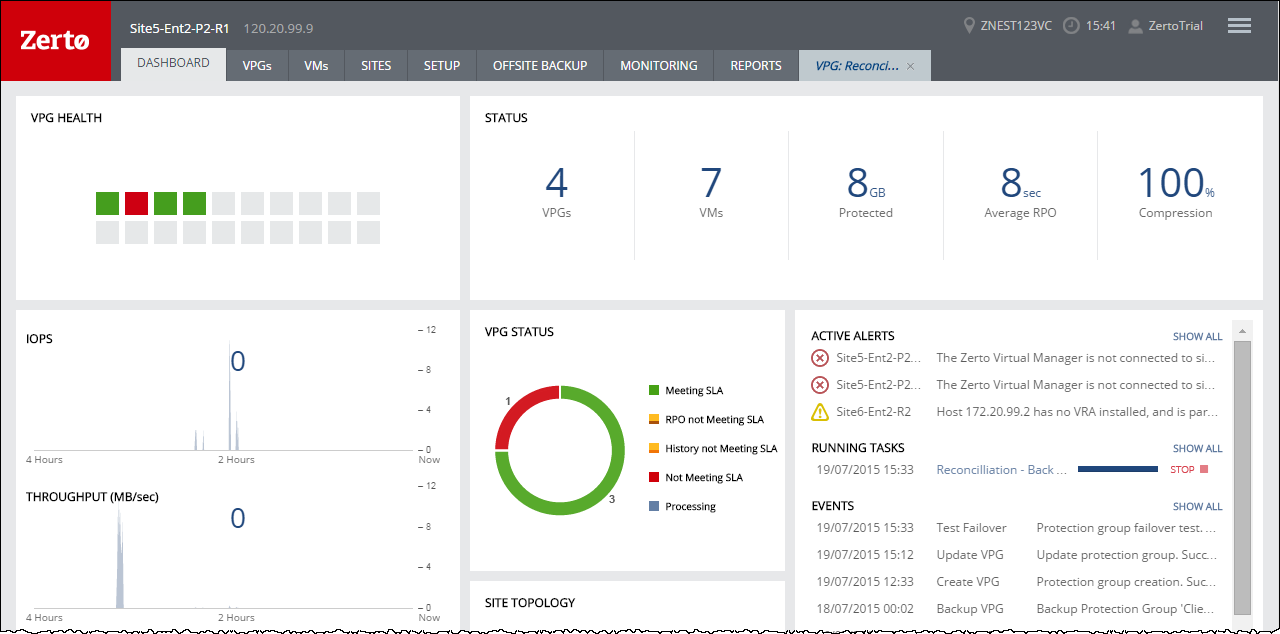
1. Click the Abort icon, in either the Dashboard or the dynamic tab, to stop the test in the specific VPG tab.
You can also stop the test via the TASKS popup dialog in the status bar, or by selecting MONITORING > TASKS.
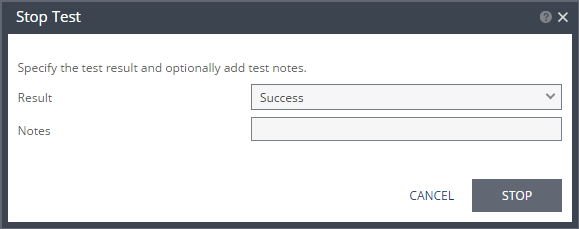
The Stop Test dialog is displayed.
2. In the Result field specify whether the test succeeded or failed.
3. Optionally, in the Notes field, add a description of the test. For example, specify where external files that describe the tests performed are saved. Notes are limited to 255 characters.
4. Click STOP.
After stopping a test, the following occurs:
■ Virtual machines in the recovery site are powered off and removed.
■ The resource group created for the operation is deleted.
■ The checkpoint that was used for the test has the following tag added to identify the test: Tested at startDateAndTimeOfTest.
This checkpoint can be used to identify the point-in-time to use to restore the virtual machines in the VPG during a failover.
\