When to Replicate to the Same Site
The following scenarios show when replicating to the same site can be beneficial. The list is not inclusive.
■ Where the same SCVMM manages different datacenters in different geographical locations. The main datacenter can be used as the recovery site. This scenario describes situations where there are remote offices or branch offices (ROBOs).
■ In an organization that does not have a recovery site but wants to protect its virtual machines that use one storage by creating recovery on a second storage. this protects against a disaster happening to the primary storage.
■ Between hosts in different clusters.
■ Protection against viruses, even in a single cluster: A different host within the cluster can serve as the recovery host for a host with an internal problem with a virtual machine, such as a virus.
To enable replication to the same site:
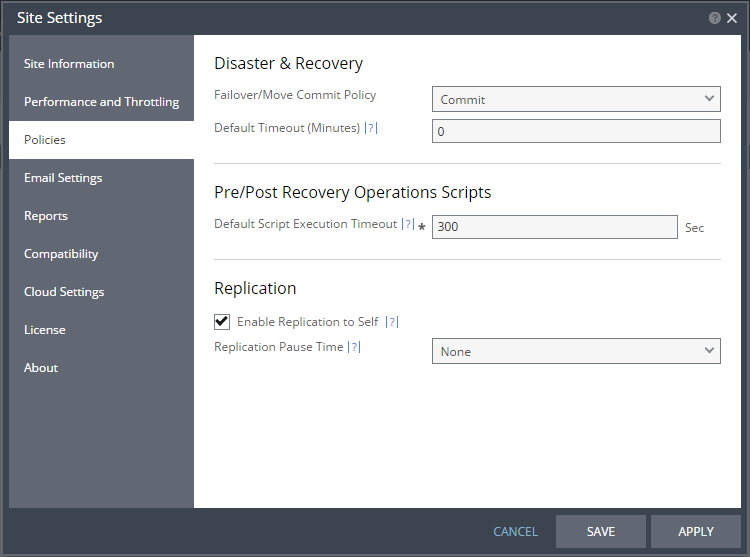
1. Select Site Settings. In the Site Settings dialog, select Policies.
2. Check the Enable replication to self option in the Replication section. Click SAVE or APPLY.
To define a VPG to recover to the protection site:
■ In the Zerto User Interface, select ACTIONS > CREATE VPG.
The NEW VPG step of the Create VPG wizard is displayed.
The procedure is the same as when protecting virtual machines, described in
“Protecting Virtual Machines to Hyper-V Hosts”, on page 37.