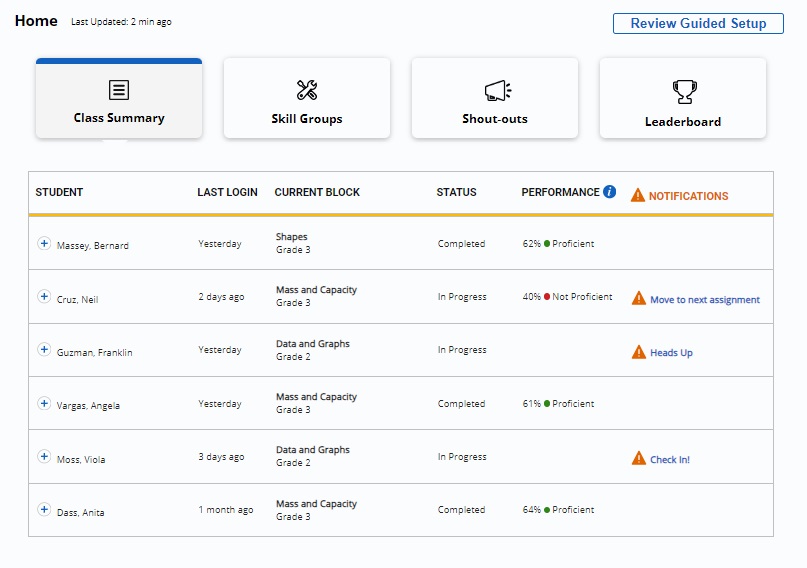
Class Summary shows a snapshot of entire class’s work and is visible when teachers log in to the Home Page. Teachers may use Class Summary to view the status of each student and monitor student progress in the current block.
Teachers may also review the class’s last login, monitor each student’s current block, status, performance and view any notifications.
To expand a student’s information and data, click the student’s link.
Notifications alert teachers when an action is needed. See Notifications section to see more information.