Using Alert Notifications
Using Alert Notifications settings, you can modify notification settings based on alert type, severity, and frequency.
Considerations
|
•
|
To enable Alert Notifications, you must have all your ZVM sites transmit data to Zerto Analytics. |
|
•
|
This does not apply to CSP/MST accounts as they do not have control of the Draas machines. |
|
•
|
Re-enforcing a site to transmit data to Zerto Analytics will not be enforced if the site stops transmitting data. |
|
•
|
Alerts Notifications is supported from Zerto v7.0. |
|
•
|
Alerts are configured per user - you cannot set alerts for other users. |
|
•
|
Acknowledging an alert through the ZVM triggers a 'Resolved' email to be sent to the user, however, the alert is still active. |
Accessing Alert Settings
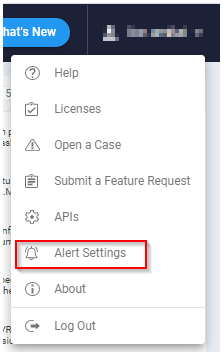
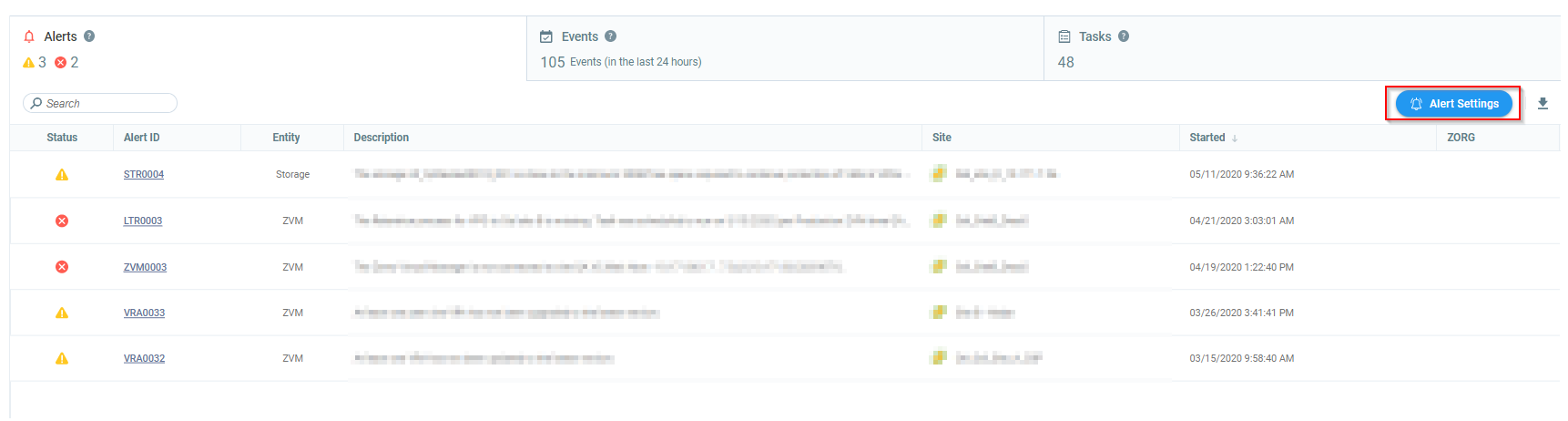
You can access Alert Settings from one of the following:
|
•
|
Zerto Analytics drop-down menu. |
|
•
|
Zerto Analytics Monitoring Page. |
The Alert Notification Settings window appears.
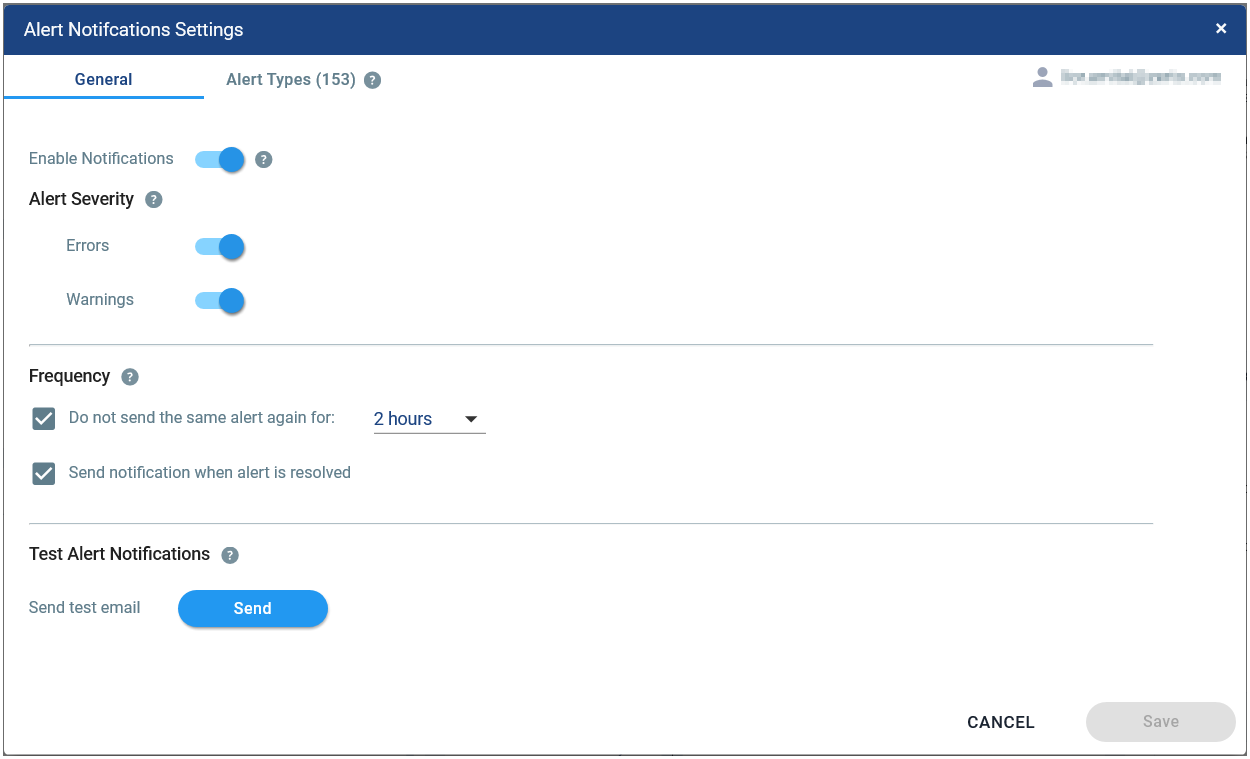
Navigating the General tab
|
•
|
Your username is your MyZerto email address. |
|
•
|
Your MyZerto email address must match the one used to log into Zerto Analytics. |
|
•
|
To send alerts to a dedicated distribution list, you can configure a new MyZerto account using the distribution list email address. |
Configuring Alert Severity
|
•
|
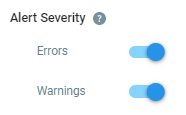
You can enable and disable alert notifications by severity. For example, disabling Errors will stop alerts of that type from being sent. |
Defining Alert Notification Frequency
|
•
|
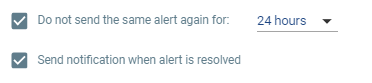
Do not send the same alert again for: Select this to stop the same alert type/severity/status being sent repeatedly within the selected time frame. |
|
•
|
Send notification when alert is resolved: Selected by default. You will receive an email notification instead of an alert. |
Testing email
You can validate Test Alert Notifications by sending a test email to your myZerto email address.

|
Note:
|
You have only 5 attempts per minute to send a test email. |
Navigating the Alert Types tab
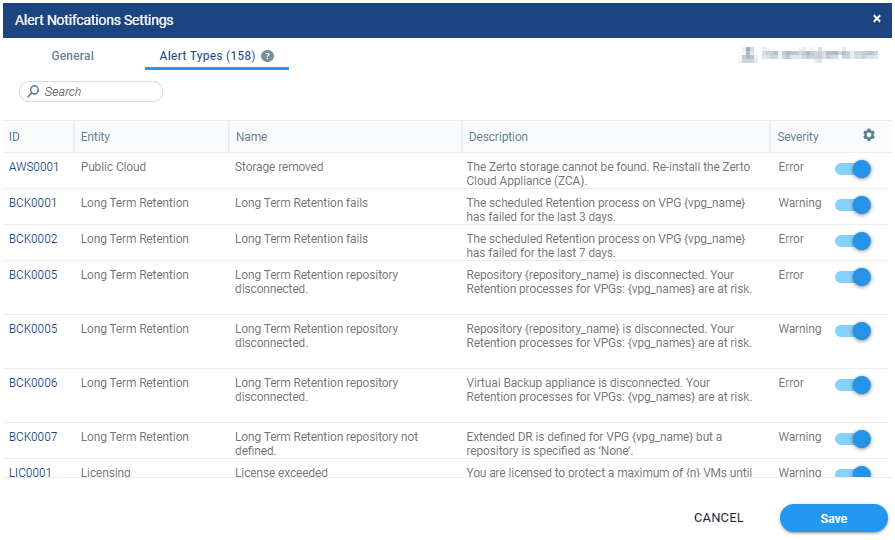
A list of all the Zerto alert types is displayed. You can enable and disable alert notifications in the Severity column.
See also: