Flux WiFi provides a Wi-Fi endpoint to connect to. You can connect to the bulb from your phone with the following steps:
Screw in the Flux WiFi light bulb in a socket and turn on the light switch
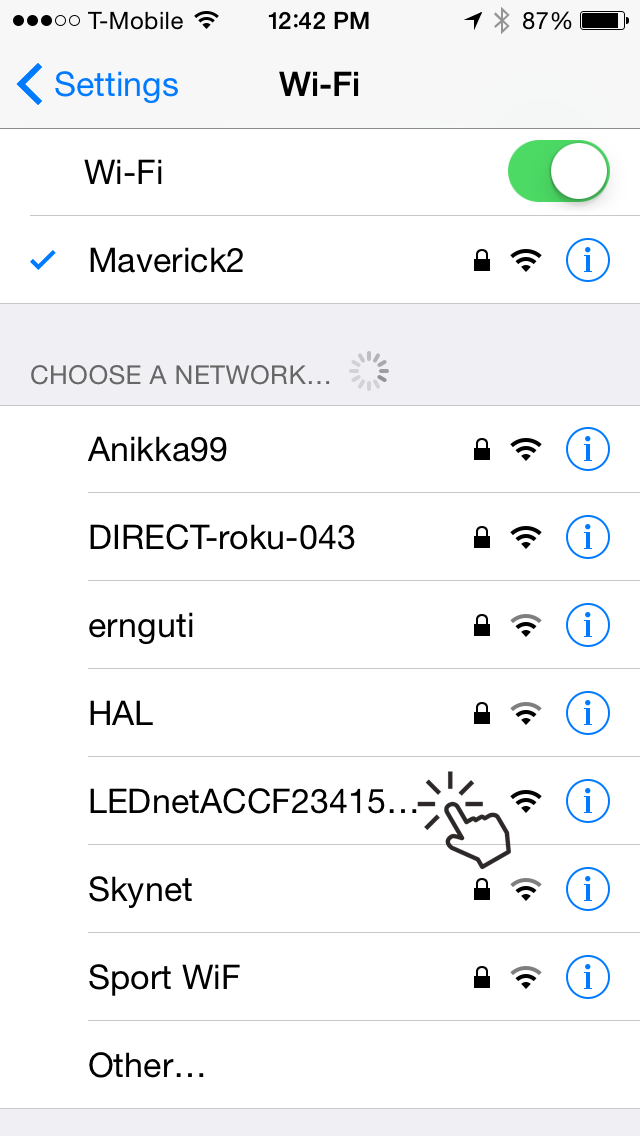
Once the bulb is turned on, go to the wi-fi settings page in your device (see figure 1)
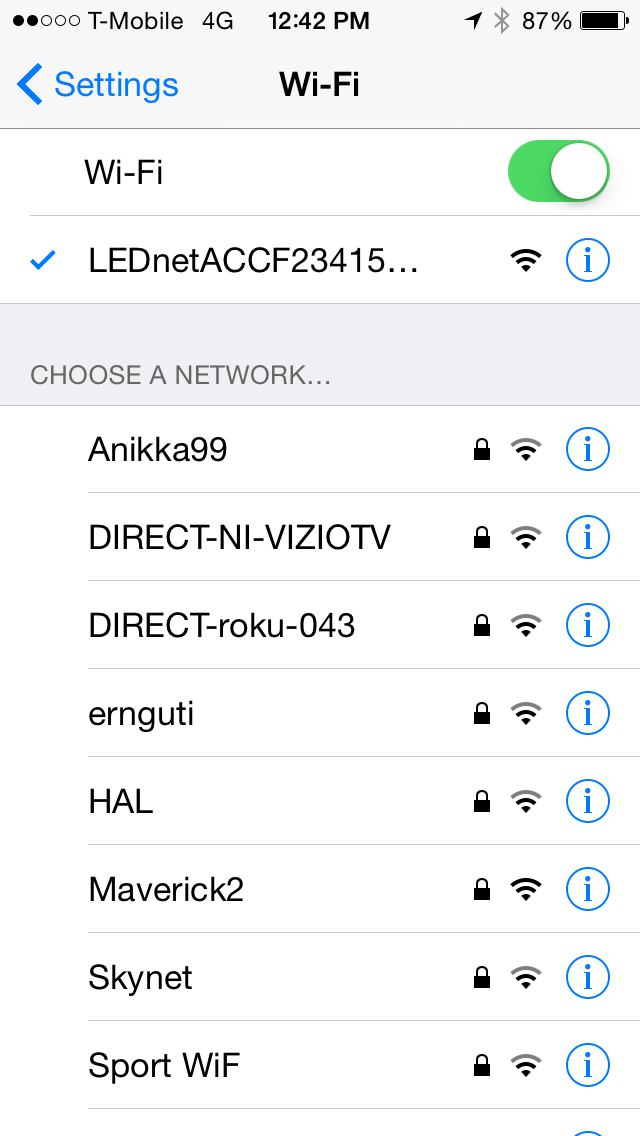
Your Flux WiFi bulb should show up as a network named LEDNetxxxxx. Connect to it.
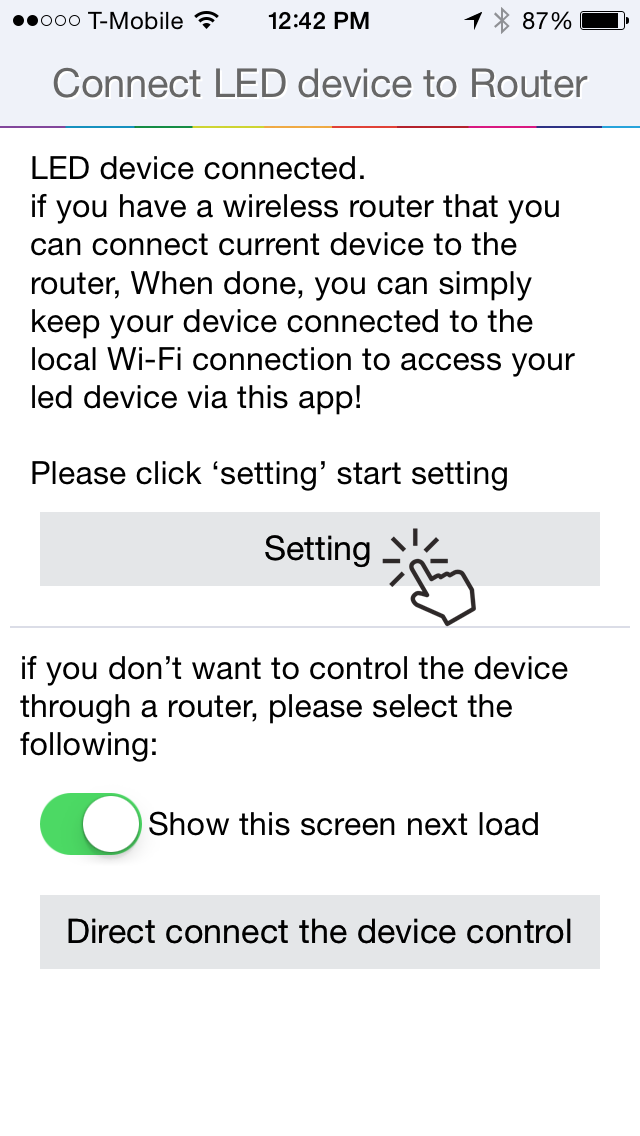
Once you have successfully connected to the bulb, open the "Magic Home" app.
The app on start up will provide you with a screen to connect to your bulb via your home wifi
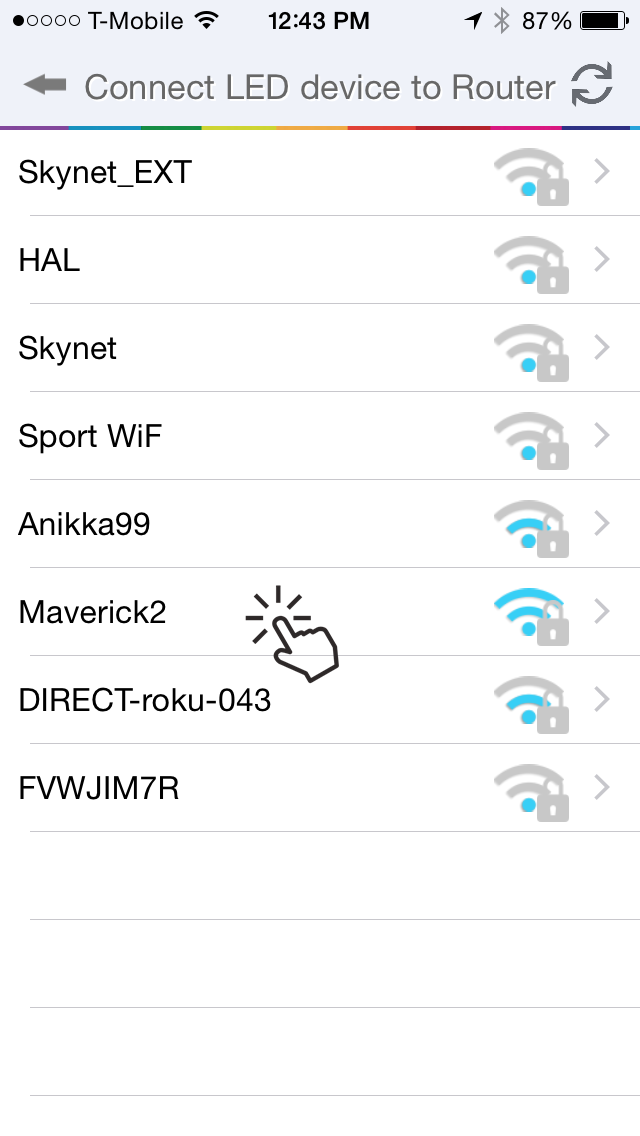
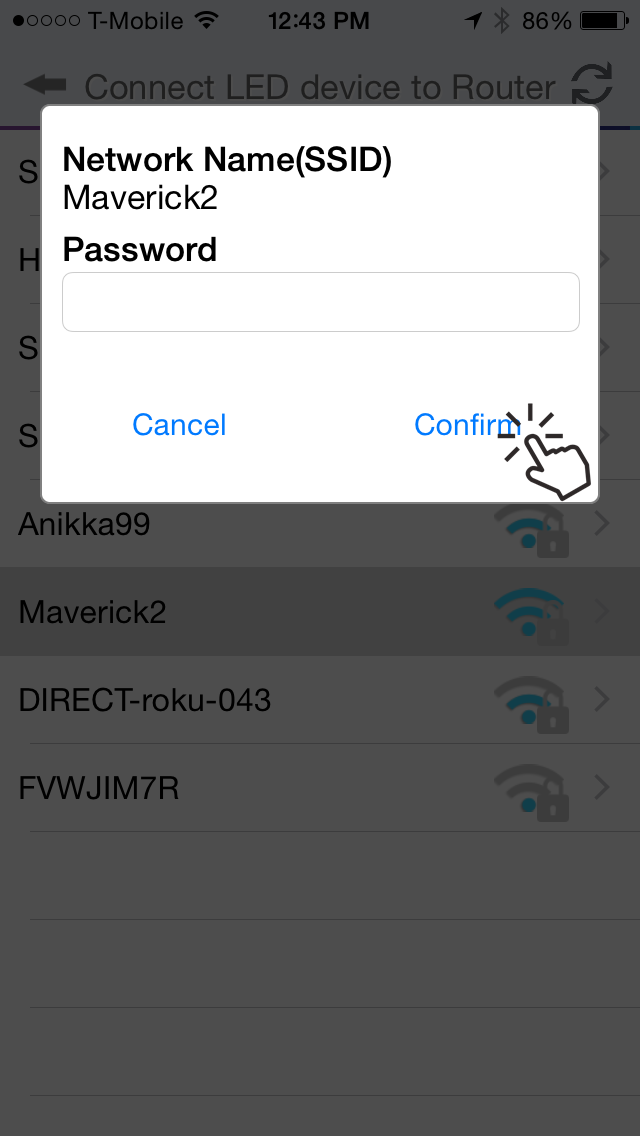
Click "Settings", select your home wifi network, enter the password and hit confirm.
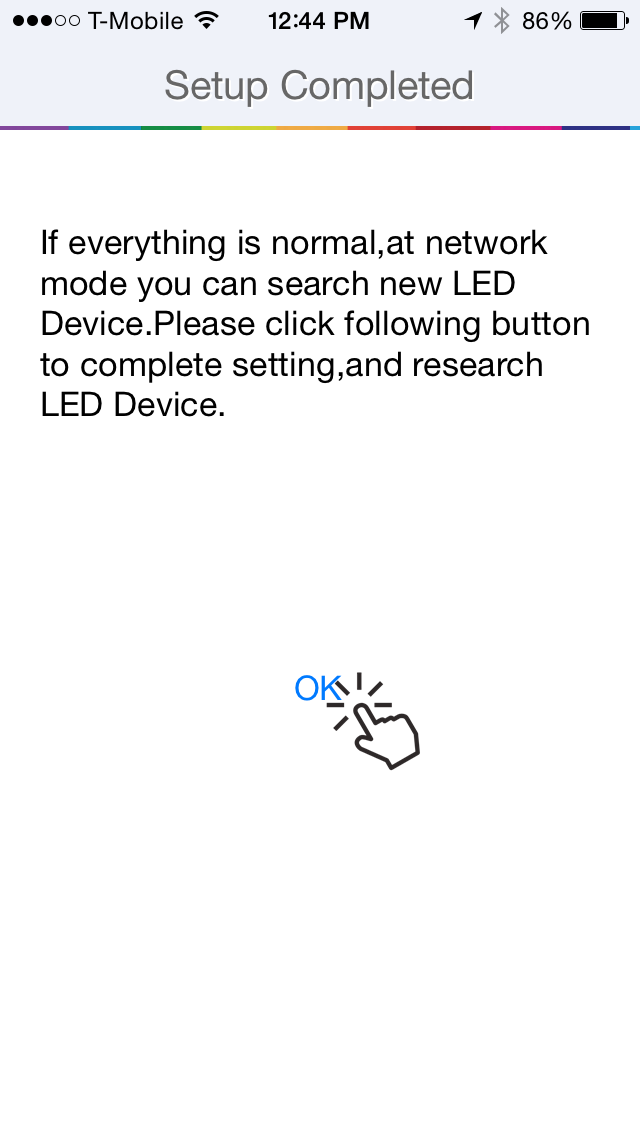
Your bulb wifi will be restarted to pair it via your home network. Hit "OK" to completethe process.
You will then end up in the device list screen and see your bulb there under the ungrouped devices.
Pairing your bulb via the home wifi network is optional, but highly recommended. Otherwise you will have to manually switch your device between your home wifi and bulb's wifi network in order to control it.