To install the AppZone Python IDE:
1. Access the Telit portal: http://www.telit.com/support/programming-tools/iotappzone/developers/.
2. Click the AppZone installation file.
3. The installation wizard starts.
4. If Java 32-bit is not yet installed, a message opens notifying you that you must install Java.
a. Click OK. The browser opens with the Java Installation page.
b. Under JRE click Download. The JRE download page opens.
c. Above the table, select I Agree.
d. Click the x86 JRE versions to install.
e. When the installation ends, click OK. The AppZone Python installation windows opens.
5. Click Next to continue.
6. Read the license agreement and then click I Agree to continue.
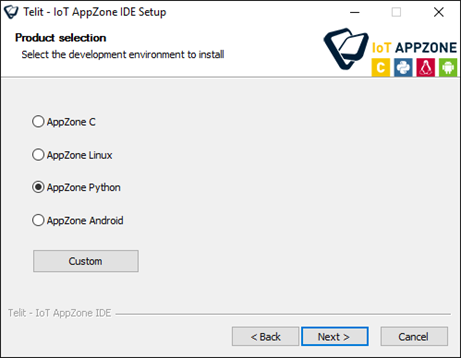
7. Select AppZone Python and then click Next.
To install more than one development environment, click Custom and select the development environments that you want to install.
8. Choose the destination folder in which to install AppZone Python. You can leave the default folder or click Browse to select a new destination folder.
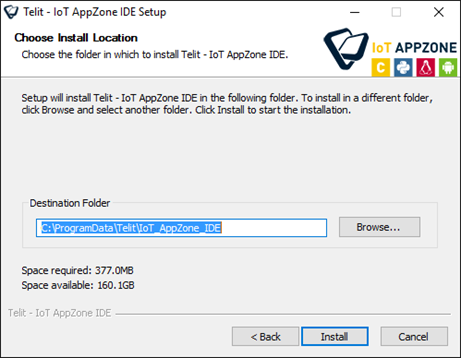
9. Click Install to begin the installation.
The installation wizard downloads the files that are required for the development environment that you selected.
10. Click Finish to close the AppZone Python installation wizard.