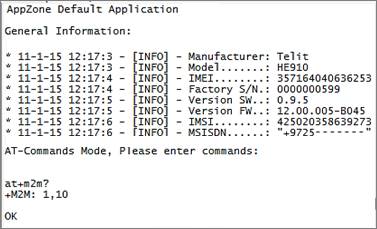
The application puts the module in its default status, displaying the module's information.
Afterwards, the user can write commands to the terminal via the AppZone layer.
M2M_main.c
•Send to Process 1
M2M_proc1.c
•Set the AT commands parser
•Send ATE1 to enable commands echo
•Open USB/UART
•Call the function 'getInfo()'
The function gets the module's information using the dedicated API and then Prints it.
•Configure AT mode
•Wait for incoming AT commands
M2M_atRsp.c
•Print to USB/UART the AT command response