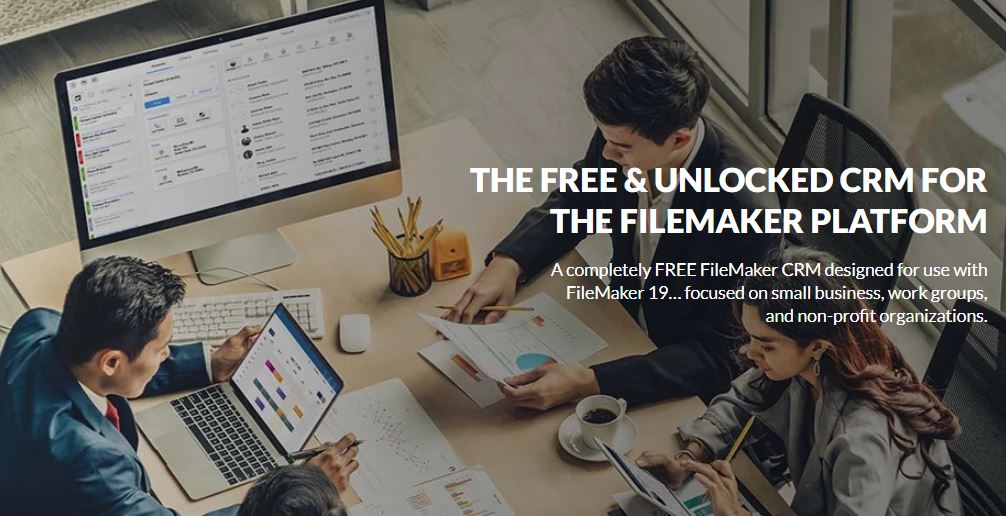
FileMaker offers a wide range of easy-to-access report templates that you can use to organize different sets of data and present them in concise, easy-to-read reports. You have the flexibility to collect and aggregate information from many external sources. And you can create reports with the metrics that really matter to your business. With real-time access to high-quality information about your operations, you and your executive team can make better intelligent, data-driven decisions that move your business forward. No more relying on inaccurate or outdated data - FM's starting point
FM Starting Point is a completely FREE FileMaker CRM, designed for use with FileMaker® 19. FMSP is focused on small businesses, work groups, and non-profit organizations.
FileMaker users have been enjoying the benefits of FMSP for over 10 years, with over 700,550 downloads of the solution. FMSP offers an integrated approach to an integral need in the business world — a complete CRM that is ready to be built upon to create the perfect solution for your specific needs. Experienced FileMaker Pro users will value a FREE tool that makes building a new project substantially easier.
To save time on your next project, simply start off with a fresh copy of FMSP. Then, add additional tables, fields, and scripts to fully customize the database to your exact needs.
FMSP 2022 features support for the new features of FileMaker 19, including Master-Detail View and more. Additionally, FMSP 2022 is optimized for WebDirect 19, allowing for limited deployments, purely in a web browser.
What versions of FM Starting Point and releases of FileMaker are Compatible?
Specific versions of FM Starting Point are engineered for specific releases of FileMaker.
FMSP Version 7 is designed for FileMaker 18
FMSP Version 6 is designed for FileMaker 17
FMSP Version 5 is designed for FileMaker 16
FMSP Version 4.6 is designed for FileMaker 15
FMSP Version 4.5 is designed for FileMaker 14
FMSP Version 4.0 is designed for FileMaker 13
FMSP Version 3.0 is designed for FileMaker 12
FMSP Version 2.0 is designed for FileMaker 11
FMSP Version 1.0 is designed for FileMaker 10
OK: You can of course, ALWAYS use an older version of FMSP with a newer release of FileMaker.
BAD: If you take a newer version of FMSP, and use it with an older release of FileMaker, you will end up seeing objects on layout crossed out in a red “X”. Additionally you will run into other code issues.
The Features of FileMaker CRM - FileMaker CRM includes features such as contact management, sales tracking, and marketing automation. It can help businesses save time and money by automating tasks such as sales follow-up, customer service, and marketing. FileMaker CRM is available as a cloud-based service or as a self-hosted solution.
Benefits of Free FileMaker CRM Templates - Using free FileMaker CRM templates can give your company great benefits. Getting started with a CRM system is a very cost-effective approach. The templates are easy to use and can be customized to suit your company's needs. It's also a great way to get started with the FileMaker Pro database program. Free FileMaker CRM Template Features – The free FileMaker CRM template has many features that are useful for your organization. Templates include a report generator, calendar, task manager, and contact manager. Templates can also be customized to suit your company's needs.
Need help with a specific task in FileMaker CRM? You've come to the right place in our how-to section. We'll walk you through the process, from importing data to setting up your users.
Your customers and their relationships with them are important assets for your business. Getting to know each customer is critical to maintaining and building those important relationships. However, tracking contact information, invoices, important events, spreadsheets, and documents can be difficult. With all these details in hand, you can effectively support your customers and build relationships with them. We have tools to help you and your team make the transition and learn where to start with FM. We know that the introduction of new software can raise concerns about the time required for training and the potential for steeper learning curves. We designed the system with an intuitive and user-friendly interface, but we also created his free 1-hour training course that you can watch anytime to help you learn the basics and get the most out of all its features.

FileMaker CRM Features - Contact management, sales tracking, and marketing automation are just a few of the features FileMaker CRM offers. By automating processes such as marketing, customer support, and sales tracking, businesses can save time and money. Both self-hosted and cloud-based versions of FileMaker CRM are offered.
A: Specific versions of FM Starting Point are engineered for specific releases of FileMaker.
FMSP Version 7 is designed for FileMaker 18
FMSP Version 6 is designed for FileMaker 17
FMSP Version 5 is designed for FileMaker 16
FMSP Version 4.6 is designed for FileMaker 15
FMSP Version 4.5 is designed for FileMaker 14
FMSP Version 4.0 is designed for FileMaker 13
FMSP Version 3.0 is designed for FileMaker 12
FMSP Version 2.0 is designed for FileMaker 11
FMSP Version 1.0 is designed for FileMaker 10
OK: You can of course, ALWAYS use an older version of FMSP with a newer release of FileMaker.
BAD: If you take a newer version of FMSP, and use it with an older release of FileMaker, you will end up seeing objects on layout crossed out in a red “X”. Additionally you will run into other code issues.