|
License Installation (Linux Only) |
  
|
|
License Installation (Linux Only) |
|
Numerical Innovations, LLC uses Macrovision FLEXnet Publisher (formerly FLEXlm) for Linux installations. If you have not received your license key, please fill out the FAB 3000 License Request Form.

Installing a FAB 3000 License Key:
A. Start FAB 3000.
B. Go to FAB 3000 menu: Help | Enter License Key...
C. Paste your license key into the license window (use key 'Ctrl' + 'v'), and press button "Activate"
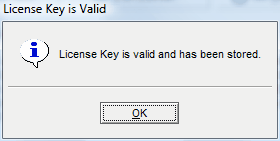
Note: If your license key is valid, you will receive a success message (see below).
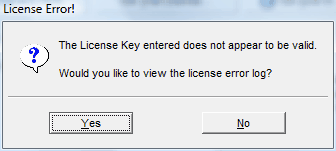
Note: If your license key is invalid, you will receive this message (see below). We recommend that if you are having problems to press 'Yes; to review the error log. If you feel this is an error, please send a screen capture of the error log to sales@numericalinnovations.com and we'll be happy to resolve the license key issue.
Installing a FAB 3000 License File (*.lic):
Place your valid license file (*.lic) into the FAB 3000 license folder:
Linux
ex. /opt/NumericalInnovations/FAB-3000