|
List Objects |
  
|
|
List Objects |
|
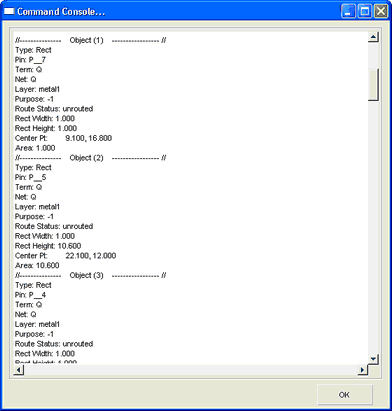
Displays all properties of selected figures, in the command console. The command allows the complete display of multiple figures properties simultaneously.

Command Console after List Figures
Tutorial:
1.Select Figures
2.Activate command List Figures
The command console with be populated with all figure properties.