Contact Us 866.989.5580

How to redeem a Giftbar gift card.
All Giftbar gift cards, including the universal Giftbar of Choice gift card,
can be redeemed in your Giftbar backend in a few easy, fast steps.

Step 1: Access your Giftbar backend.
Login to your Giftbar backend with your username & password or by using your quick access login link. If you do not have a quick access login link, you can request your link here.

Step 2: Find the gift code.
You may find the 8 digit gift code on the 3rd page of any Giftbar gift card.
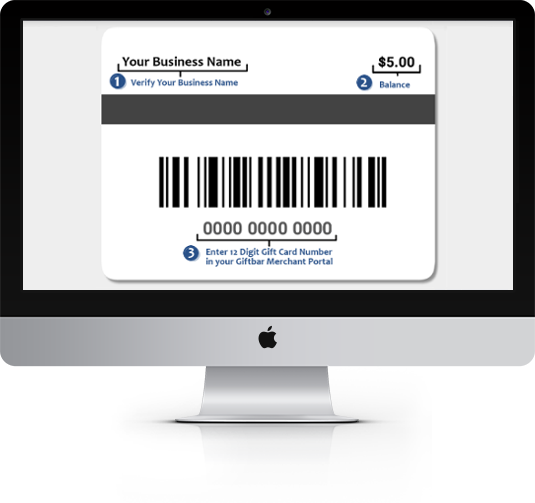
Step 3: Or find the United gift code.
Customers may present you a United gift code. You may redeem your 12 digit United gift codes in the exact same manner as Giftbar gift codes.

Step 4: Look up the gift card.
Enter the 8-digit or 12-digit gift card code and click Check Balance. If you receive an error message on this step, please call Customer Service at 866.989.5580 to verify the gift card.

Step 5: Enter dollar amounts & confirm.
Enter the total amount spent by the customer and the amount applied to their gift card. The remaining balance will automatically update. Then click Confirm Purchase to redeem the gift card.