
To open the Selection Tools menu, click the  link
on the right side of the upper tool bar.
link
on the right side of the upper tool bar.
The following menu appears:
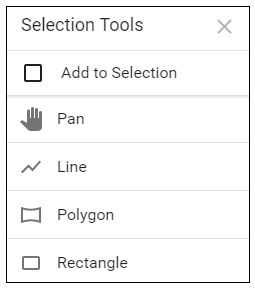
The following tools are available to mark the GeoViewer map:
Pan — Use the hand tool to click, hold, and drag the map to a desired position.
Line — Draws a straight line.
Polygon — Draws a box with uneven and multiple sides.
Rectangle — Draws a box with even parallel sides.
