1. Log in to HMH Ed as a District Administrator. The My Schools page appears.
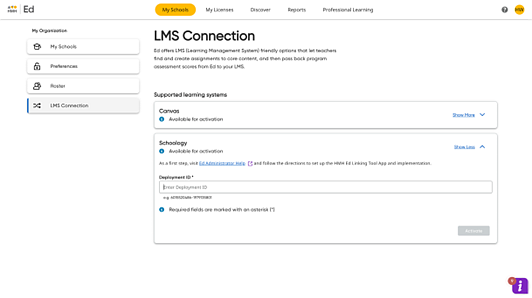
2. On the left panel of the My Schools page, click LMS Connection. An LMS Connection page appears.
Note: Administrators imported using HMH Rostering Service can be set up without rostering rights, which restricts their access to rostering functions, such as adding and editing user accounts and classes, managing preferences, and setting up LMS connections. If you do not see these options in Ed and require this access, you must consult with your district rostering administrator for assistance.
3. Move to the Schoology card and click Show More.
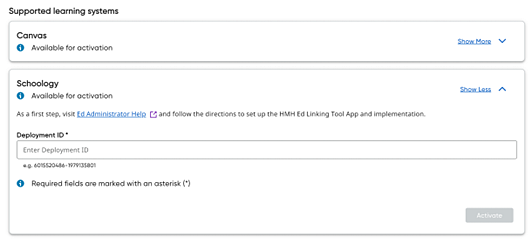
4. Enter the Deployment ID saved from step 8 of Set Up App task.
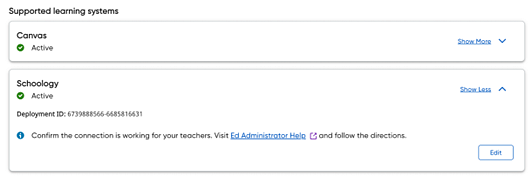
5. Click Activate. Your Ed-Schoology deployment is complete.