|
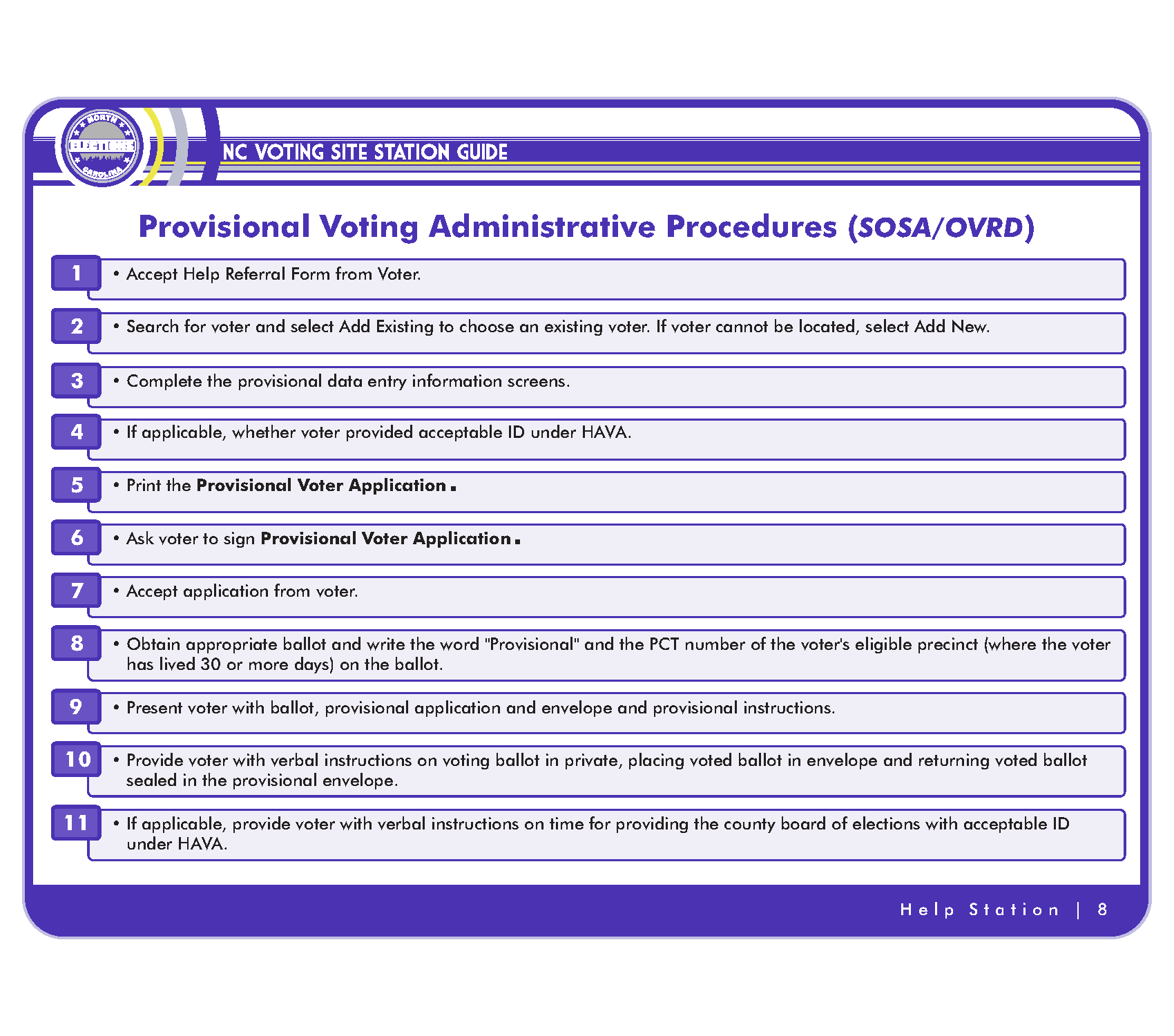
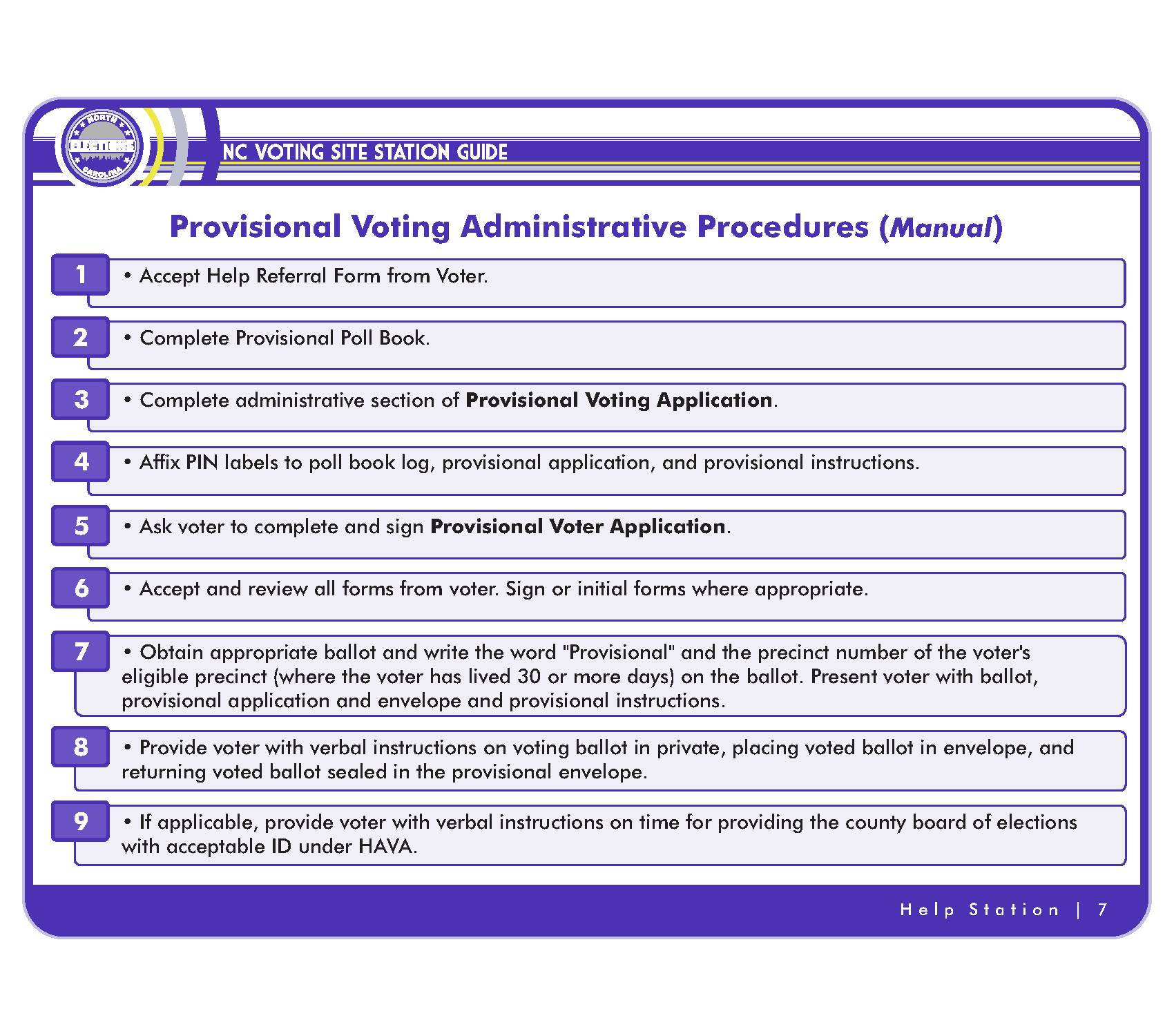
Accept Help Referral Form from voter |
|
|
Search for voter and select Add Existing to choose an existing voter. If voter cannot be located, select Add New. If existing voter, check to see if voter is subject to HAVA ID. If so, ask for ID. |
|
|
Complete provisional data entry Step 1 – confirm/update voter registration information. |
|
|
Select Next. The ID pop-up window will display. If the voter is not subject to HAVA ID, select No ID. If the voter is subject to HAVA ID and presents acceptable ID under HAVA, select the type of ID provided. |
|
|
Complete provisional data entry Step 2 – provisional voting information. · Select appropriate provisional voting reason · Select ballot style (The voter’s eligible ballot is determined by the voter’s residential address and, if the election is a partisan primary, by party affiliation). This reason is used if the voter’s eligible ballot style is not available or the voter insists upon a ballot different from the ballot that he or she was assigned. · Select party ballot, if partisan primary · Select “Acknowledgment Only,” if voter does not want to cast a provisional ballot |
|
|
Select Review to print the provisional voting forms: · provisional voting application · If Acknowledgment Only is selected, only the Acknowledgment Notice prints. |
|
|
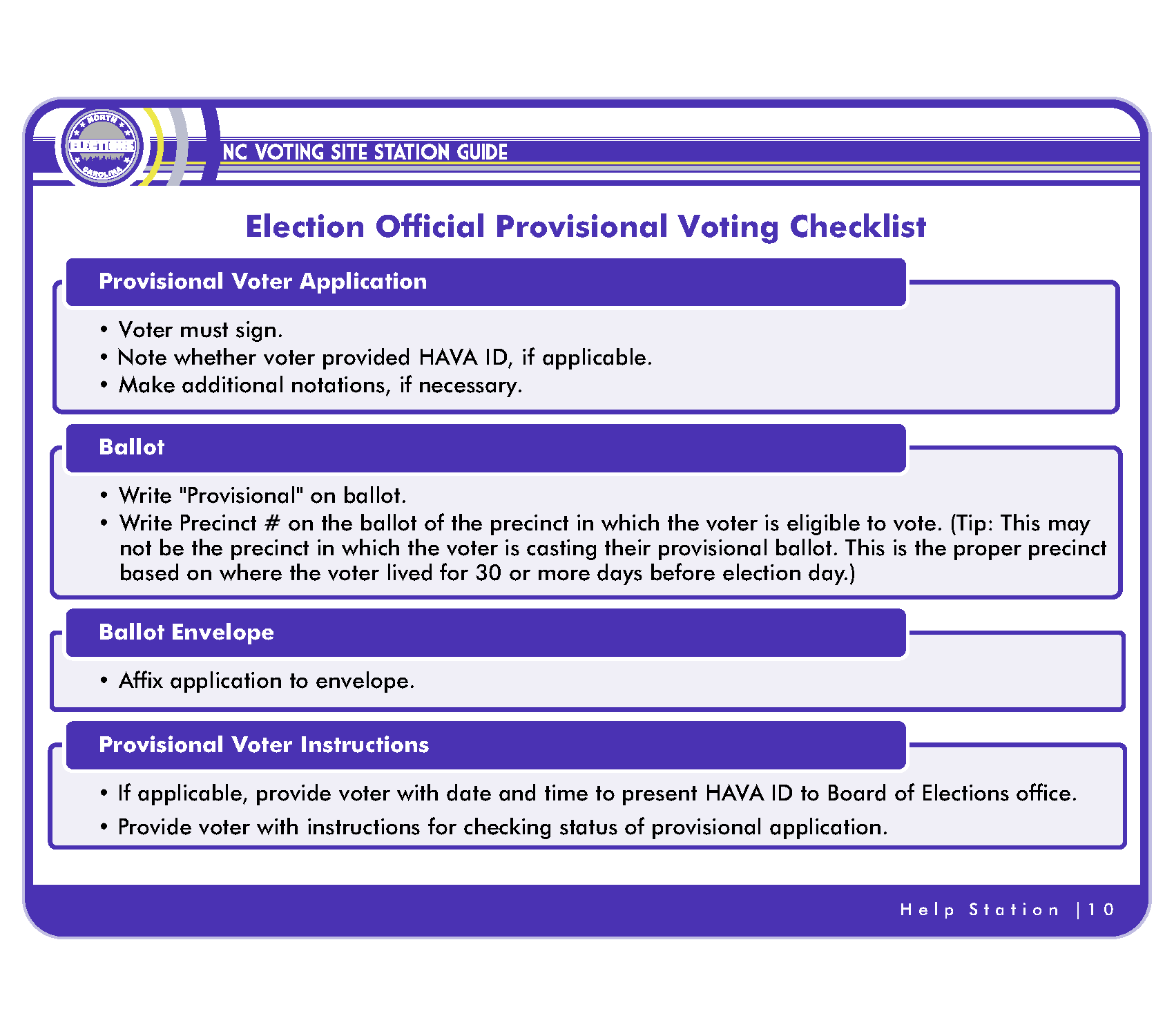
Ask voter to review, complete any additional information, and sign the forms. |
|
|
Select the Vote button to confirm the provisional vote and print the Provisional Voter Instructions.
If the voter does not want to vote provisionally and the transaction is Acknowledgment Only, the vote button will be disabled. |
|
|
Prepare Provisional Voting Packet 1. If not already affixed, affix a plastic sleeve to the outside of a provisional envelope. 2. Place the Provisional Voting Application face-up inside the plastic sleeve of the envelope. 3. Obtain the appropriate ballot (ballot style printed on the application) from the Ballot Station. |
|
|
Annotate Ballot: If the Ballot Station has not already done this, write “PROVISIONAL’ and the voter’s precinct based on the voter’s residential address. Do not put any information on the ballot that will connect the ballot directly to the voter. |
|
|
Annotate the envelope: If appropriate, indicate on the provisional envelope whether acceptable ID was provided by the voter. Record any additional information on the envelope that will be helpful to the board of elections when researching the person’s provisional ballot. |
|
|
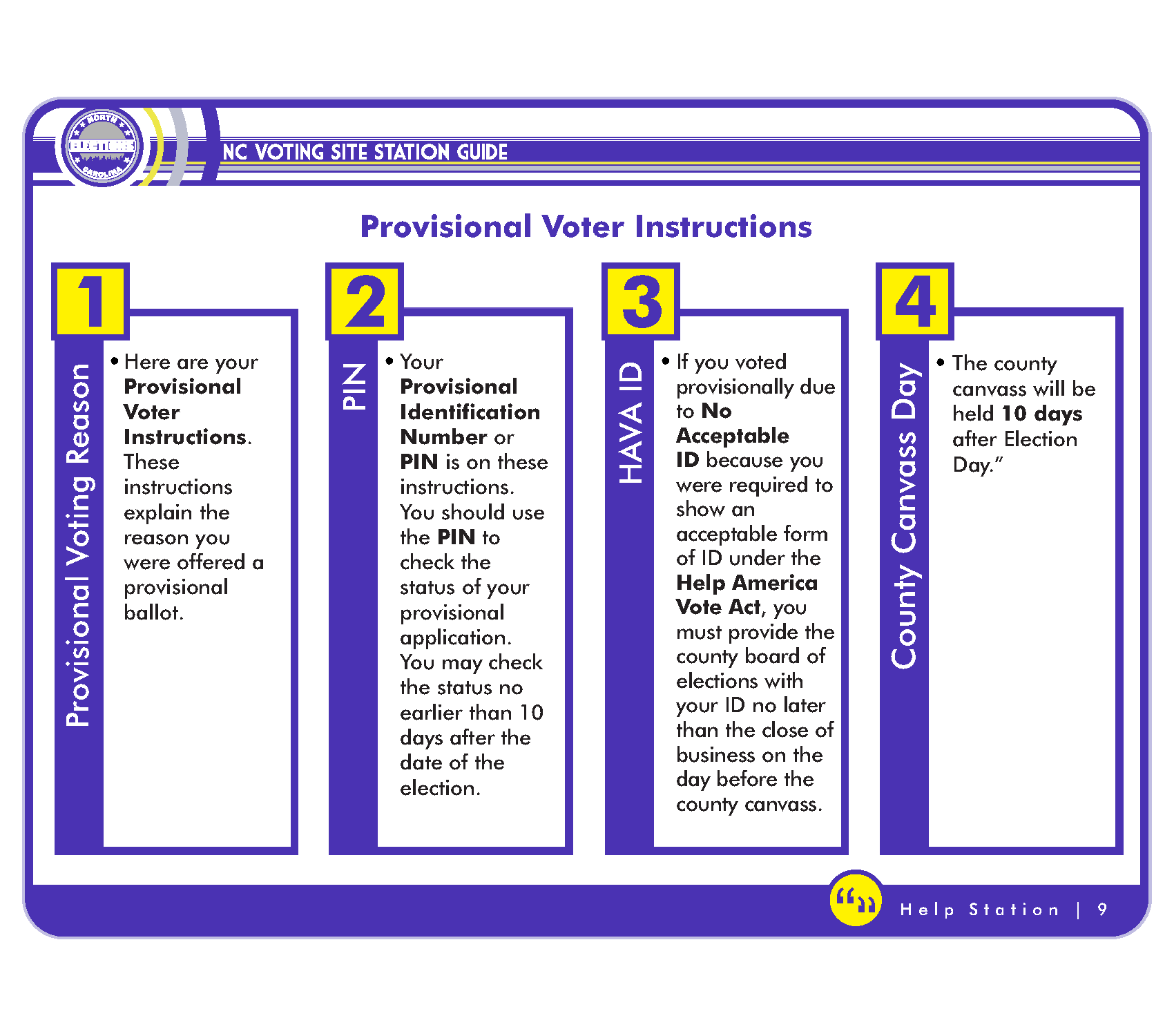
Give Provisional Voting Packet to the voter 1. Provisional Voting Instructions (printed when you selected Vote in SOSA/OVRD) 2. Ballot 3. Provisional envelope (with application face-up inside the sleeve) |
|
|
Instruct voter to mark the ballot in private and then place the marked ballot into the provisional envelope. The sealed envelope containing the marked ballot should then be returned to the election official. The voter should keep the provisional voting instructions. The voter should use the PIN to check the status of his provisional ballot no earlier than ten days after the date of the election. |
|
|
If applicable, instruct the voter to submit HAVA ID to the board of elections no later than the close of business on the day before the county canvass. |
|
|
Place Help Referral Form in secure location to be returned to elections office. |