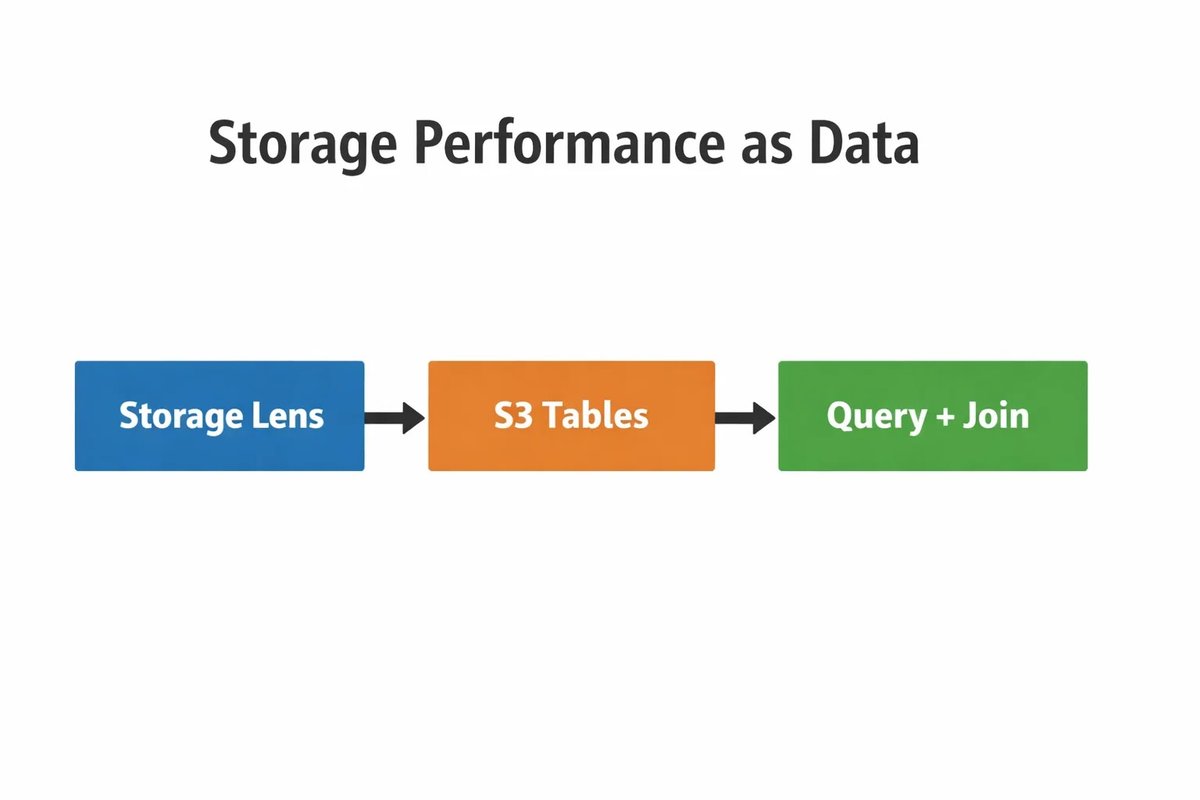
Three-step diagram showing Storage Lens exporting to S3 Tables for querying and joining performance metrics.
Real-time media apps live or die by milliseconds, and by the operational details that don’t show up in a demo. Whether you’re supporting watch parties, live support video, interactive classrooms, or experiences like random chat on JerkRoulette, the workload tends to share the same hard traits: unpredictable concurrency, bursts of small objects (thumbnails, short clips, session artifacts), and users distributed across Regions.
AWS has been steadily updating Amazon S3 to address those pressures: deeper storage performance observability, new ways to analyze at scale, and clearer guidance on low-latency architectures. For engineering leaders, the practical question is no longer “Can S3 handle it?” but “Which S3 pattern matches our latency target, and how do we govern it without slowing teams down?”
Below is a field-ready way to think about S3 for interactive media in 2026: measure first, pick the right bucket model for the hot path, and treat access control and encryption as first-class design inputs, not afterthoughts.
Measure What Your Users Feel, Not Just What You Store
If your media pipeline is global, object storage becomes a performance surface, especially when you’re dealing with millions (or billions) of prefixes and a lot of small objects. In December 2025, AWS announced three new Amazon S3 Storage Lens capabilities: performance metrics, support for analyzing billions of prefixes, and direct export to S3 Tables, positioning observability data as something you can query and join like any other dataset.
Two takeaways matter for interactive media teams:
Small objects are a known performance constraint. AWS explicitly calls out that small objects in a bucket or prefix can slow application performance, and notes mitigations such as batching or using S3 Express One Zone for higher-performance small-object workloads.
Metrics need to meet engineers where they work. By exporting Storage Lens metrics into managed S3 Tables, teams can make storage performance a first-class signal alongside application logs and business metrics.
Practically, this shifts the workflow from “storage dashboard check” to “storage performance as a dataset.” When latency or error rates spike, you want to answer questions like: Did request rate increase in one prefix? Are we seeing slow-down patterns from a particular object shape? Did a new client release change object size distribution? The tighter your feedback loop, the less you’ll overprovision “just in case.”
Choose The Right S3 “Shape” For The Hot Path
A common mistake in media architectures is treating all storage needs as identical. Interactive platforms typically have at least two very different storage paths:
Hot path: frequent reads/writes that affect session quality (low-latency, high TPS)
Cold path: archives, exports, compliance retention, analytics backfills (throughput and cost matter more than tail latency)
For the hot path, particularly high-scale, small-object read/write patterns, AWS’s guidance increasingly points teams toward S3 directory buckets and S3 Express One Zone, where appropriate.
AWS documentation notes that to use the S3 Express One Zone storage class, you create an S3 directory bucket, and that it isn’t supported in S3 general purpose buckets. In addition, AWS says S3 Express One Zone can support up to 2,000,000 GET and 200,000 PUT transactions per second per directory bucket, and that directory buckets use a hierarchical namespace (directories) rather than the flat prefix approach used in general purpose buckets.
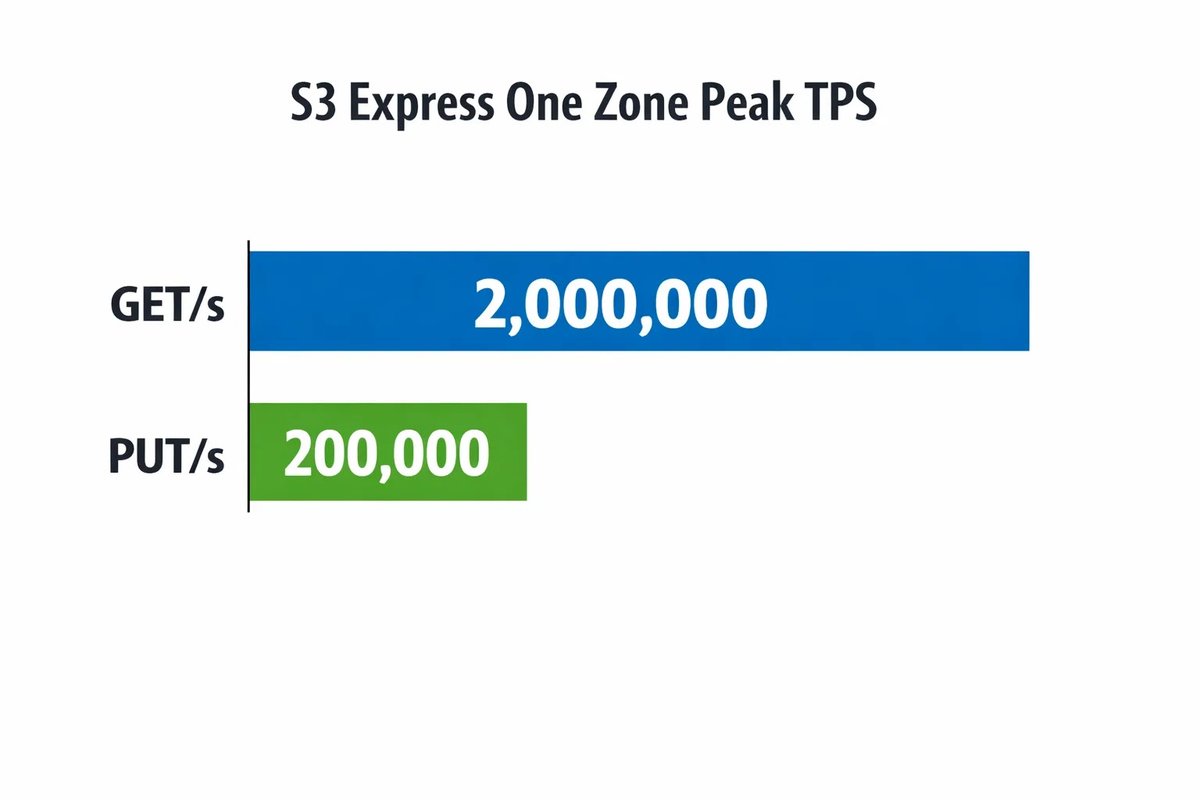
Bar chart showing peak S3 Express One Zone throughput: 2,000,000 GET/s and 200,000 PUT/s.
The “why” behind this matters:
Authorization overhead becomes part of latency. Directory buckets support a session-based authorization mechanism. The docs describe how AWS SDKs can use a CreateSession operation to obtain a temporary session token for low-latency authorization, and automatically refresh tokens (tokens expire after 5 minutes; AWS SDKs/CLI refresh sessions automatically) on the application’s behalf.
Data integrity and client efficiency are part of performance. AWS’s directory-bucket performance guidance highlights checksum options (CRC/SHA) and recommends approaches for best performance; it also emphasizes using modern AWS SDKs and acceleration libraries (CRT) where available.
This doesn’t mean “move everything to Express One Zone.” It means you should be explicit about which objects are latency-critical, and treat storage choice as an architectural knob, just like codec selection or edge routing.
Pattern: Split “Session Artifacts” From “Long-Term Record”
Once you decide where latency matters most, the next step is to split the storage responsibilities.
For example:
Hot session artifacts: thumbnails, short clips, temporary media segments, session metadata, moderation artifacts, and operational traces that drive real-time decisions.
Long-term record: finished uploads, finalized assets, analytics snapshots, legal retention, and cold archives.
When those two are mixed in one place, teams tend to optimize for the wrong thing (and then wonder why costs or tail latency drift). With a split-path approach, you can tune object layout, request patterns, and access policies to the specific job each dataset does.
Storage Lens performance metrics help here because they allow you to see constraints at multiple levels, including bucket and prefix, and identify patterns like small-object pressure that can slow performance.
Global Users: Simplify Multi-Region Access And Cross-Region Writes
Interactive media apps don’t just read globally; they often write from many Regions, whether that’s for telemetry, moderation, or multi-Region service architecture. AWS’s Multi-Region Access Points (MRAP) are designed to provide a global endpoint that can fulfill requests from buckets in multiple Regions, using AWS Global Accelerator to route over the AWS global network to the closest bucket with active routing status.
One operational detail teams sometimes miss: routing doesn’t consider the contents of the request. AWS documentation explains that if MRAP routes a GetObject request to a bucket that doesn’t have a copy, you can get a 404, and that configuring S3 Cross-Region Replication (CRR) helps avoid this by ensuring objects are replicated across buckets.
For cross-Region writes, AWS’s Storage Blog describes patterns using MRAP with VPC interface endpoints to streamline cross-Region data movement to a centralized S3 bucket, aiming to reduce complexity and data movement costs while keeping traffic private.
The architectural takeaway: decide whether you want local writes + replication, centralized writes via a global access pattern, or dual writes, and document the tradeoffs before the app scales.
Governance That Scales With Teams (And Sensitive Workloads)
Interactive platforms often handle data with elevated sensitivity, user-generated content, moderation data, and operational logs that should not be universally accessible inside an organization. AWS’s recent S3 governance work leans into reducing policy sprawl while improving auditability.
In November 2025, AWS introduced attribute-based access control (ABAC) for S3 general purpose buckets, enabling tag-based authorization so that access can be governed by attributes like project, team, or data classification instead of constantly editing bucket-by-bucket policies. AWS also notes you can use AWS CloudTrail to audit access requests and understand which policies granted or denied access.
This is where a targeted, real-world example can be useful: teams supporting experiences such as 1 on 1 adult video chat platforms often need clear separation between operational datasets (telemetry, abuse reports, moderation queues) and product datasets, ideally enforced by tags and automated policy evaluation, not by manual IAM edits every time a bucket is created or a team reorganizes. ABAC is designed to reduce that administrative burden at scale.
Don’t Miss The April 2026 Encryption Shift
Finally, some “control” decisions are time-bound. AWS has provided advance notice that starting April 6, 2026, S3 will change how server-side encryption with customer-provided keys (SSE-C) is enabled: it will be disabled by default for all new S3 general purpose buckets, and also disabled for existing buckets in accounts that have no SSE-C encrypted data, with rollout across Regions over the following weeks.
AWS says applications that still require SSE-C must deliberately enable it via PutBucketEncryption and continue including the required SSE-C headers, and that teams may need to update automation scripts and infrastructure templates.
If your media workflow depends on SSE-C, treat this as a release milestone: inventory where it’s used, validate your automation, and consider whether SSE-S3 or SSE-KMS is a better fit for modern operational flexibility.
The Bottom Line
S3’s evolving guidance points to a pragmatic operating model for interactive media:
Instrument performance (especially for small-object pressure and prefix-level patterns).
Use the right bucket and storage class for the hot path, including directory buckets and Express One Zone when low latency and high TPS are truly required.
Design global access intentionally with MRAP and replication strategies aligned to your read/write reality.
Make governance scalable with ABAC, and keep encryption changes on your roadmap.
The teams that do this well don’t just “store media.” They build a storage layer that behaves like product infrastructure, observable, predictable, and ready for growth.