Enabling Replication to the Same Site
When a single
To enable replication to the same vCenter Server:
| 1. | In the Zerto User Interface, click SETTING ( ) in the top right of the header and select Site Settings. ) in the top right of the header and select Site Settings. |
The Site Settings dialog is displayed, with the default tab, Site Information, open.
| 2. | Click the tab Policies. |
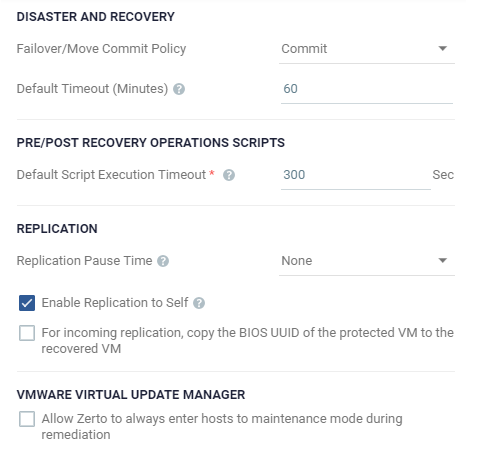
| 3. | Select the checkbox Enable Replication to Self. |
| 4. | Click APPLY or SAVE. |
The Zerto Virtual Manager, when used to protect to itself, can manage the protection of up to 5000 virtual machines.
See also:
| • | Setting Up Role-based Access Control |
| • | Sizing Considerations |