Cloud Settings Dialog
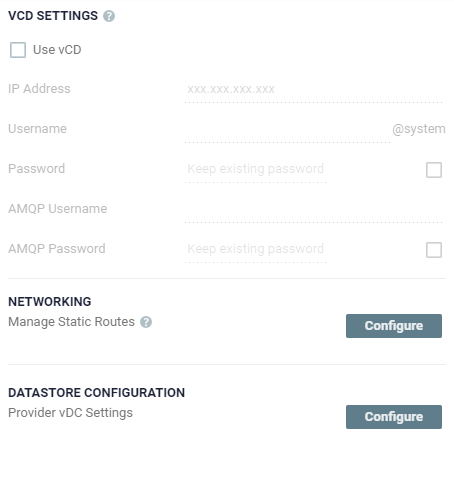
| • | Select Use vCD to enter the VMware vCloud Director access details: |
| • | IP Address: The IP address of the machine where vCD runs. When connecting to vCD with multiple cells, enter the virtual IP for the network load balancing used by the cells. |
| • | Username: The user name for an administrator to vCD. |
| • | Password: A valid password for the given user name. |
| • | AMQP Username: The user name for the AMQP server. |
| • | AMQP Password: A valid password for the given AMQP user name. |
| • | Manage Static Routes: Click Configure to define static route details. See Manage Static Routes Dialog. |
| • | Provider vDC Settings: Click Configure to define provider vDC settings and their datastore configuration. See Configure Provider vDCs Dialog. |
See also:
| • | Site Information Dialog |
| • | Throttling Dialog |
| • | Policies Dialog |
| • | Email Settings Dialog |
| • | Reports Dialog |
| • | Compatibility Dialog |
| • | LTR Settings Dialog |