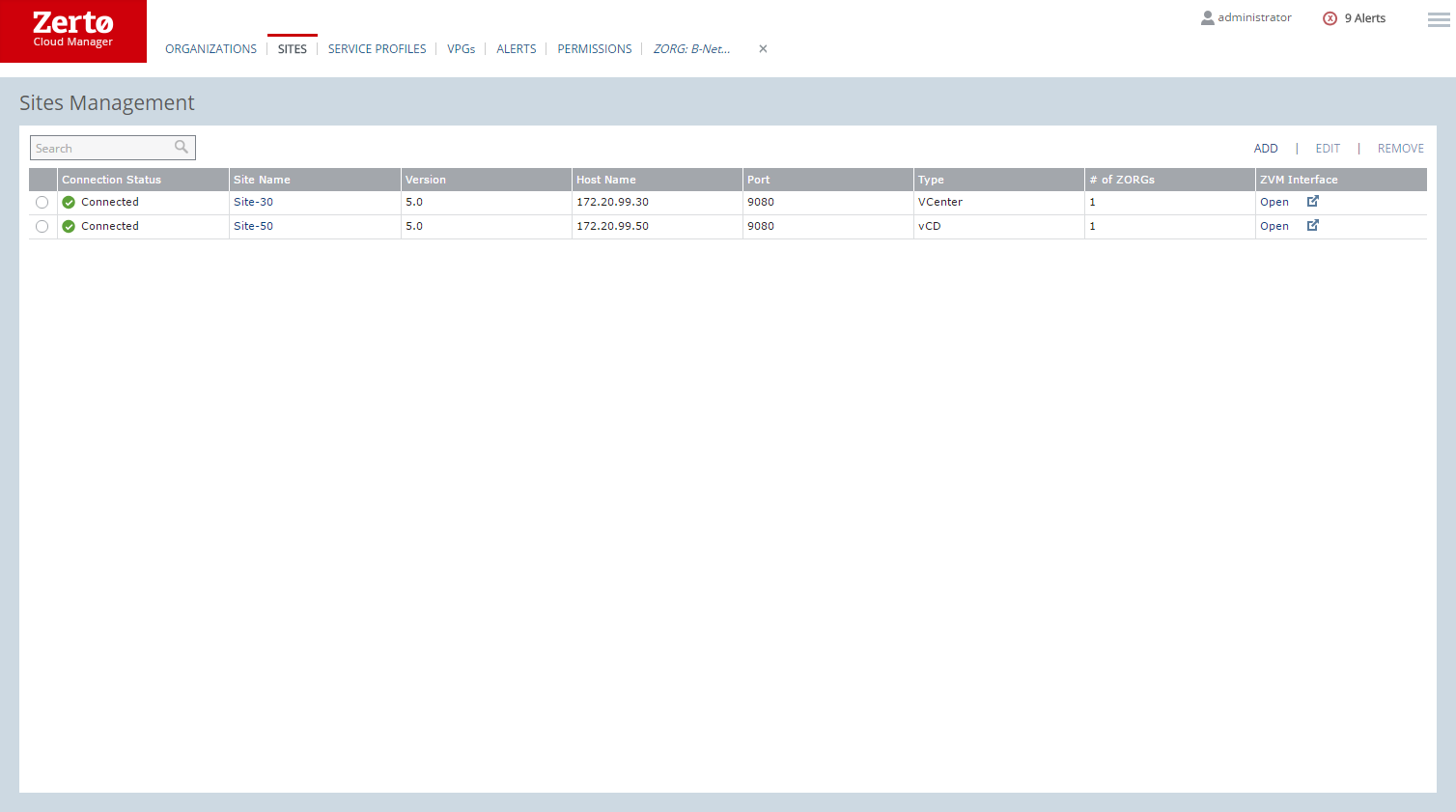
Sites Tab
Enables adding sites and editing or deleting existing sites.
■ Connection Status: Whether the site is connected or not. If the site is disconnected, check the status of the Zerto Virtual Manager service.
Note: If the site identifier was changed, the Connection Status shows the following: “Site identifier was changed. Please remove the site and then reconnect to it.”
■ Site Name: The name of the site, specified when installing the Zerto Virtual Manager, or after installation by editing the site configuration in the Zerto User Interface.
■ Host Name: The IP address of the machine where the Zerto Virtual Manager service runs.
■ Port: The port specified during installation to be used to access the Zerto Virtual Manager.
■ Type: Whether the Zerto Virtual Manager communicates with vCloud Director or only a vCenter Server.
■ # of ZORGs: The number of Zerto organizations, ZORGs, that will recover to this site.
■ ZM Interface: Whether it is possible to open the Zerto User Interface.