Changing a Recovery VRA
When a VPG is defined, the recovery host to use for each virtual machine in the VPG is specified. If required, you can change the recovery host for a protected virtual machine.
Note: The storage used by the original VRA and the changed VRA must be accessible by both the original target host and by the changed target host.
To change a host VRA:
1. In the Zerto User Interface, select the VRA to change in the VRAs subtab under the SETUP tab.
2. Click MORE > Change VM Recovery VRA.
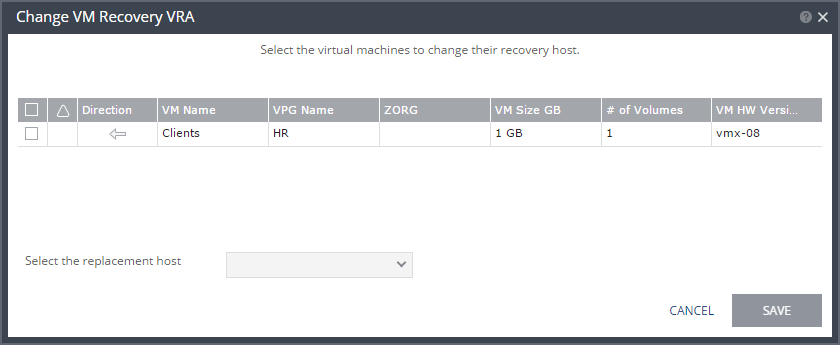
The Change VM Recovery VRA dialog is displayed, listing all the virtual machines that require a change to the recovery host.
3. Review the list and select the virtual machines to change the target host to another specified target host.
4. Select the target host for these virtual machines in the Select the replacement host drop-down list. You can move some virtual machines to one replacement target host and by repeating the operation, move other virtual machines to a different target host.
Validation is performed to make sure the selected target host can be used, for example the storage used by both the VRAs are accessible from both hosts.
Any implications of the change, such as whether synchronization might be required after the change is also displayed.
5. Click SAVE.
■ During this procedure you cannot edit the affected VPGs nor attempt a failover, move, failover test or clone operation.
■ At the end of the procedure a Delta Sync might be required to resynchronize the protected machines with the recovery VRAs.