Pairing an AWS Site
Zerto Virtual Replication is installed on both the protected and AWS sites and these two sites are paired to enable disaster recovery across the sites.
To pair sites:
1. In the Zerto User Interface, in the SITES tab click PAIR.
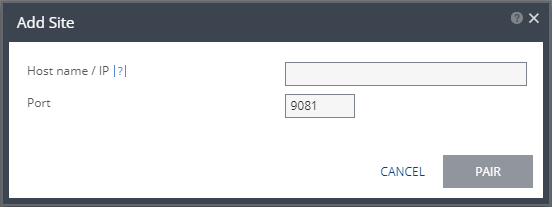
The Add Site dialog is displayed.
You cannot pair to another AWS site nor to an Azure site.
2. Specify the following:
■ Remote Site ZVM IP Address: IP address or fully qualified DNS host name of the remote site Zerto Virtual Manager to pair to.
■ Port: The TCP port communication between the sites. Enter the port that was specified during installation. The default port during the installation is 9081.
3. Click PAIR.
The sites are paired, meaning that the Zerto Virtual Manager on the protected site is connected to - paired with - the Zerto Virtual Manager on the AWS site.
After the pairing completes the content of the SITES tab changes to include summary information about the paired site.