Manage CPU Usage and Performance
The following information describes how to m Manage CPU usage in order to optimize the performance of the preview generation service.
To manage CPU usage, complete these steps:
- Go the Manage CPU Usage section of the Service management page.
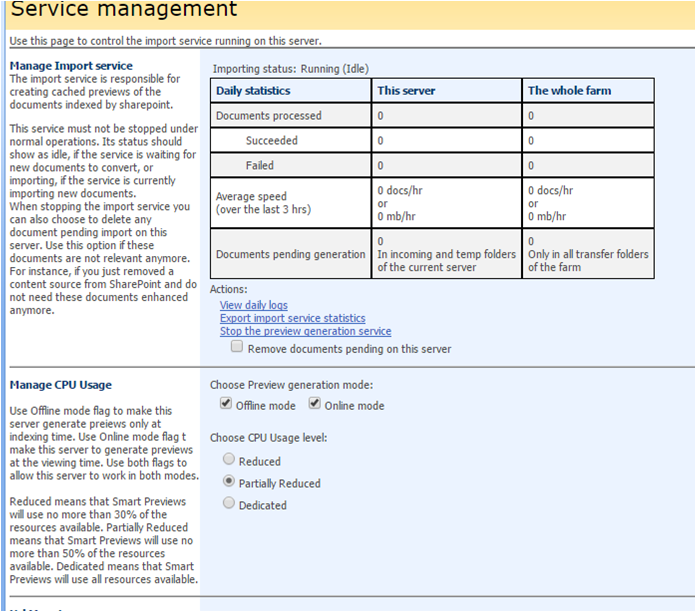
- To manage CPU usage, choose one of the available options:
- Reduced:
- No more than 30% of the available resources are used
- Partially Reduced:
- No more than 50% of the available resources are used.
- Default setting.
- Dedicated:
- All of the available resources are used.
- This is only for dedicated Smart Previews Import Server hardware
Note: These percentages are only approximate.
- Click Save in the bottom right corner of the Smart Previews Administration Console window.