Purge Your Log Files
You can purge, or remove, your log files by running a purge logs job.
To purge your logs, use the following steps:
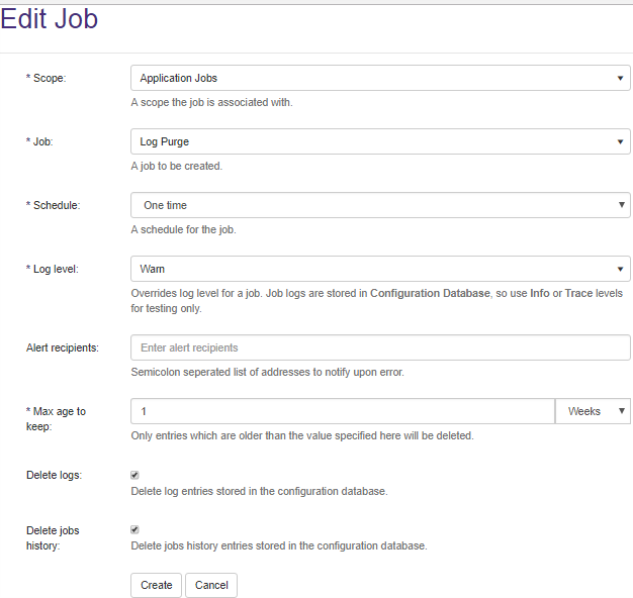
- Go to Tasks > Timer Jobs > New, the Edit Job pop-up window appears.
-
Scope: Click to open the drop-down list and select
Application Jobs.Note: You must specify
Application Jobsif you want to run a Log Purge job, or all of the required fields do not appear. - Job: Click to open the drop-down list and select the
Log Purgejob. - Log Level:
- Warn by default.
- Switch to Trace for troubleshooting purpose .
- Alert recipients: Enter one, or more email addresses, which must be separated by semicolons (
;\) - Max age to keep:
- If you want to keep any of your log files specify a number of days, weeks, or months.
- All of the logs that are older than your specification are removed.
- Delete logs: Click to remove the log entries that are stored in the database.
- Delete jobs history: Click to remove all of the information for jobs that have been run. (See the Jobs History tab for more information before you purge your jobs.)