App Navigation and Usage
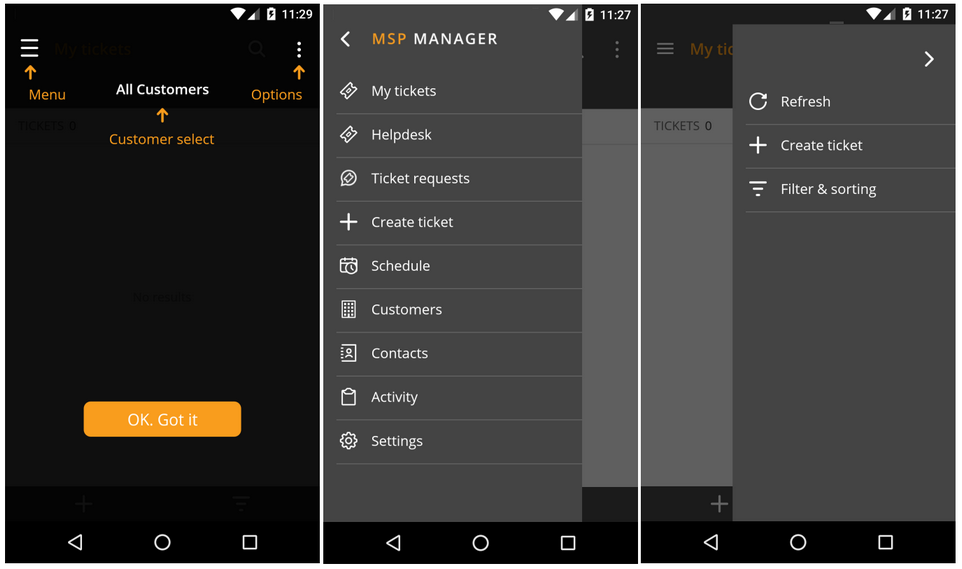
You can choose the target section from the top left menu and the options from the top right, with the main window reflecting your selection.
|
My tickets |
View tickets assigned to you (default: configured in Settings, Start up). |
|
Helpdesk |
View tickets for all customers. |
|
Ticket requests |
View ticket requests. |
|
Create ticket |
Populate the required information to create a ticket for a Customer. |
|
Schedule |
View the appointment list and calendar. Add appointments. |
|
Customers |
View customer information.
|
|
Contacts |
View and add Contacts for all customers |
|
Activity |
View all customer activity. |
|
Settings |
Enable or disable the following settings as required or select the Home screen: Notifications:
Authentication:
Start Up:
Reset all filters. |